dashboard: Unable to run kubernetes-dashboard code on linux.
Environment
Dashboard version: 1.8.3
Kubernetes version:
Client Version: version.Info{Major:"1", Minor:"9", GitVersion:"v1.9.3", GitCommit:"d2835416544f298c919e2ead3be3d0864b52323b", GitTreeState:"clean", BuildDate:"2018-02-07T12:22:21Z", GoVersion:"go1.9.2", Compiler:"gc", Platform:"linux/amd64"}
Server Version: version.Info{Major:"1", Minor:"9", GitVersion:"v1.9.2", GitCommit:"5fa2db2bd46ac79e5e00a4e6ed24191080aa463b", GitTreeState:"clean", BuildDate:"2018-01-18T09:42:01Z", GoVersion:"go1.9.2", Compiler:"gc", Platform:"linux/amd64"}

Operating system: linux/amd64
Node.js version: 8.9.4
Go version: 1.9.4
Steps to reproduce
- Download Dashboard code from release 1.8.3
- export KUBE_DASHBOARD_KUBECONFIG=/root/.kube/ (Directory path of config file)
- npm i --unsafe-perm (Having root privileges)
- gulp serve
Observed result
This is result of gulp serve command:
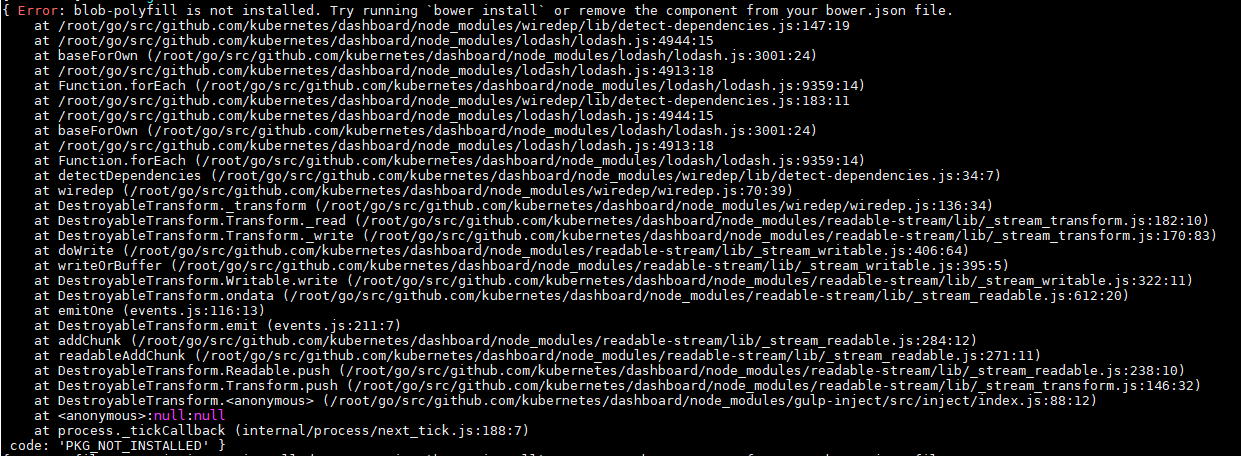


Opening the url shows blank web page with below console errors:

Expected result
Kubernetes dashboard should display.
Comments
My local cluster is available at : 192.168.1.131 (Master) 192.168.1.132 (Node1) 192.168.1.133 (Node2) Code build on: 192.168.1.121 Please correct me if I am going wrong or provide guidelines to build the dashboard code.
About this issue
- Original URL
- State: closed
- Created 6 years ago
- Comments: 15 (8 by maintainers)
It is not a real issue now. You don’t have Heapster inside your cluster that Dashboard is able to connect with. You can use Dashboard at the moment but it will not display graphs with resource usage. To setup Heapster connection you can use Dashboard arguments. Check https://github.com/kubernetes/dashboard/wiki/Dashboard-arguments or deploy it into the cluster.
Check https://github.com/kubernetes/dashboard/wiki/Getting-started.
Your kubeconfig path is wrong, it should point to the file, not directory. Why do you need to use root?