kiali: Kiali causing errors 503 and 504 at EKS apiserver.
Describe the bug After instaling kiali, multiple 504 errors are show, at seemingly random intervals, for LIST verbs refering to multiple istio objects like gateways,virtualservices,peerauthentication,destinationrules etc.
This problem, besides causing alarms on our monitoring system (which can be adjusted), also seems to cause authentication problems with EKS. Perhaps overloading the apiserver?
I was able to reproduce the scenario on two different clusters, in different AWS accounts.
Additional information: our clusters have 70+ namespaces but, as of now, istio is enabled only in a handful (fewer than 10) of namespaces. However, kiali operator set the label “kiali.io/member-of” on all 70+ of them.
Versions used Kiali: v1.33.1 (179cd6b016cd15deac16266520bb406185508b74) Istio: 1.8.5 Kubernetes flavour and version: v1.16.15-eks-ad4801
To Reproduce Steps to reproduce the behavior:
- Install prometheus+grafana and enable cluster monitoring
- Install istio
- Install kiali
- Go to prometheus or grafana endpoints and execute/add a panel with the following query:
sum by(resource, subresource, verb, code) (rate(apiserver_request_total{code=~"5..",job="apiserver"}[5m])) / sum by(resource, subresource, verb, code) (rate(apiserver_request_total{job="apiserver"}[5m])) > 0.05
- Let it running for a while and you’ll see multiple errors for verb LIST
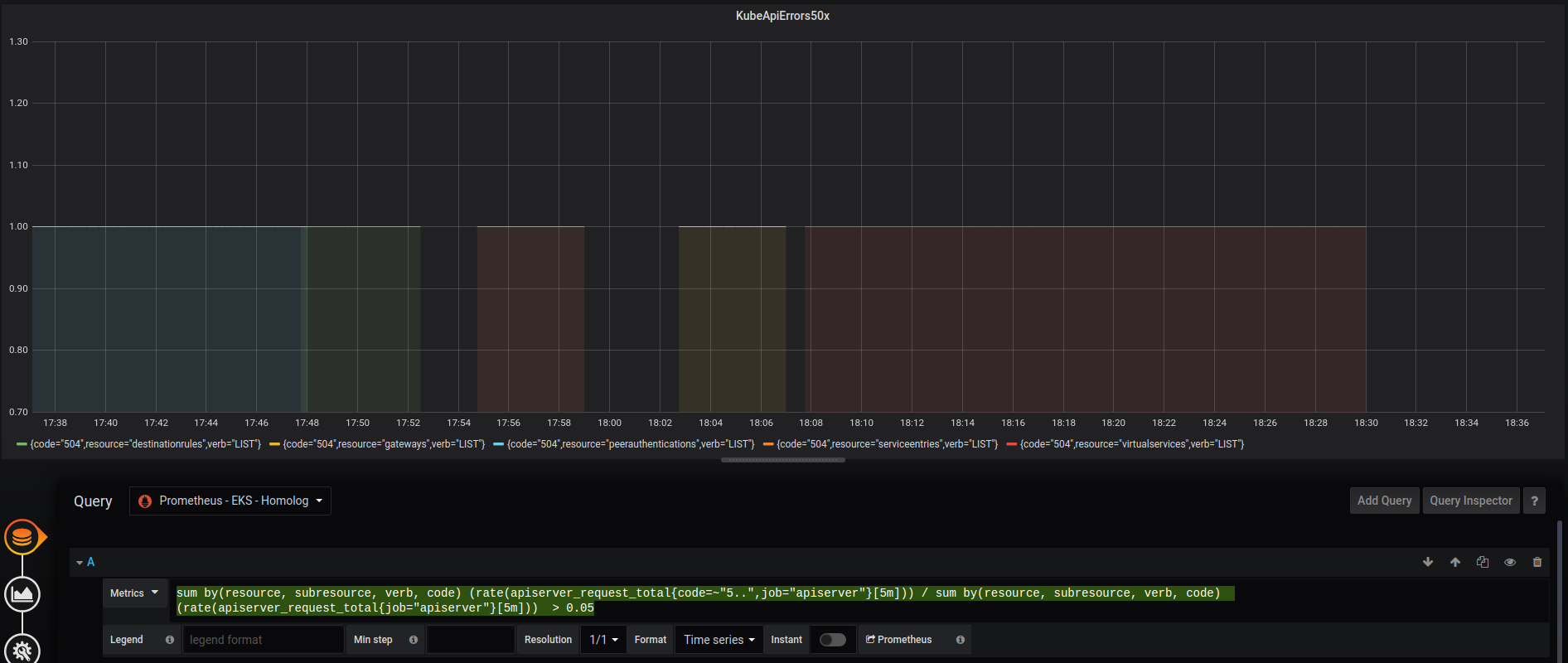
Expected behavior
I kiali shouldn’t generate errors when trying to list objects it needs to watch.
Extra information: Kiali CR
apiVersion: kiali.io/v1alpha1
kind: Kiali
metadata:
  name: kiali
  namespace: istio-system
  annotations:
    ansible.sdk.operatorframework.io/verbosity: "1"
spec:
  auth:
    strategy: "anonymous"
  deployment:
    view_only_mode: true
    ingress_enabled: false
  external_services:
    tracing:
      in_cluster_url: "http://tracing.istio-system/"
      url: "http://tracing.homolog.my.domain/"
      use_grpc: false
Note: grpc is disabled because I was not able to find the correct endpoint (adding or removing /jaeger had no effect).
Please let me know if you need more information.
UPDATE*
With these values below, only the 503 errors appear on our monitoring.
  deployment:
    # Limits to 22 namespaces
    accessible_namespaces:
    - ns-group1-.*
    - ns-group2-.*
    ingress_enabled: false
    logger:
      log_level: debug
    view_only_mode: true
  external_services:
    custom_dashboards:
      discovery_enabled: "false"
  kubernetes_config:
    burst: 50
    cache_duration: 600
    cache_token_namespace_duration: 60
    qps: 10
About this issue
- Original URL
- State: closed
- Created 3 years ago
- Comments: 39 (10 by maintainers)
@sergiomacedo there is (was) a reason for that - but I’m going to switch it back. Read this issue I just created if you care about the gory details 😃
When falling back to a previous version of the operator, you can explicitly tell the operator to use a specific image via: https://github.com/kiali/kiali-operator/blob/master/deploy/kiali/kiali_cr.yaml#L250-L264
Not specifying this causes the operator to install the “lastrelease” as defined here: https://github.com/kiali/kiali-operator/blob/master/playbooks/default-supported-images.yml#L1
This brings up an interesting point that is completely unrelated to this issue, but one I need to start thinking about. We recently introduced a feature in which the operator will not allow you to set this image_version field (you will be required to install the version the operator has set by default). This clearly isn’t going to work when you have an older operator but then Kiali releases a new version of the server which may require new/different permissions or CR settings. We may have to change that feature’s behavior. I’ll write a separate github issue for this… this is going to be a problem I think.
Note: this isn’t a problem to worry about with v1.26. So set image_version and it will work.