Aerial: Cache limit is not respected
General troubleshooting tips
Before logging an issue please check that:
- You have the latest version installed (There may be a beta version that fixes your issue), see here for the latest releases and bug fixes: https://github.com/JohnCoates/Aerial/releases
- Your issue isn’t already mentioned in our issues. You may find a workaround there or a similar request already made.
- Your problem isn’t mentioned in the troubleshooting page.
If none of this fixes your issue, tell us about the problem you are experiencing or the feature you’d like to request.
Required information
In order to help us sort your issue, we ask that you provide the following information:
- Mac model: Macbook Pro M1 13" (2020)
- macOS version: Ventura 13.1 Beta (22C5050e)
- Monitor setup: Build-in + external 27" 1440p
If appropriate, please enable Debug mode and Log to disk in Advanced tab and replicate your bug, then attach the AerialLog.txt file (You can access this file through the Advanced tab).
Description of issue / Feature request
Aerial doesn’t respect it’s own cache limit and keeps adding more and more files:
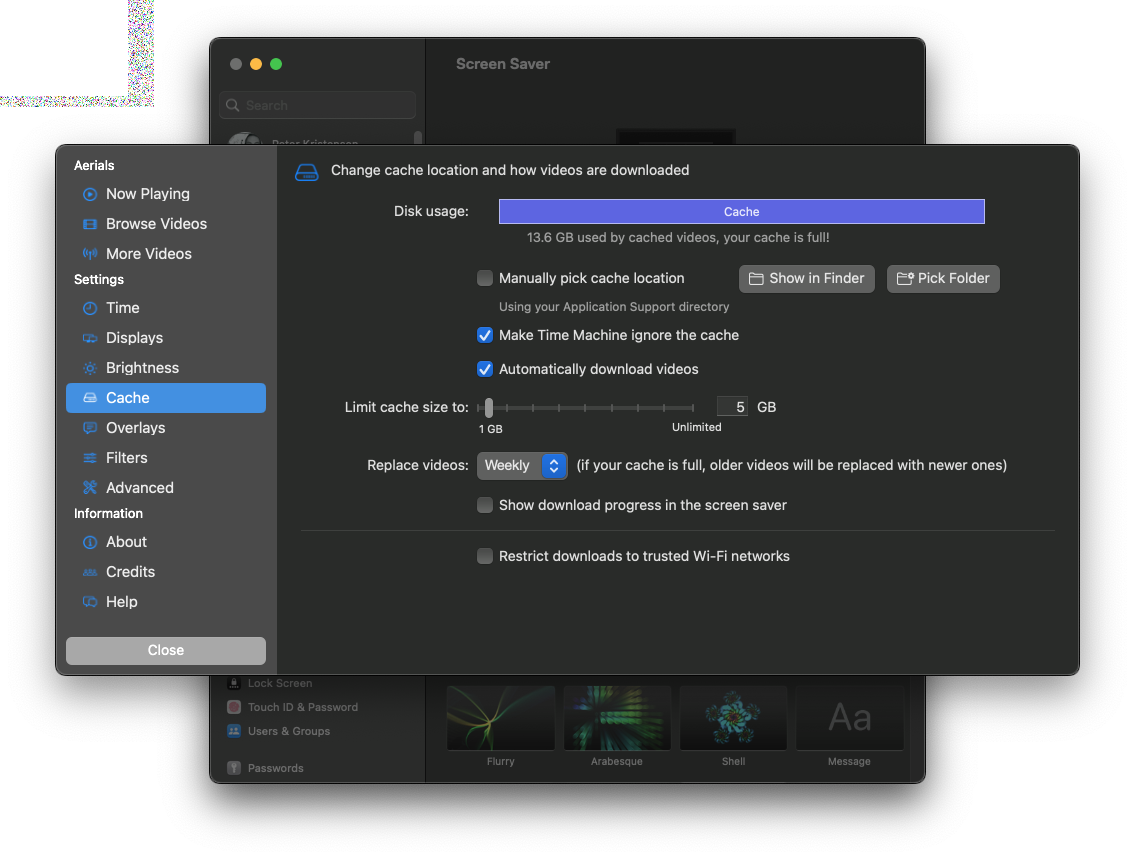
The cache contains 48 files, the oldest of wich is more than 2 weeks old
Not sure what extra information to add - I’ll enable debug logging and see if anything pop up
About this issue
- Original URL
- State: closed
- Created 2 years ago
- Reactions: 2
- Comments: 25
You’re right, nothing is selected.
I don’t remember ever going to that part of the options, so unless I’m remembering wrong this was the default (or an upgrade could have messed it up?)
I prefer the solution that requires less work from the user, so either the 2nd option or make sure everything there’s a sane selection by default after installation
Here you go. The complete log file this time:AerialLog.txt