railsdevs.com: After setup, every test results in a PG::ForeignKeyViolation
Describe the bug
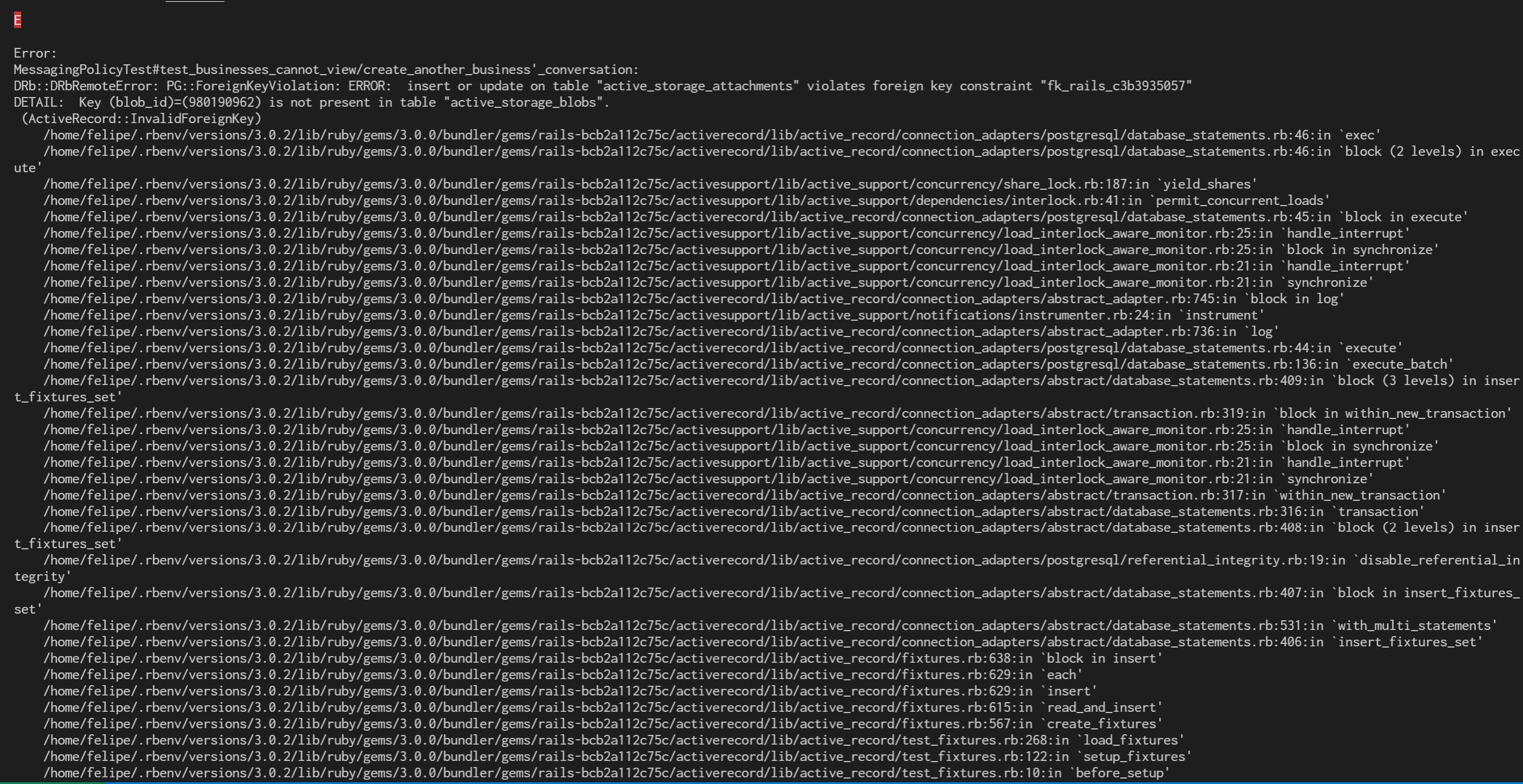
After forking and cloning the project for the first time, I followed the setup steps and I’m able to run locally with bin/dev. But I can’t run the tests because every test results in this error:
DRb::DRbRemoteError: PG::ForeignKeyViolation: ERROR:  insert or update on table "active_storage_attachments" violates foreign key constraint "fk_rails_c3b3935057"
DETAIL:  Key (blob_id)=(980190962) is not present in table "active_storage_blobs".
I’m on Ubuntu 20.04 in WSL.
To Reproduce Steps to reproduce the behavior:
- Clone the railsdevs.com repo.
- Follow the setup steps in the README.
- Run
rails test. - See the errors.
Expected behavior The tests should run without errors.
Additional context I’m pretty new to open source (this will be my third contribution ever), so it’s possible that I’m missing a basic setup step. But I double-checked to make sure I followed all the steps in the README.
I tried running rails db:reset but that didn’t make a difference.
Screenshots
About this issue
- Original URL
- State: closed
- Created 3 years ago
- Comments: 19 (12 by maintainers)
Commits related to this issue
- Build assets during bin/setup https://github.com/joemasilotti/railsdevs.com/issues/178 — committed to joemasilotti/railsdevs.com by joemasilotti 3 years ago
- Build assets during bin/setup https://github.com/joemasilotti/railsdevs.com/issues/178 — committed to topdeveloper-dev/railsdev.com by topdeveloper-dev 3 years ago
- Build assets during bin/setup https://github.com/joemasilotti/railsdevs.com/issues/178 — committed to TechAlchmy/job-board by TechGuy77 3 years ago
It works perfectly! 👍 I can
git clone&bin/setup&bin/checksmoothly.@fpsvogel, this is so weird! Sorry we haven’t been able to help more.
After getting the error, can you try running the console or direct queries and seeing what the database is populated with?
active_storage_attachmentsandactive_storage_blobs, specifically.@jacobdaddario, I added two more steps to
bin/setupto compile the assets. I think that should fix everything, I tested on a new clone and it worked for me.@hungmi, can you give this a try? I pushed to
main.Sorry, I forgot to mention that yes, now I do have the additional image as well. I also deleted my fork and then forked and cloned again from scratch, but I’m still getting the error.