generator-jhipster: War generated seems to not work in 6.0.1 (standalone and tomcat)
Overview of the issue
With JHipster 6.0.1, the war generated by the command ./mvnw -Pprod,war clean verify does not serve the webapp when deployed in Tomcat. It was working fine with JHipster 5.8.2 (because war was the default package type I guess).
When the app is deployed on Tomcat (the startup is working fine) and accessed via Chrome, the following appears in the console:
Console errors
loading.css:1 Failed to load resource: the server responded with a status of 404 ()
main.70794c3….css:1 Failed to load resource: the server responded with a status of 404 ()
global.2305a38….css:1 Failed to load resource: the server responded with a status of 404 ()
0.e733838….chunk.js:1 Failed to load resource: the server responded with a status of 404 ()
polyfills.e733838182…ea31ccb.bundle.js:1 Failed to load resource: the server responded with a status of 404 ()
main.e733838….bundle.js:1 Failed to load resource: the server responded with a status of 404 ()
global.e733838….bundle.js:1 Failed to load resource: the server responded with a status of 404 ()
0.e733838….chunk.js:1 Failed to load resource: the server responded with a status of 404 ()
polyfills.e733838182…ea31ccb.bundle.js:1 Failed to load resource: the server responded with a status of 404 ()
main.e733838….bundle.js:1 Failed to load resource: the server responded with a status of 404 ()
global.e733838….bundle.js:1 Failed to load resource: the server responded with a status of 404 ()
:8080/manifest.webapp:1 Failed to load resource: the server responded with a status of 404 ()
:8080/manifest.webapp:1 Manifest: Line: 1, column: 1, Unexpected token.
loading.css:1 Failed to load resource: the server responded with a status of 404 ()
global.2305a38….css:1 Failed to load resource: the server responded with a status of 404 ()
main.70794c3….css:1 Failed to load resource: the server responded with a status of 404 ()
On screen, the page displayed is:
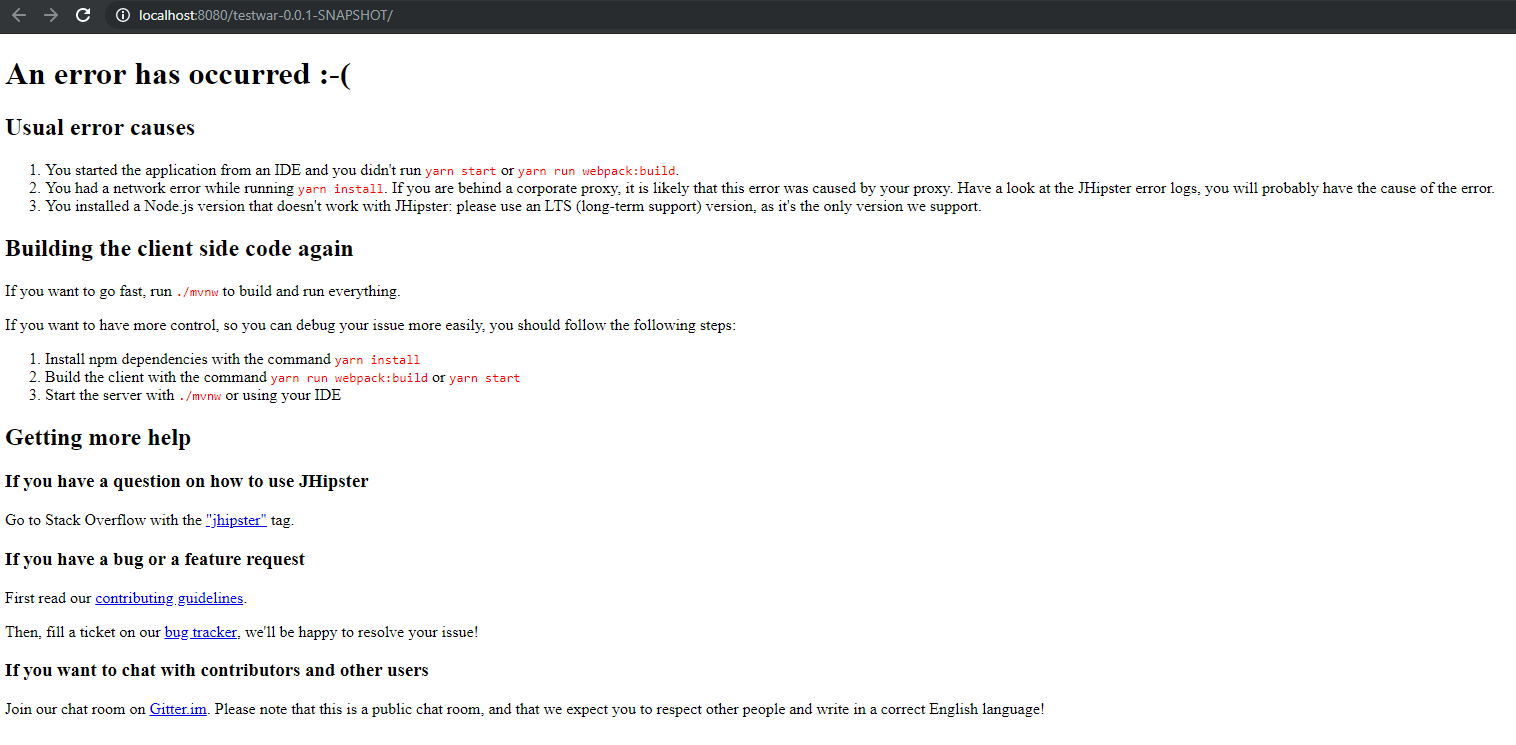
Trying to execute the war from command line with java -jar testwar-0.0.1-SNAPSHOT.war output the following error:
no main manifest attribute in .\testwar-0.0.1-SNAPSHOT.war
Please note that this command works if I try to run the jar and not the war (with a start-class property I needed to add otherwise I had the same error).
Everything is working fine if the app is started with ./mvnw.
Motivation for or Use Case
I use JHipster to create an app deployed on Tomcat. I needed to upgrade JHipster because there is a bug in 5.8.2 about the Tomcat metrics (https://github.com/jhipster/generator-jhipster/issues/9195) fixed in 6.0.
Reproduce the error
- Create a new directory and cd into it
- run “jhipster” to create a new app
- run “./mvnw -Pprod,war clean verify” to build the war package
- deploy the war in tomcat and try to access to the app
Related issues
Suggest a Fix
The change about the war profile seems to be the cause (https://github.com/jhipster/generator-jhipster/pull/9034).
The current structure of the war is :
- META-INF
- MANIFEST.MF
- maven
- “package_name”
- “app_name”
- pom.properties
- pom.xml
- “app_name”
- “package_name”
- WEB-INF
- classes
- “package_root” -> all the java files inside the package tree
- config -> *.yml
- i18n -> *.properties
- META-INF
- build-info.properties
- static -> webapp (with files not found by the browser)
- templates -> default templates
- banner.txt
- git.properties
- logback-spring.xml
- stats.html
- lib -> *.jar
- web.xml
- classes
JHipster Version(s)
6.0.1
JHipster configuration
JHipster Version(s)
testwar@0.0.0 D:\Projects\testwar
`-- generator-jhipster@6.0.1
JHipster configuration, a .yo-rc.json file generated in the root folder
.yo-rc.json file
{
  "generator-jhipster": {
    "promptValues": {
      "packageName": "com.test.testwar",
      "nativeLanguage": "en"
    },
    "jhipsterVersion": "6.0.1",
    "applicationType": "monolith",
    "baseName": "testwar",
    "packageName": "com.test.testwar",
    "packageFolder": "com/test/testwar",
    "serverPort": "8080",
    "authenticationType": "session",
    "cacheProvider": "ehcache",
    "enableHibernateCache": true,
    "websocket": false,
    "databaseType": "sql",
    "devDatabaseType": "mysql",
    "prodDatabaseType": "mysql",
    "searchEngine": false,
    "messageBroker": false,
    "serviceDiscoveryType": false,
    "buildTool": "maven",
    "enableSwaggerCodegen": false,
    "rememberMeKey": "YourJWTSecretKeyWasReplacedByThisMeaninglessTextByTheJHipsterInfoCommandForObviousSecurityReasons",
    "clientFramework": "angularX",
    "clientTheme": "none",
    "clientThemeVariant": "",
    "useSass": true,
    "clientPackageManager": "yarn",
    "testFrameworks": ["gatling", "cucumber", "protractor"],
    "jhiPrefix": "jhi",
    "entitySuffix": "",
    "dtoSuffix": "DTO",
    "otherModules": [],
    "enableTranslation": true,
    "nativeLanguage": "en",
    "languages": ["en", "fr"]
  }
}
JDL for the Entity configuration(s) entityName.json files generated in the .jhipster directory
JDL entity definitions
Environment and Tools
java version “1.8.0_211” Java™ SE Runtime Environment (build 1.8.0_211-b12) Java HotSpot™ 64-Bit Server VM (build 25.211-b12, mixed mode)
git version 2.21.0.windows.1
node: v10.15.3
npm: 6.4.1
yarn: 1.15.2
Entity configuration(s) entityName.json files generated in the .jhipster directory
none
Browsers and Operating System
Windows 10 Chrome 74, IE 11, Firefox 67 Apache Tomcat 9.0.14 Apache Maven 3.6.1
- Checking this box is mandatory (this is just to show you read everything)
About this issue
- Original URL
- State: closed
- Created 5 years ago
- Comments: 15 (8 by maintainers)
@aydincaner : I think you’re right, I saw this few weeks ago. Could you open a new specific ticket for this, with all details to reproduce plz ?
As suggested by @ruddell, you need to change the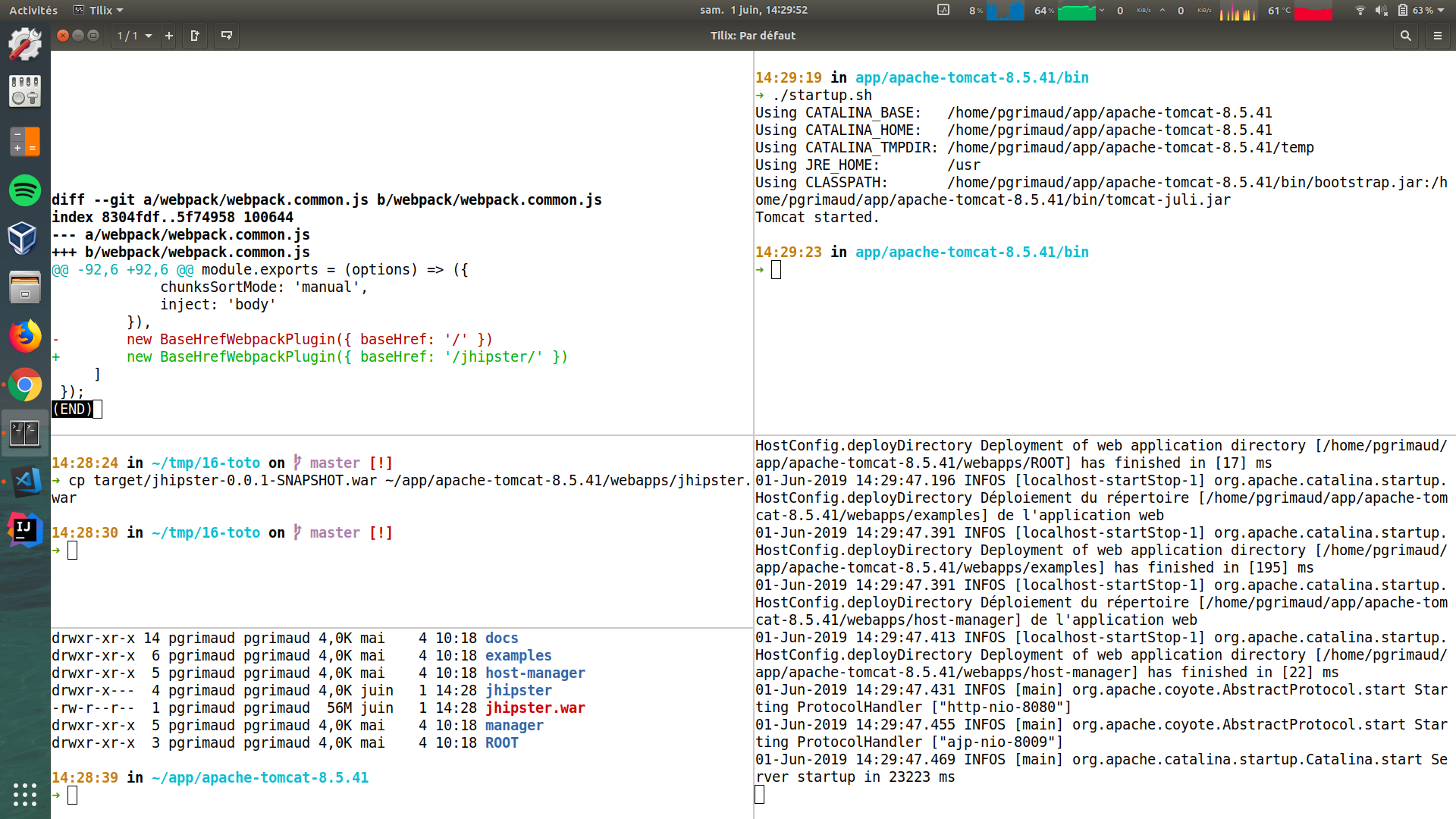
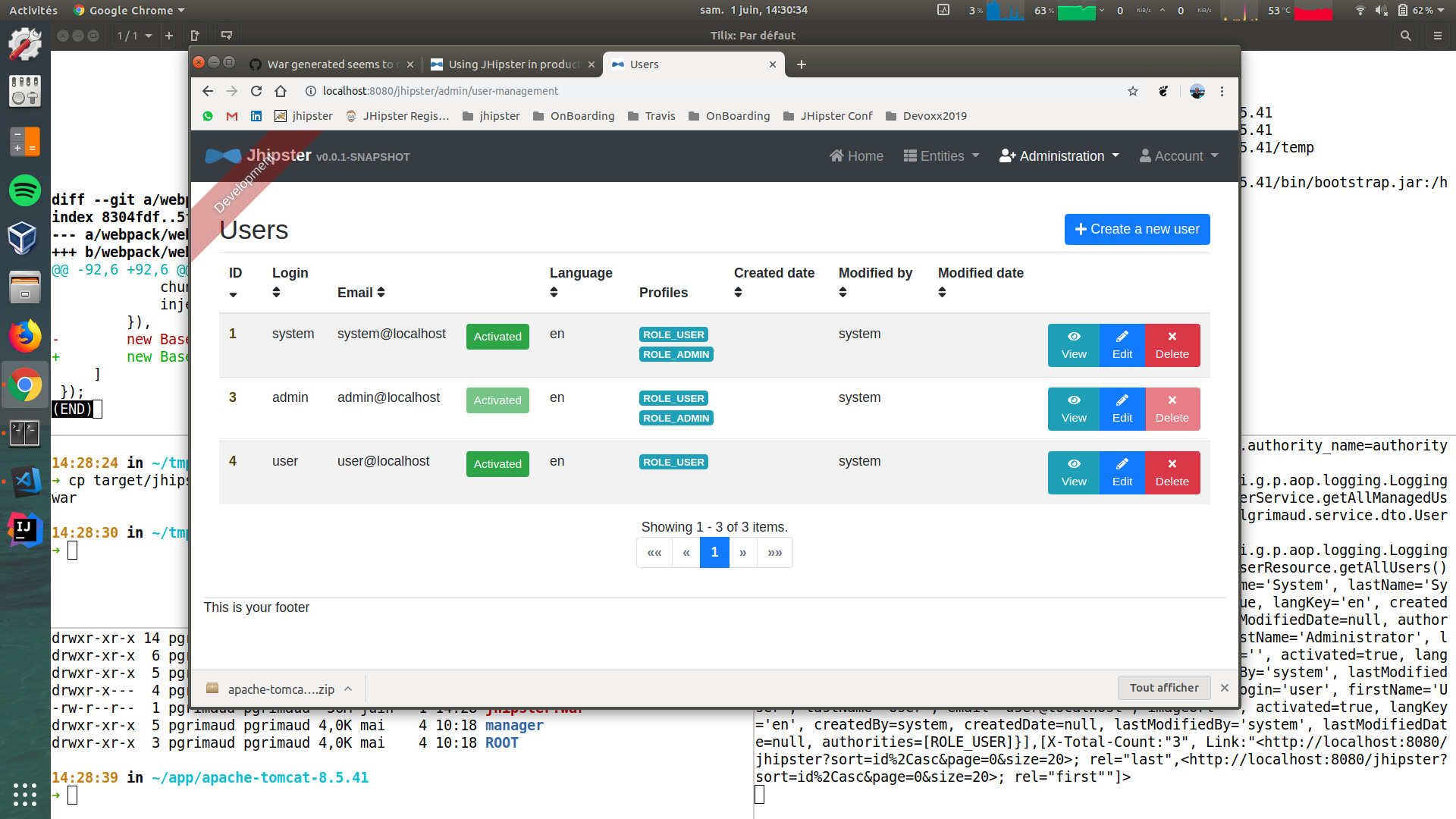
baseHrefinwebpack.common.js. Just tested it, and I don’t have any issue. Everything works fine for me. See my screenshots:I’m not sure we support WARs anymore, @PierreBesson ?