oh-my-posh: Git branch displayed 2 times and Python environment missing
Prerequisites
- I have read and understand the
CONTRIBUTINGguide - I looked for duplicate issues before submitting this one
Description
Following an upgrade from oh-my-posh 2 to oh-my-posh-3, the theme application seems to have two issues:
- The conda environment of my user is not displayed by default (the
baseenvironment) - When I move to a git directory, the branch name is displayed as a prefix to the prompt and in the prompt
- If I activate a virtual environment venv, it is also displayed as a prefix
Environment
- Oh my Posh version: v3
- Theme: aliens
- Operating System: Microsoft Windows 10 Pro - 10.0.19042 Build 19042
- Shell: Powershell
- Terminal: Windows Terminal + VSCode
Steps to Reproduce
- Follow-up of the documentation for the update
- Set a theme
PS > Set-PoshPrompt -Theme aliens
- Export theme into PS profile
PS > Export-PoshTheme -FilePath ~/.oh-my-posh.omp.json
- Get the PS profile
PS > $PROFILE
C:\Users\<username>\Documents\WindowsPowerShell\Microsoft.PowerShell_profile.ps1
- Edit the profile file :
Import-Module posh-git
Import-Module oh-my-posh
Set-PoshPrompt -Theme  ~/.oh-my-posh.omp.json
- Restart computer and reload Powershell
- Move to a Python Git repository with virtualenv

Expected behavior:
Is it possible :
- to have only once the git branch in the prompt?
- to have only once the Python environment in the prompt ?
- to have the conda
baseenvironment displayed by default ? - not to have the error on the Python environment in the prompt ?
Actual behavior:
Currently this is not possible 😃
About this issue
- Original URL
- State: closed
- Created 3 years ago
- Comments: 20 (10 by maintainers)
@Kin-Zhang in that case, move the
pythonsegment before thetextsegment. They are rendered based on their order in the config so you can move them where yo’d like to see them. You can always share the config here and I’ll gladly adjust it.Excellent! I hadn’t seen this option, perfect, thank you very much!!!
Oh! Thanks! You are so kind since now I know how simple my question is. 😂 Thank you very much, I set the theme I want now: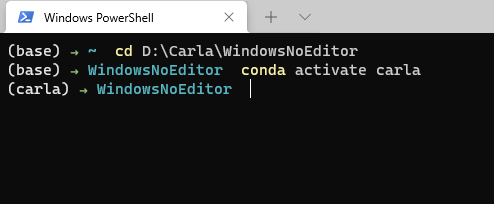
Thanks again for your detailed reply!❤️🌹
@Kin-Zhang I’ll walk you through it. When we say settings, we mean the oh-my-posh settings. The themes are actually pre-packaged settings files, so if you’re using the Powershell module and
Set-PoshPrompt -Theme xxx, you’re currently a prepared config.You need to export that one (the one you like) to a new local config, so you can extend it. Using Powershell that’s
Export-PoshThemewhich has the ability to copy the theme to your clipboard (default), or specify a path to store the config in, for exampleExport-PoshTheme -FilePath ~/.mytheme.omp.json.Supposing we do the latter, open the
~/.mytheme.omp.jsonfile and add this segment in the block you like (read the concept page for reference). Once you’re done editing, you can alter your$PROFILEand set your custom theme usingSet-PoshPrompt -Theme ~/.mytheme.omp.json.Could you update to the latest version of posh-git(1.0.0)? You can run an
update-module -verboseand reopen the terminal