Remarkable: The deb package cannot be installed under current Ubuntu 20.04
reparing to unpack remarkable_1.87_all.deb ...
Unpacking remarkable (1.87) ...
dpkg: dependency problems prevent configuration of remarkable:
 remarkable depends on gir1.2-webkit-3.0; however:
  Package gir1.2-webkit-3.0 is not installed.
BUT:
$ sudo apt install gir1.2-webkit-3.0
Reading package lists... Done
Building dependency tree
Reading state information... Done
Package gir1.2-webkit-3.0 is not available, but is referred to by another package.
This may mean that the package is missing, has been obsoleted, or
is only available from another source

E: Package 'gir1.2-webkit-3.0' has no installation candidate
It seems in 20.04 only gir1.2-webkit2-4.0 is available, see https://packages.ubuntu.com/search?suite=default§ion=all&arch=any&keywords=gir1.2-webkit&searchon=names
Just cloning the GitHub repo and running from there works fine though!
About this issue
- Original URL
- State: open
- Created 4 years ago
- Reactions: 12
- Comments: 16
Also I repackages the deb for Ubuntu 20.04, you can find it here: https://github.com/seiferteric/remarkable_debfix
Yeah it’s not working on Ubuntu 20.04 for me aswell.
If you just want to get it working you can also use:
snap install remarkablewhich is an unofficial upload from here.Works with 20.04
@ChiliPaneer, thanks! I installed it this way (also tried --beta flag) but the preview half of the window doesn’t show up.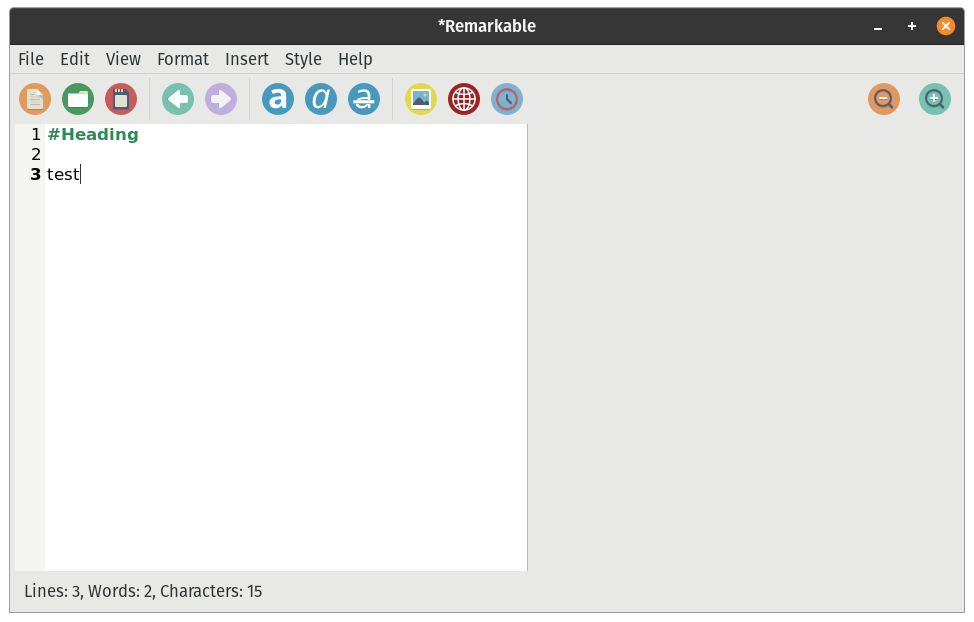 Console log shows error:
External previewoption doesn’t work either.Gtk-Message: 10:51:41.603: Failed to load module "appmenu-gtk-module"Looks like the problem is similar to this: https://askubuntu.com/questions/1268368/snap-store-giving-error-failed-to-load-module-appmenu-gtk-moduleThe debfix works with Ubuntu 22.04 also
Tested and verified on Linux Mint 20 too.