core: Tesla PowerWall Integration Error
The problem
Hello, I have configured with success the PowerWall in HA with the Tesla integration but now won’t work anymore… If i try to access the PowerWall in chrome using the IP address of the gateway works well, but in HA i have this error:
Config entry 'Casa' for powerwall integration not ready yet: Powerwall is unreachable:
HTTPSConnectionPool(host='192.168.2.21', port=443): Max retries exceeded with url: /api/login/Basic (Caused by NewConnectionError('<urllib3.connection.HTTPSConnection object at 0x7ff7eb458130>:
Failed to establish a new connection: [Errno 113] Host is unreachable'));
Retrying in background
The IP is correct, the strange thing is that if i try to ping 192.168.2.21 i have this error (The same as the integration):
ping 192.168.2.21
PING 192.168.2.21 (192.168.2.21) 56(84) bytes of data.
From 192.168.2.14 icmp_seq=1 Destination Host Unreachable
From 192.168.2.14 icmp_seq=2 Destination Host Unreachable
From 192.168.2.14 icmp_seq=3 Destination Host Unreachable
But, as i have said before, if i try to acess via Chrome works well…
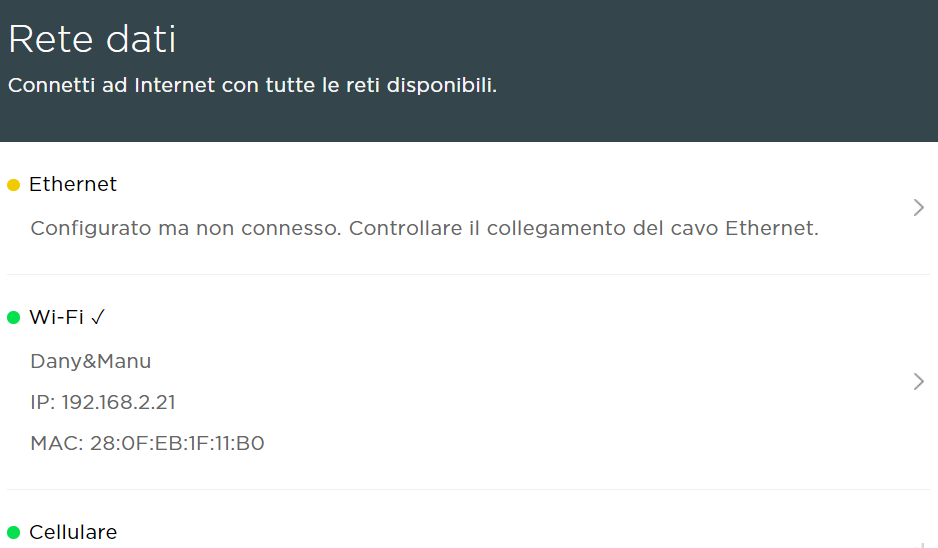
What version of Home Assistant Core has the issue?
2023.1.7
What was the last working version of Home Assistant Core?
No response
What type of installation are you running?
Home Assistant Supervised
Integration causing the issue
Tesla
Link to integration documentation on our website
https://www.home-assistant.io/integrations/powerwall/
Diagnostics information
home-assistant_powerwall_2023-01-23T10-47-32.242Z.log
Example YAML snippet
No response
Anything in the logs that might be useful for us?
No response
Additional information
No response
About this issue
- Original URL
- State: open
- Created a year ago
- Comments: 23 (2 by maintainers)
I moved to an ethernet only connection to the powerwall about a year ago and the frequency of this issue reduced dramatically (once every month or so). However, sometimes it would revert to the wifi connection and the error returned so I have blocked the wifi IP address from connecting to my local network (I have assigned static IP addresses to both the ethernet and wifi connections in my router). If you could work out how to remove previous wifi connection credentials from the powerwall setup then blocking it may not be required. When it fails, I usually just delete the integration in Home Assistant and re-add it again and everything works again. However, it just failed a few days ago while I was away and I tried this proceedure and the lovelace stuff has not come back.
Update: Apparently the latest version of the Powerwall integration has changed the entity names ending in " _now" to “_power” so I had to update all references to get it all working again.
I had the same issue trying to setup my powerwall integration today. Ping failed. Browser access via IP failed. Connected directly to GW2 via TEG wifi, clicked on Networks -> WiFi -> clicked on the EXISTING WiFi connection, then closed out of that dialog, then clicked on ReScan. And then ping, HA setup etc all worked. So not sure whether it was clicking on the existing Wifi connection or the re-scan but it started working without having to actually CHANGE the wifi network/SSID.