core: Synology DSM: State of camera entity not updated after state change in Synology Surveillance Station
The problem
The states of my camera entities (added via Synology_DSM integration) do not update following changes within Synology Surveillance Station. However, after reloading the integration, the states in Home Assistant change to appropriate values.
For example:
In Surveillance Station, my camera is at idle. The state of the camera.synology_* entity is idle in Home Assistant, which is correct.
If I start a recording within Surveillance Station, the state of the camera.synology_* entity is still idle in Home assistant.
After reloading the Synology_DSM integration while the camera is still recording, the state of the camera.synology_* entity is recording.
I tried to understand how entities are updated. After monitoring states changes via the Template tab of the developer-tools page, I noticed the following:
- The sensors linked with cpu and network seem to update according to the
"scan_interval": 1integration setting. - the
switch.synology_home_modeentity is correctly updated following changes within Surveillance Station. - For other entities (whose domains are
sensor,binary_sensorandcamera), perhaps a status change within Synology Surveillance Station is necessary for the update to be visible within Home Assistant.
In any case, the homeassistant.update_entity does not seem to work.
Environment
- Home Assistant Core release with the issue: 0.118
- Last working Home Assistant Core release (if known): No idea as the problem is dificult to detect
- Operating environment (OS/Container/Supervised/Core): Docker on Synology NAS, using host network
- Integration causing this issue: Synology DSM
- Link to integration documentation on our website: https://www.home-assistant.io/integrations/synology_dsm/
Problem-relevant configuration
Configuration via UI (with starts instead of specific parameters)
            {
                "entry_id": "******",
                "version": 1,
                "domain": "synology_dsm",
                "title": "******",
                "data": {
                    "host": "******",
                    "port": "******",
                    "ssl": true,
                    "verify_ssl": false,
                    "username": "******",
                    "password": "******",
                    "mac": [
                        "******"
                    ]
                },
                "options": {
                    "scan_interval": 1,
                    "timeout": 10
                },
                "system_options": {
                    "disable_new_entities": false
                },
                "source": "user",
                "connection_class": "cloud_poll",
                "unique_id": "******"
            }
Additional information
About this issue
- Original URL
- State: closed
- Created 4 years ago
- Comments: 58 (24 by maintainers)
The issue I’m talking about is unavailability: 2021-02-07T22:06:49.824462+00:00>, new_state=<state camera.nasdomowy_d_link_dcs_2670l=unavailable It’s possible that’s due to the timeout you’ve noticed. Yes, I did an overall debug, but they may not be performance issues as I’m turning for tests the HA on my Core i7-9750H 16GB RAM laptop. Sorry I can’t do the tests for a longer period because I’m switching off my main HA installation to perform the tests. I really hope someone else do some tests and we will enjoy your version in the future HA release.
Edit, It was only the first recording that wasn’t detected, it seams OK now!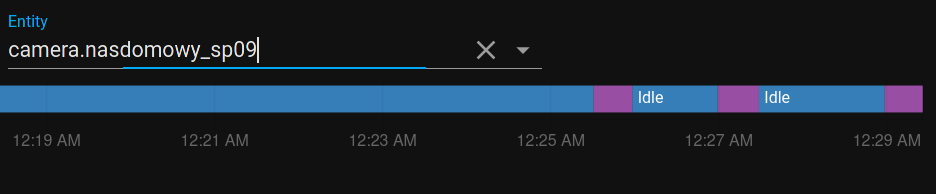
My installation is in docker on an old MSI wind laptop, but I can install it for test the python version in a debian VM on my PC
Hi everybody,
Please find below logs with the following options: 4 minutes
scan_interval30 secondstimeoutNo problem on my side since last night. Good job! Any chance to give the opportunity to reduce the 30s with an option (as per
scan_intervalortimeout) ?Thanks again
Go, go,go to prod. You can always adjust something if needed later! Thank you for your great work Michael.
Yeah, you are right - the
unavailableis caused by thetimeout, but will be back toavailablewhen nextFinished fetching 1660NNN173914_cameraswas successful again.OK, an i7-9750H should be powerful enough 😄
Depending on this and your previously noted results I assume it works now as designed
I will check again tonight. Regarding the measures, I trigger the timer once a recording detected in Synology and stop it when the state changes on the camera view in HA. It’s not 100% accurate but, let’s say there may be 1sec error. If somebody else can check, that would be great.
Hi @akunia please replace the branch name by
synology-dsm_fix-serviceThanks for update @mib1185 . Good luck 😉
Hi,
the
synology_dsmintegration needs a little bit more love to change the internal mechanic for fetching data (see https://github.com/home-assistant/core/pull/43683#issuecomment-766385217). @akunia the error you are getting now, are related to the unfinished rebuild of the internal mechanic for fetching data.I’m looking forward, that my personal life and my job does not exhaust me to much this week, so that I can finish the rebuild next weekend. 🤞
Hi @mib1185, Thanks for he update, this is good news!
With the news fix : as far as I can tell, the only thing I notice is that camera entities are still updated every 5 minutes regardless of the
scan_intervalparameter. However,home_modeand camera entities are updated in HA within seconds after state changes in Synology Surveillance Station. Nothing in the logs (despite some due to time out, corrected after setting thetime_outparameter to 30sec). This fix looks promising !!Do not hesitate if you have any specific tasks you want me to do for testing. I am still monitoring anyway, and will keep you informed of any problem that could appear. Good job 👍
Hi all,
based on #43683 f469caf I have created new docker images containing improvements for camera data update. They can be found here https://hub.docker.com/r/mib85/homeassistant
It would be great, if some of you could test it on your environment.
thanks in advanced.
Hi @akunia unless the issue with throwing tracebacks like
are not solved, I would not recommend that the pending pull request should be merged.
@Quentame do you have the possibility to have a look on this or do know some dev how has the possibility to have a look into this issue?
Hi @akunia
at the moment, @Shkrum31 is testing the bugfix #43683 for me, because I do not have any real cameras available. After the tests are successful, the bugfix should be merged and become released in one of the next versions.
Hi @akunia
Thank you very much for proposing your support for testing 😃
It depends on how your current HA is installed (HassOS, Docker or python venv) and if have the possibilities to install HA from source following this instructions https://www.home-assistant.io/docs/installation/virtualenv/#install. But replace under 4. Install Home Assistant the line
python3 -m pip install homeassistantwithpip3 install --upgrade git+git://github.com/mib1185/homeassistant-core.git@synology-dsm_fix-camera-updateafterwards you need to setup the Synology DSM integration again on this HA instance.But always … Backup your current running HA installation, before you are playing around with dev versions
Hi @mib1185,
Thanks a lot for taking the time to help solve this problem.
I think that the
cameraentities were properly updated with the previous synology integration which is now deprecated. I am sorry I cannot help about the new synology_dsm integration as no recording had been previously triggered before I noticed the problem…Unfortunately no…
Yes: as long as I do not reload the integration, the states of camera entities never change, even if the entities are updated.
DS918+ DSM 6.2.3-25426 Update 2 Surveillance Station 8.2.8-6335 Device Pack 5.8.1-3056
No difference in behaviour after changing the
Timeoutparameter.In order to try to help you better understand the problem, I built the following sensor templates, to log when entities change:
{{ states.sensor.synology_cpu_load_1_min.last_updated }}{{ states.sensor.synology_memory_available_swap.last_updated}}{{ states.sensor.synology_network_up.last_updated}}{{ states.camera.synology_hikvision_ds_2de2a404iw_de3.last_updated }}{{ states.switch.synology_home_mode.last_updated }}{{ states.sensor.synology_drive_1_temperature.last_updated }}Please find below my findings:
scan_intervalparameter, if, and only if, the entity changes its state. There is a perfect sync: if several states change, they change together.switch.synology_home_modeentity updates do not depend on thescan_intervalparameter. It is completely out sync compare to other entities (i.e. the state changes just after any change within Surveillance Station).camera.synology_hikvision_ds_2de2a404iw_de3entity is always updated every 5 minutes (irrespective of thescan_intervalparameter), and I do not understand why. Indeed, theLast updatedfield associated with this entity changes while the associated attributes and state stay identical (irrespective of camera state within Surveillance Station) . The only way to make the state change in accordance with Surveillance Station is by reloading the integration. It looks like the process used to update camera states is not the same used to initialize the integration.