core: SpeedTest intergration won't retry after an error
The problem
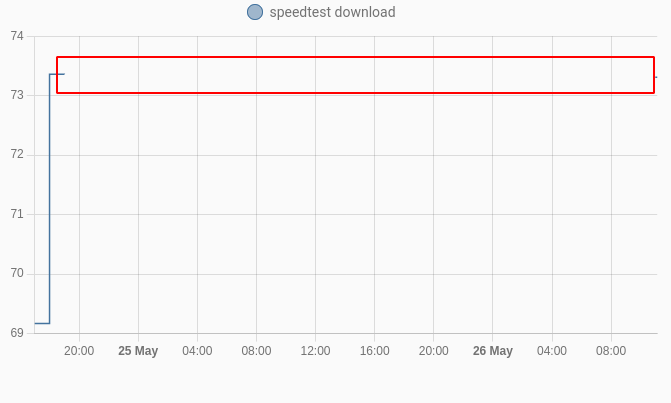
The SpeedTest integration stops working if it encounters an error and can only be recovered by doing an integration reload.
The error I see is:
Logger: homeassistant.components.speedtestdotnet
Source: helpers/update_coordinator.py:223
Integration: Speedtest.net ([documentation](https://www.home-assistant.io/integrations/speedtestdotnet), [issues](https://github.com/home-assistant/home-assistant/issues?q=is%3Aissue+is%3Aopen+label%3A%22integration%3A+speedtestdotnet%22))
First occurred: 24 May 2022, 19:00:06 (1 occurrences)
Last logged: 24 May 2022, 19:00:06

Error fetching speedtestdotnet data: Unable to connect to servers to test latency.
And after that moment it will become unavailable.
What version of Home Assistant Core has the issue?
2022.5.5
What was the last working version of Home Assistant Core?
No response
What type of installation are you running?
Home Assistant OS
Integration causing the issue
SpeedTest
Link to integration documentation on our website
https://www.home-assistant.io/integrations/speedtestdotnet
Diagnostics information
No response
Example YAML snippet
No response
Anything in the logs that might be useful for us?
Logger: homeassistant.components.speedtestdotnet
Source: helpers/update_coordinator.py:223
Integration: Speedtest.net (documentation, issues)
First occurred: 24 May 2022, 19:00:06 (1 occurrences)
Last logged: 24 May 2022, 19:00:06

Error fetching speedtestdotnet data: Unable to connect to servers to test latency.
Additional information
No response
About this issue
- Original URL
- State: closed
- Created 2 years ago
- Reactions: 7
- Comments: 23 (3 by maintainers)
Well, I digged a bit to find an alternative solution and found this. Works like a charm and, cherry on the cake, it finally gives accurate results where the integration always gave me inaccurate figures like ping times systematically over 60ms and beyond where the speedtest desktop app was reliably around 10ms. So for my part, I definitively trashed the integration which was useless anyway.
Now, remains to be seen how stable this cli solution will be in the coming days…
I agree. Since it runs once an hour, why doesn’t it retry the next time. I would expect it should keep retrying every time it should run, e.g. every hour it should run.
the same situation here. After error, sensors are unavialable and its all. Problem solve reload integration, but i think, that integration should do some retry or self-reload after error.
Yes, someone needs to open a new issue for the 403 Forbidden. (It’s late my time here and I don’t have the experience others do writing issues for this integration. Or I’m lazy, one of the two.) The same is seen on the Speedtest.net CLIs unless the --secure flag is used. I expect the same issue is occurring here.
Any update here? I’ve been having issues nonstop since updating HA to this month’s version. I keep seeing this error on the front end.
This integration has been unreliable for me since I installed it about a year ago. But it has become much worse lately, where I only had a short interruption now en then, It’s now more like have it working for a short time once a day… The error is always the same: “Error fetching speedtestdotnet data: Selected server is not found.”, nothing else. And the selected server is obviously always perfectly working when doing a manual speediest with the Ookla app. So, I’m convinced that there is something wrong with the way this integration is doing it and we just are lucky when it actually works. From what I see, it’s not that the integration stops trying, but more that it needs dozens of attempts before having one or two actually succeed. Besides, when it actually works, the figures are usually worse than with the Ookla app, but this may be a difference in performance between the Pi4 and my laptop and phone.