core: Sony Bravia TV Integration doesn't work
The problem
After I upgraded to 2022.9.0b2 & b3, the Sony Bravia TV Integration isn’t working anymore.
It shows “Connection failed”.
What version of Home Assistant Core has the issue?
2022.9.0b3
What was the last working version of Home Assistant Core?
No response
What type of installation are you running?
Home Assistant Supervised
Integration causing the issue
Sony Bravia TV
Link to integration documentation on our website
No response
Diagnostics information
No response
Example YAML snippet
No response
Anything in the logs that might be useful for us?
`Logger: aiohttp.server Source: components/braviatv/config_flow.py:143 First occurred: 08:16:08 (1 occurrences) Last logged: 08:16:08
Error handling request Traceback (most recent call last): File “/usr/local/lib/python3.10/site-packages/aiohttp/web_protocol.py”, line 435, in _handle_request resp = await request_handler(request) File “/usr/local/lib/python3.10/site-packages/aiohttp/web_app.py”, line 504, in _handle resp = await handler(request) File “/usr/local/lib/python3.10/site-packages/aiohttp/web_middlewares.py”, line 117, in impl return await handler(request) File “/usr/src/homeassistant/homeassistant/components/http/security_filter.py”, line 60, in security_filter_middleware return await handler(request) File “/usr/src/homeassistant/homeassistant/components/http/forwarded.py”, line 100, in forwarded_middleware return await handler(request) File “/usr/src/homeassistant/homeassistant/components/http/request_context.py”, line 28, in request_context_middleware return await handler(request) File “/usr/src/homeassistant/homeassistant/components/http/ban.py”, line 82, in ban_middleware return await handler(request) File “/usr/src/homeassistant/homeassistant/components/http/auth.py”, line 236, in auth_middleware return await handler(request) File “/usr/src/homeassistant/homeassistant/components/http/view.py”, line 136, in handle result = await result File “/usr/src/homeassistant/homeassistant/components/config/config_entries.py”, line 216, in post return await super().post(request) File “/usr/src/homeassistant/homeassistant/components/http/data_validator.py”, line 73, in wrapper result = await method(view, request, data, *args, **kwargs) File “/usr/src/homeassistant/homeassistant/helpers/data_entry_flow.py”, line 71, in post result = await self._flow_mgr.async_init( File “/usr/src/homeassistant/homeassistant/data_entry_flow.py”, line 225, in async_init flow, result = await task File “/usr/src/homeassistant/homeassistant/data_entry_flow.py”, line 252, in _async_init result = await self._async_handle_step(flow, flow.init_step, data, init_done) File “/usr/src/homeassistant/homeassistant/data_entry_flow.py”, line 367, in _async_handle_step result: FlowResult = await getattr(flow, method)(user_input) File “/usr/src/homeassistant/homeassistant/components/braviatv/config_flow.py”, line 143, in async_step_init coordinator: BraviaTVCoordinator = self.hass.data[DOMAIN][ KeyError: ‘braviatv’ `
Additional information
No response
About this issue
- Original URL
- State: closed
- Created 2 years ago
- Reactions: 3
- Comments: 31 (15 by maintainers)
Yes, Beta 6 should fix it.
same here
Works here too on b6 👍🏻
@Drafteed Yes, the integration is working correctly after b6 update again. Thanks for the support!
Yeah
The integration works if the tv is on when starting HA. If the tv is off when starting ha it doesn’t work. I’m not fiddling with settings between restarts.
If the tv is off when starting HA and I click configure the error above happens, in ui it says something like (translated) “config flow could not be loaded: undefined”. If i manually turn on the tv and restart HA the integration works again.
@Drafteed This seems to work!
If I configured the TV via UI I got the following after I entered the correct PIN: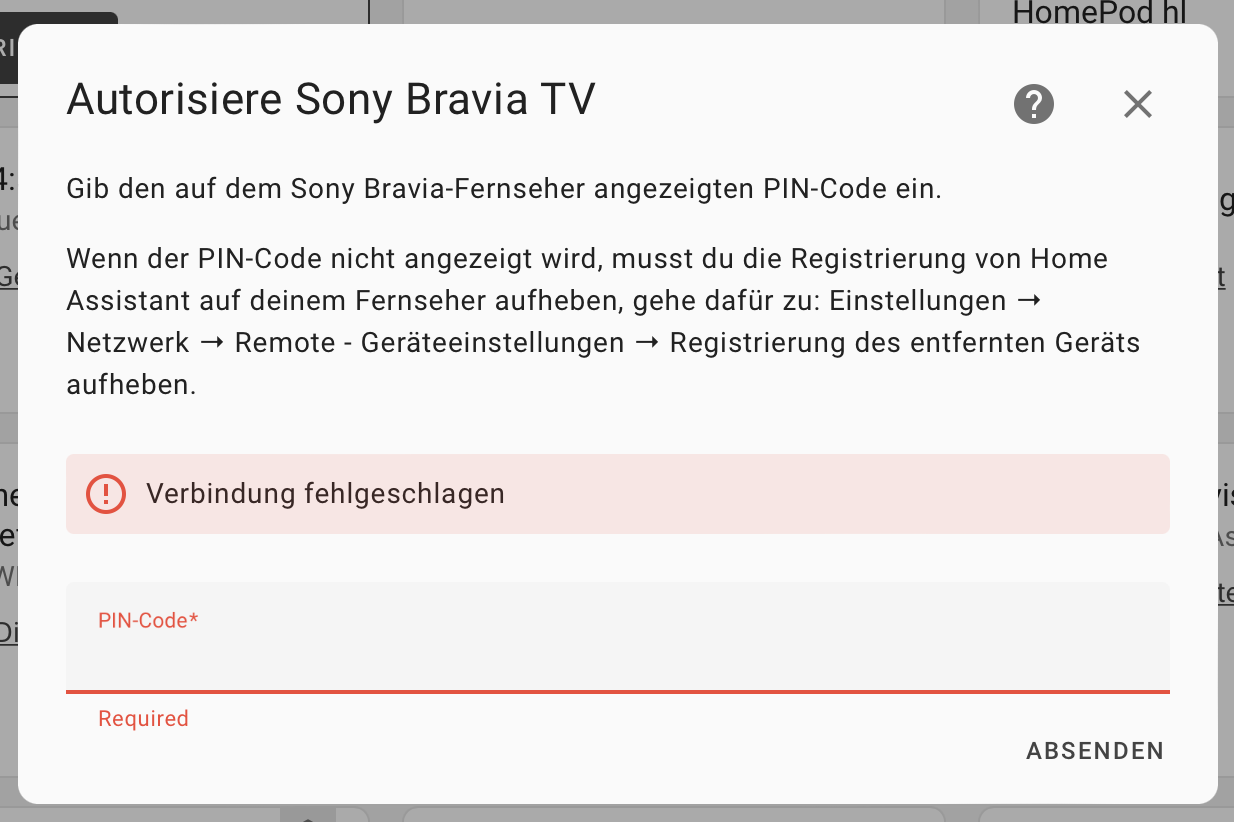 “Connection failed”