core: Google Assistant : local fulfillment '(via local)' DEVICE_VERIFICATION_FAILED (Manual Google Assistant)
The problem
Hi, After a succesfull setup of google Assistant with local SDK fulfillment , everything is working as expected, untill a reboot

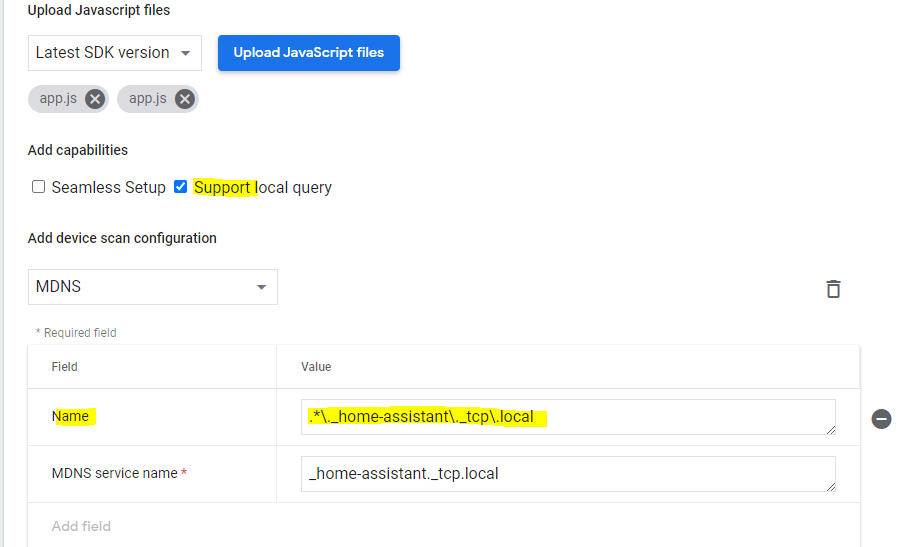
PS: i’m already using the new .js file , also with the Name field and the ‘local support query’ as suggested by @marcusds https://github.com/home-assistant/home-assistant.io/pull/21491 see screenshot 4
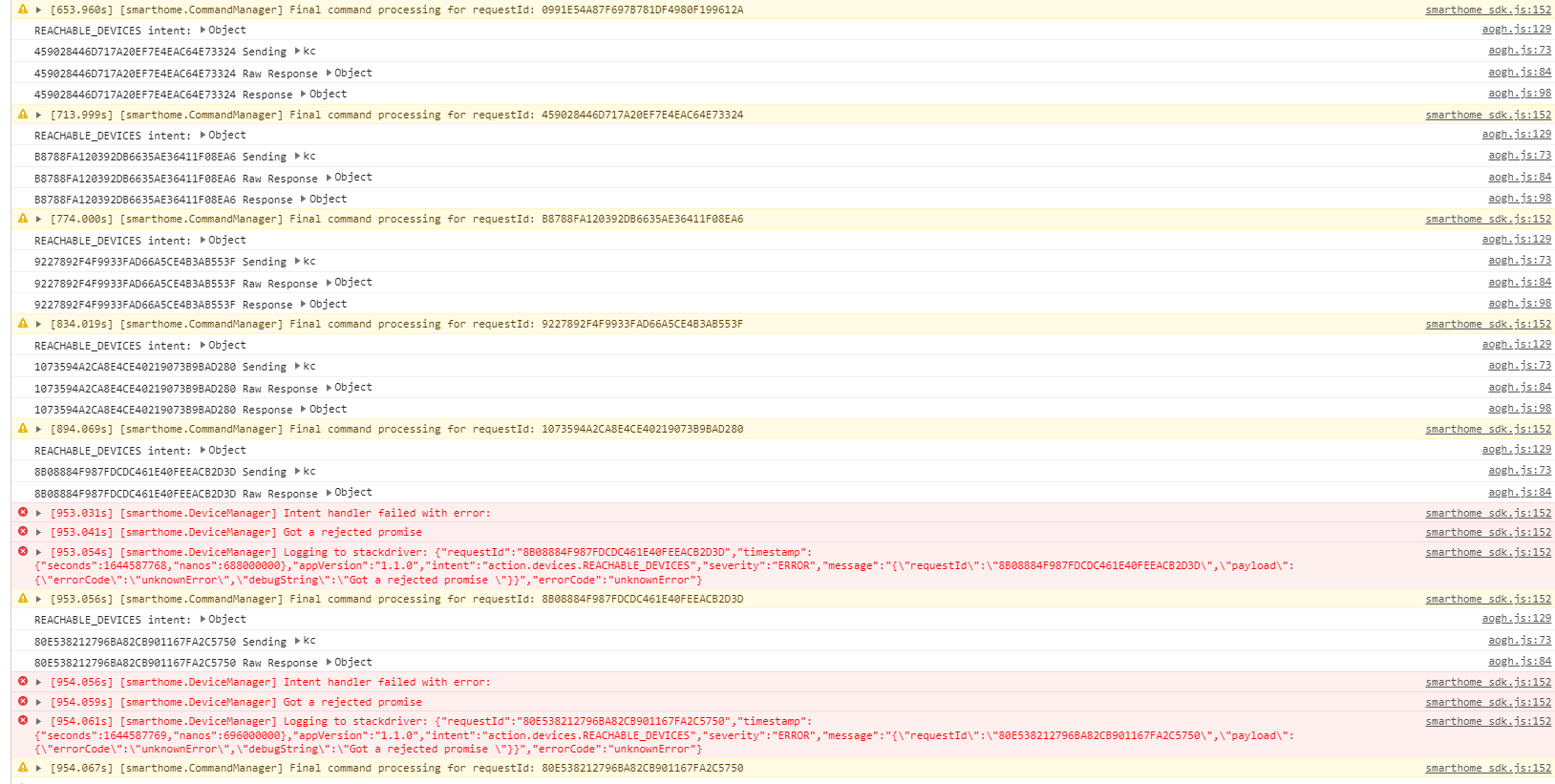
It seems if HA is restarted, then we get a reject issue, this looks normal, since it tries to connect to HA but is unable too… but it doesnt retry again anymore, see screenshot 1 If i then do a restart of the google device, then again i get the verification issue … see screenshot 2 and i see an unregistered webhook in my ha logs:
2022-02-11 16:36:48 WARNING (MainThread) [homeassistant.components.webhook] Received message for unregistered webhook xxxxx from 192.168.0.185
At this point , i’m unable to get (via local) back, … i need to delete tha javascript and upload it again to get it working again…
Yeserday, it worked perfect after setting up… but a reboot is killing it ( see sreenshot 3)
@marcusds , can you help us out maybe? How is it working on your end with your modified .js file?
thnx


What version of Home Assistant Core has the issue?
core-2022.2.5
What was the last working version of Home Assistant Core?
No response
What type of installation are you running?
Home Assistant OS
Integration causing the issue
Google Assistant
Link to integration documentation on our website
https://www.home-assistant.io/integrations/google_assistant/
Diagnostics information
No response
Example YAML snippet
No response
Anything in the logs that might be useful for us?
No response
Additional information
No response
About this issue
- Original URL
- State: closed
- Created 2 years ago
- Comments: 92 (1 by maintainers)
No. What can happen is another home can actually send the commands up. I see that quite a bit. Look in the console and verify its working.
https://console.cloud.google.com/
Just say it to your Google Home, “Hey Google, force local” and revert that with “Hey Google, force default.”
The other thing is, if you have multiple Google Homes, the Home you are talking to might not be the one sending the requests to HA, so just because you aren’t seeing logs on that device, it doesn’t mean it’s not there. If you do have multiple Google Homes, unplug all but the one you are using for debugging, it makes it a lot easier. Newer Google Wifi’s also operate as Google Homes.
@calisro Another PR, https://github.com/home-assistant/home-assistant.io/pull/21478, includes this. But I might include it in mine for clarity sake.