core: BOM Radar Camera not showing animation for Melbourne Radar
Checklist
- I have updated to the latest available Home Assistant version.
- I have cleared the cache of my browser.
- I have tried a different browser to see if it is related to my browser.
The problem
I have been using the BOM Weather Camera with a location “Melbourne” for a number of months with no issues.
Recently I noticed that the Melbourne radar images became static (ie not cycling through the frames as they do on the BOM website). I have tested using other browsers and the mobile app and the behavior is consistent.
If I replace the location with other sites (eg Brisbane or Sydney) these work correctly and show the animated gif cycling through the images.
The only difference I can see is that for Melbourne there are 7 frames on the BOM radar, 5 mins apart; while there are only 6 frames for Brisbane and Sydney, 6 mins apart - (checked this at the BOM website).
Tried setting the Id/Delta/Frames as per the documentation (config below) - no difference except if I set the delta at 300 (5 mins) I get a black image (rather than a static image of the radar).
Below if the animation for Melbourne (taken from an animate lovelace weather card):

Expected behavior
Below is for Brisbane with the animated radar:

Steps to reproduce
Following the integration steps here
- Add BOM weather integration
- Configure 2 BOM cameras - one for Melbourne and one for another city (eg Sydney or Brisbane)
- Navigate to Lovelace and create two picture entity cards
- Add a different BOM Camera for each card.
Environment
- Home Assistant release with the issue: Home Assistant 0.114.4
- Last working Home Assistant release (if known): Unknown
- Browser and browser version:
- Google Chrome Version 85.0.4183.102 (Official Build) (64-bit)
- Microsoft Edge Version 85.0.564.51 (Official build) (64-bit)
- Operating system: Windows 10 Pro (64 bit) 10.0.18363 Build 18363
- Android App: 2.3.4-full
State of relevant entities
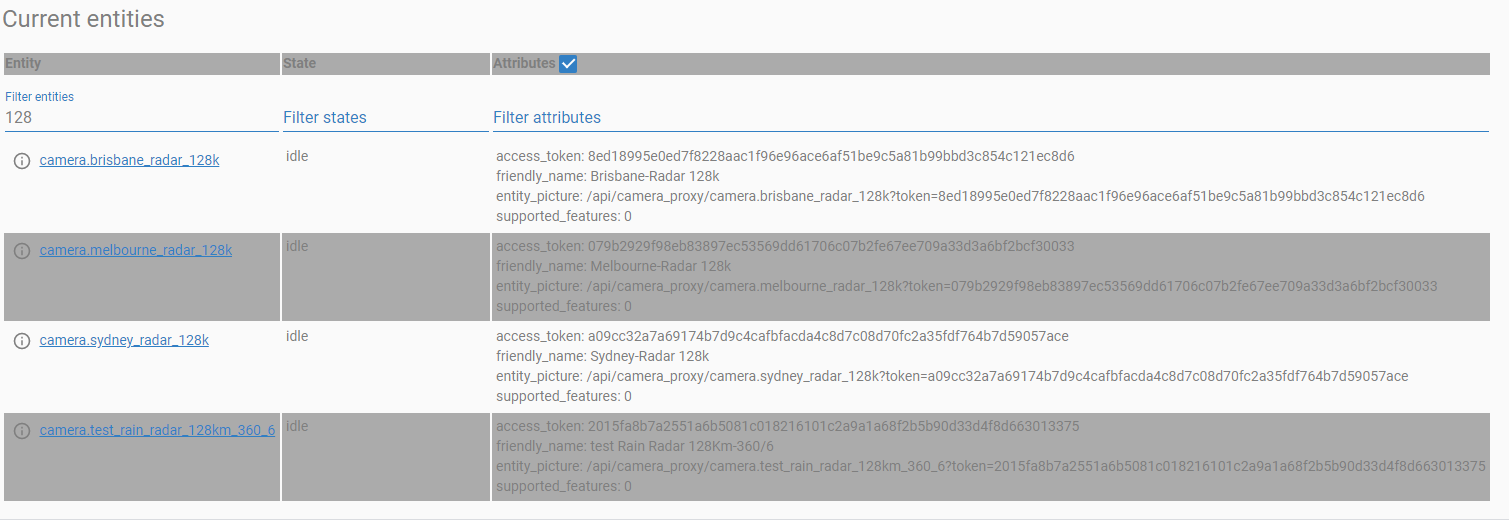
Problem-relevant configuration
HA configuration:
#Weather
  - platform: bom
    name: "Melbourne-Radar 128k"
    location: Melbourne

  - platform: bom
    name: "Sydney-Radar 128k"
    location: Sydney

  - platform: bom
    name: "Brisbane-Radar 128k"
    location: Brisbane

  - platform: bom
    id: '022'
    name: "Melbourne-Radar 256k 300/7"
    delta: 300
    frames: 7

  - platform: bom
    id: '022'
    name: "Melbourne-Radar 256k 360/7"
    delta: 360
    frames: 7

  - platform: bom
    id: '022'
    name: "Melbourne-Radar 256k 300/6"
    delta: 300
    frames: 6

  - platform: bom
    id: '763'
    name: "test Rain Radar 128Km-360/6"
    delta: 360
    frames: 6
card configuration:
aspect_ratio: 0%
entity: camera.melbourne_radar_128k
hold_action:
  action: none
show_name: false
show_state: false
tap_action:
  action: more-info
type: picture-entity
Javascript errors shown in your browser console/inspector
Log Details (WARNING)
Logger: bomradarloop
Source: /usr/local/lib/python3.8/site-packages/bomradarloop/__init__.py:203
First occurred: September 11, 2020, 10:55:35 PM (2 occurrences)
Last logged: September 11, 2020, 10:55:36 PM

Got NO frames for Melbourne at 1599828840
Got NO frames for ID 022 at 1599828840
Additional information
About this issue
- Original URL
- State: closed
- Created 4 years ago
- Comments: 25 (12 by maintainers)
This will be fixed by https://github.com/maddenp/bomradarloop/pull/7, but it will be a breaking change in HA, as the configuration syntax will change I’ll set up the PRs in HA core and docs repos soon.