core: Alexa - Unable to link HA with Alexa Skill
Home Assistant release with the issue: 0.95.4
Last working Home Assistant release (if known):
Operating environment (Hass.io/Docker/Windows/etc.): Docker
Component/platform: https://www.home-assistant.io/components/alexa.smart_home/
Description of problem: I don’t know which version or date this stopped working because I was using emulated hue component. However, others and I were trying to setup Alexa Smart Home Skill Component and the linking is not working.
According to this topic https://community.home-assistant.io/t/alexa-proactive-mode-unable-to-link-alexa/123530 people say that is an issue with proactive mode, however, I tried to disable it on my alexa dev console and removing it from the configuration file and I’m still unable to link my account with Alexa.
I also tested the lambda method using the AWS console and it is working fine, returning values when have the correct token.
Problem-relevant configuration.yaml entries and (fill out even if it seems unimportant):
smart_home:
  endpoint: https://api.amazonalexa.com/v3/events
  client_id: !secret alexa_client_id
  client_secret: !secret alexa_client_secret
  filter:
    include_entities:
      - switch.alexandre_pc
      - switch.sonoff_basic_1
      - switch.sonoff_basic_2
      - switch.sonoff_basic_3
      - switch.sonoff_basic_4
      - switch.lightswitch_1_button_1
      - switch.lightswitch_1_button_2
      - switch.lightswitch_1_button_3
      - switch.lightswitch_2_button_1
      - switch.lightswitch_2_button_3
      - media_player.alexandre_tv
      - media_player.playstation_4
      - media_player.speaker_sala
      - climate.miairgateway1
  entity_config:
    switch.alexandre_pc:
      display_categories: LIGHT
      name: Computer
    switch.sonoff_basic_1:
      display_categories: LIGHT
      name: Computer Light
    switch.sonoff_basic_2:
      display_categories: LIGHT
      name: Bed Light
    switch.sonoff_basic_3:
      display_categories: LIGHT
      name: Livingroom Light
    switch.sonoff_basic_4:
      display_categories: LIGHT
      name: Bathroom Light
    switch.lightswitch_1_button_1:
      display_categories: LIGHT
      name: External Garage Light
    switch.lightswitch_1_button_2:
      display_categories: LIGHT
      name: Garage Light
    switch.lightswitch_1_button_3:
      display_categories: LIGHT
      name: Kitchen Light
    switch.lightswitch_2_button_2:
      display_categories: LIGHT
      name: External Entrance Light
    switch.lightswitch_2_button_3:
      display_categories: LIGHT
      name: Entrance Light
    media_player.alexandre_tv:
      display_categories: TV
      name: TV
    media_player.playstation_4:
      display_categories: SPEAKER
      name: Playstation 4
    media_player.speaker_sala:
      display_categories: SPEAKER
      name: Livingroom Speaker
    climate.miairgateway1:
      display_categories: THERMOSTAT
      name: Air Conditioning
Traceback (if applicable):
2019-06-29 10:35:36 ERROR (MainThread) [homeassistant.components.alexa.state_report] Error when sending ChangeReport to Alexa: INVALID_ACCESS_TOKEN_EXCEPTION: Access token is not valid.
Additional information:
About this issue
- Original URL
- State: closed
- Created 5 years ago
- Reactions: 4
- Comments: 33 (8 by maintainers)
Commits related to this issue
- Clarification regarding Alexa's proactive mode Clarification to restart HA as well as modified lambda function are added following the issue https://github.com/home-assistant/home-assistant/issues/2... — committed to Molodax/home-assistant.github.io by Molodax 5 years ago
- Clarification regarding Alexa's proactive mode (#9863) * Clarification regarding Alexa's proactive mode Clarification to restart HA as well as modified lambda function are added following the iss... — committed to home-assistant/home-assistant.io by Molodax 5 years ago
By changing my HA external port to
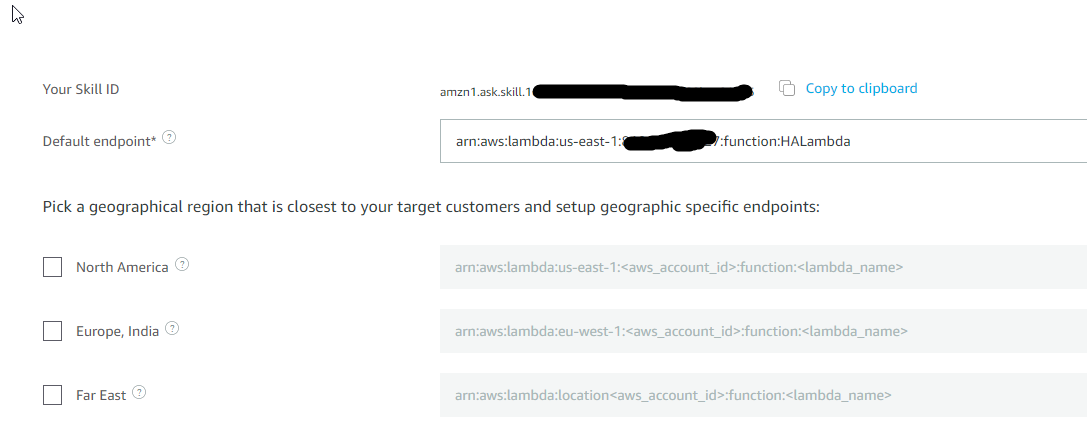
443(standard HTTPS) account linking just started working. Looks like Amazon Alexa doesn’t like using non-standard ports for account linking.Region: us-east-1 Lambda: https://gist.github.com/awarecan/630510a9742f5f8901b5ab284c25e912 Default Endpoint: arn:aws:lambda:us-east-1:XXXXXXXXXXXX:function:HALambda Send Alexa Events: Disabled Testing Lambda via AWS Console with LLT: OK, Return my entities. Config:
This file is being included by configuration.yaml
Screenshots: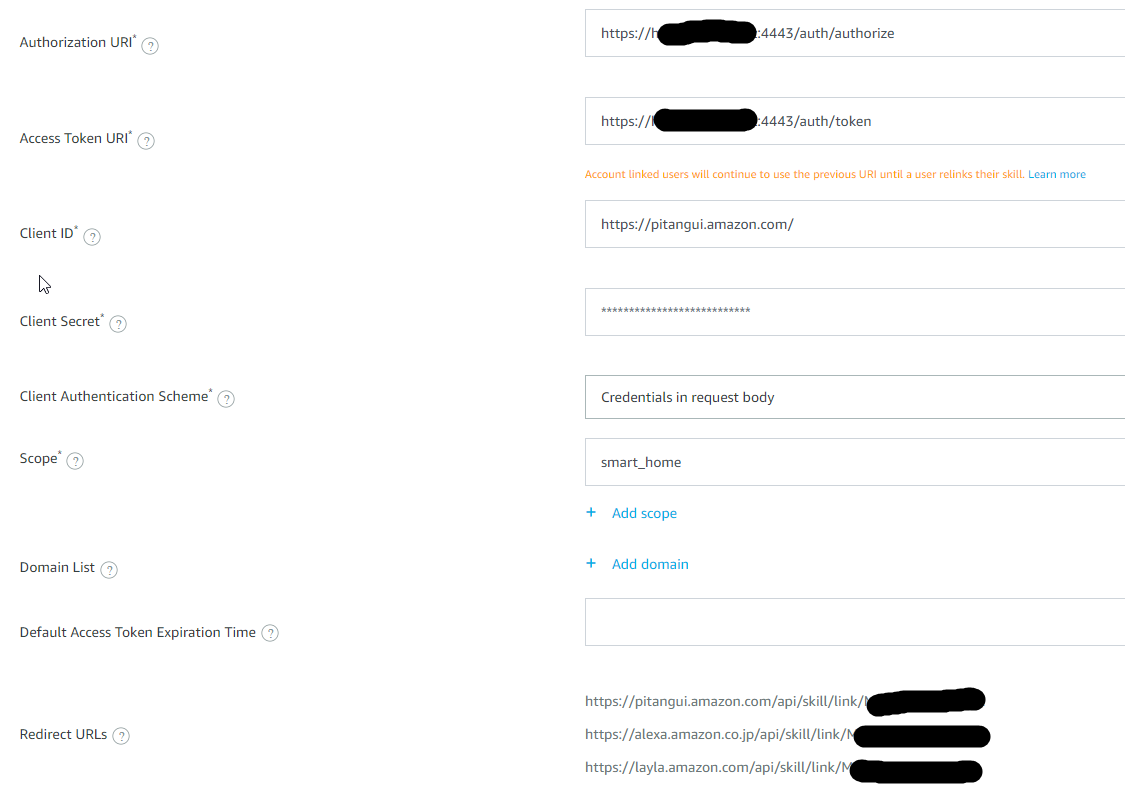
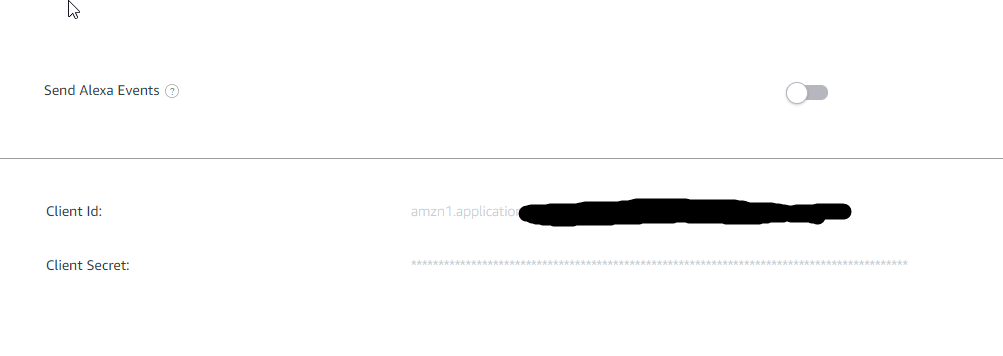
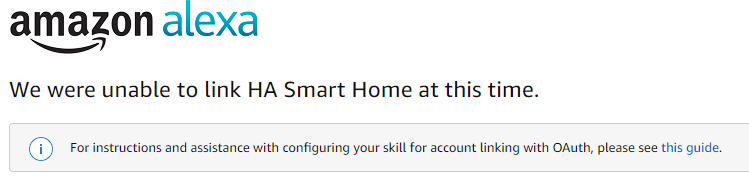
Can confirm non-standard port don’t work when used in Alexa skill account linking authorization/token URLs. I got it working using Login with Amazon and a long lived token in the Lambda.
Does anybody have this working on non-standard ports? Even with “Send Alexa Events” disabled I still get the same error.
I Got mine linking using the modified script with send events turned on Modified Lambda function It’s a quick hack based on this forum post
below is my configuration. AWS region: Ireland I have the following enviroment Variables