android: Home network does not work
Home Assistant Android version: 1.7.2-130
Android version: Android 10 arrow rom Phone model: Xiaomi mipad4 Home Assistant version: Home Assistant 0.105.5 Last working Home Assistant release (if known): Don’t know Description of problem: I’ve configured both the internal and the external addresses and the ssdi But when I turn back to the app it says that in not possible to connect to the server
Traceback (if applicable):
Screenshot of problem:
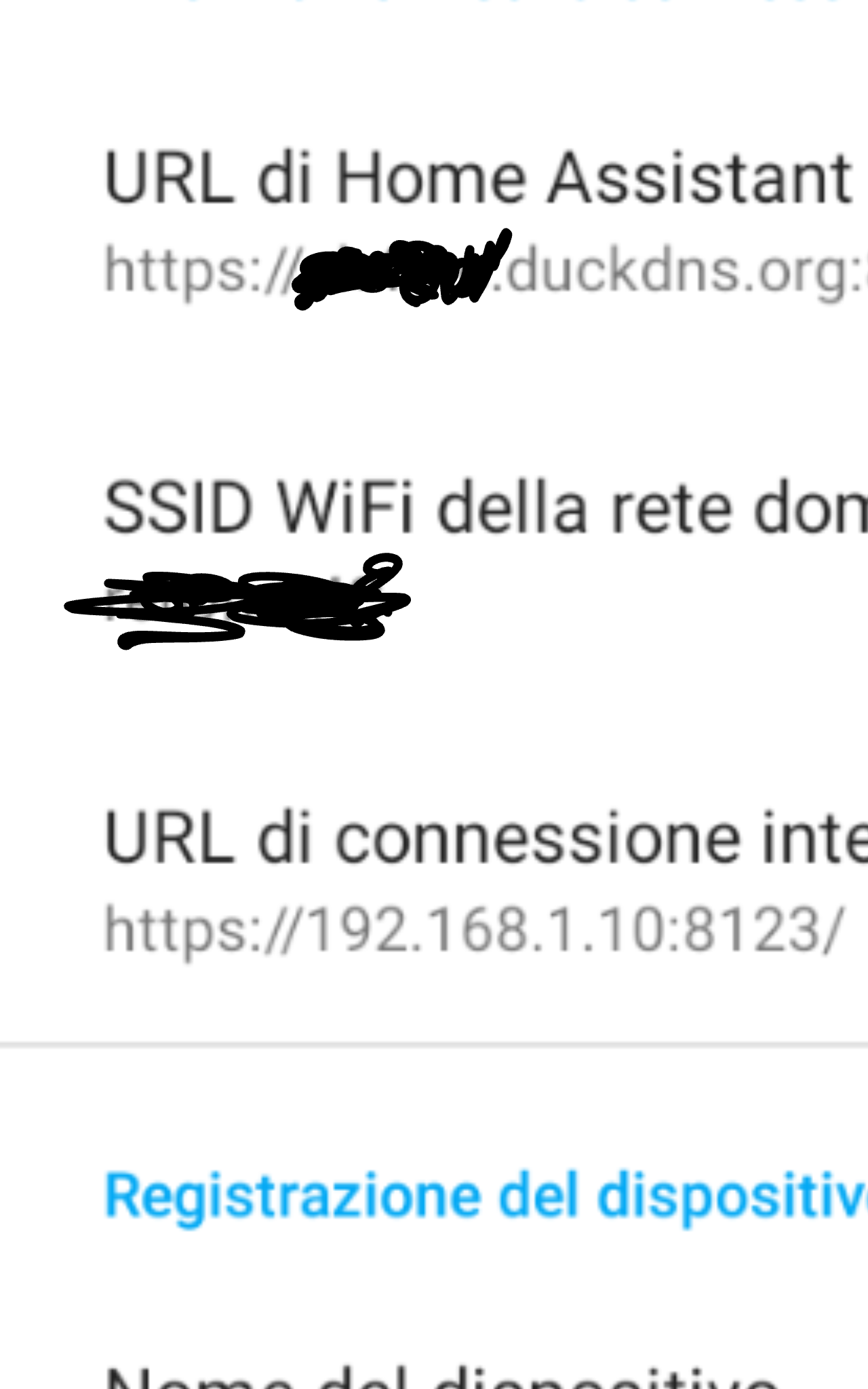
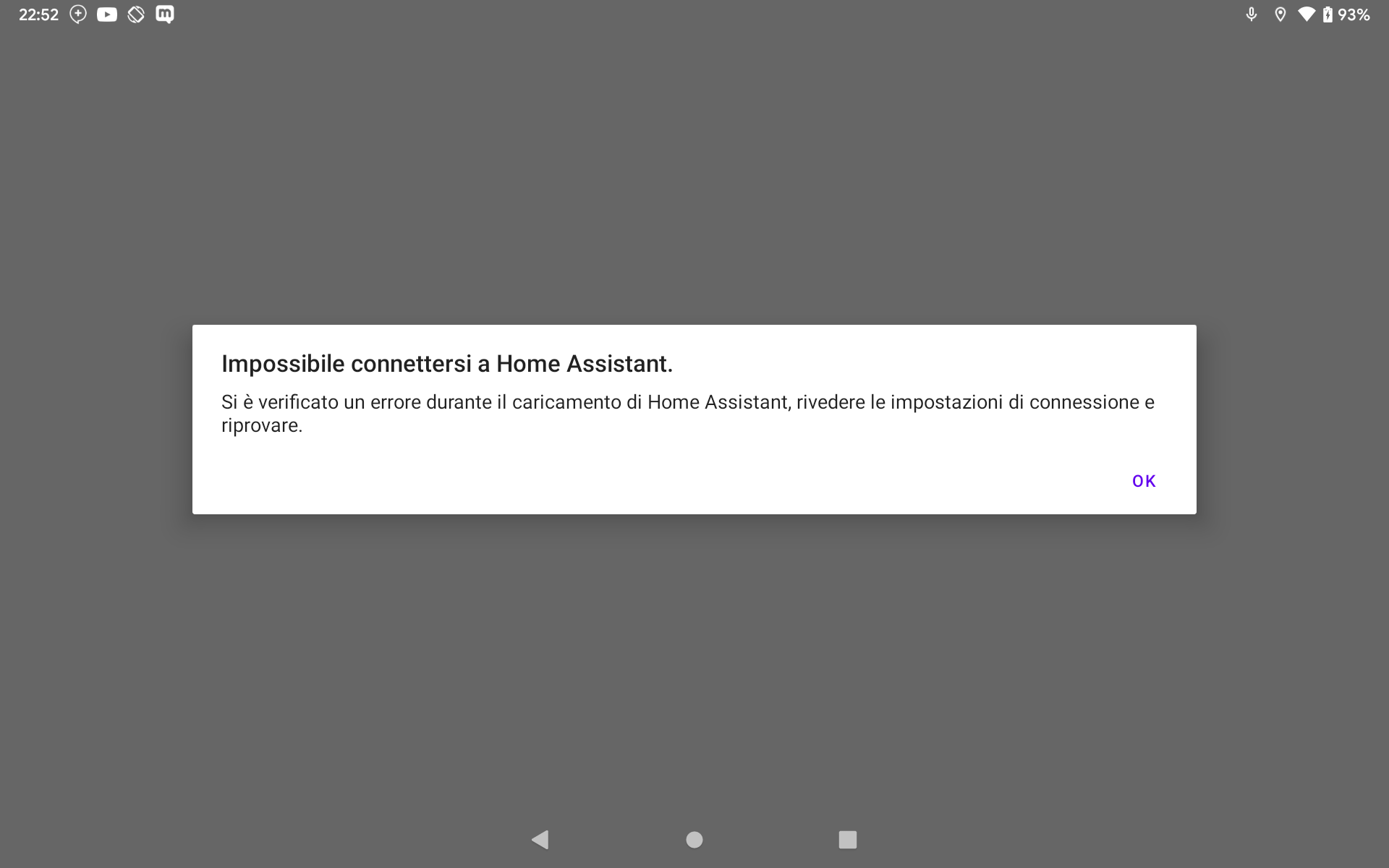
Additional information:
About this issue
- Original URL
- State: closed
- Created 4 years ago
- Comments: 15 (8 by maintainers)
It has been brought up in the past, we can’t just simply ignore SSL errors. If we were to ignore SSL errors you are just as vulnerable as someone using unencrypted traffic.
I do this by fronting my HA instance with a reverse proxy (NGINX, in my case). The proxy takes care of the certificate stuff and HA itself is completely unburdened by that. I can then use the encrypted site by DNS name from outside and my unencrypted site by IP from my LAN.
Lets get this fixed if that is case, sounds pretty important on its own and may solve existing issues we see. What was the cause? I know that if GPS is not enabled and location permissions are not granted then we cannot get the SSID and use the internal URL.
Regarding ignoring SSL certificates it not only poses a risk to the user but also a question as to what do we want to support in the app. There are already users having issues around this and some do not as they use Nabu Casa or just use a normal domain with SSL. If we allow this then we will need to consider all of the other certificate cases that have been brought up because we will get asked about it.
We do have an entire section in our companion docs about how the networking works and has helped users: https://companion.home-assistant.io/docs/troubleshooting/networking
Yes i know. I share your opinion to use https/certificates wherever it is possible. But as we are in an “internal” network maybe an option to ignore ssl errors would be helpful for some users. Home Assistant can be configured unsecured anyway.
The secure option is indeed to force using certificates.
Hello,
I’ve got the same issue. My router (provided by my ISP) does not allow hairpinning (NAT loopback) because they sey it might be a security issue. My HA is only accessible on HTTPS. So, in order to access my Home Assistant with the app, I must stay out of my local network.
With the internal URL feature, I thought that it would accept certificates (allow a faulty certificate : Common Name not matching the IP) but it’s not. Maybe to solve this issue a checkbox should be added to accept faulty certificate in the local network provided by the SSID.
This is how I got around the problem :
I’ve got a Pi-Hole on a Ubuntu server so I added an entry to resolve my domain with the internal IP. I put my Wi-Fi settings into static and put my Pi-Hole as my first DNS : didn’t solved the problem because the Phone mainly contact the DNS with IPv6. So I put it back in automatic. I can’t specify an IPv6 DNS on my phone (One Plus 6T ME : Android 10). With IPv4 and IPv6 Pi-Hole DNS configured on my computer (for IPv6, I use the local link address (
fe80::...)) I managed to access HA with the domain name.So I’ve download an app called dnspipe which allow me to specify IPv4 and IP DNS servers. Connect to my Wi-Fi and configured it with my local info, removed the internal config of HA app (remove the specified SSID) and it works !
I now need to automate the activation of this app with the app Tasker (the app support it) but I cannot manage to make it work by now.
PS : A simpler way will be to activate the DHCP of Pi-Hole instead of using the routers DHCP (in which I can’t change the DNS settings) but my server isn’t that much reliable.
Hope this help understand the issue and give people some info.
I think that there is no way to have an ssl certificate on the FQDN and avoid it in the internal address. If not, please, could you explain me how? Unfortunately my router doesn’t allow me to set the NAT loopback. I think mine is quite a common situation. I think I will just use just the external address since it will work always 😉 Thank you @dshokouhi anyway
If you need to accept the SSL certificate in a browser when you use your local IP like you have defined then this will not work. Your best bet would be to enable NAT loopback at the router and just use the external URL. This may also be of help: https://companion.home-assistant.io/docs/troubleshooting/networking