addon-node-red: "Error: Invalid server config" when upgrading to 13.5.0
Problem/Motivation
Left my house this morning with my all of my automations working. Came home to none of my automations working. Each node in Node-RED having the state “error” and log is full of the following:
27 Oct 21:10:00 - [error] [api-current-state:8d5d7add97166c02] Error: Invalid server config
27 Oct 21:10:00 - [error] [api-current-state:ba7c6dc22430e3ef] Error: Invalid server config
27 Oct 21:10:00 - [error] [server-state-changed:3e1a436a4aa3bc4c] Error: Server config node not found
27 Oct 21:10:00 - [error] [api-call-service:60af4994936ecc08] Error: Server config node not found
27 Oct 21:10:00 - [error] [api-call-service:7feeba8fdb016e27] Error: Server config node not found
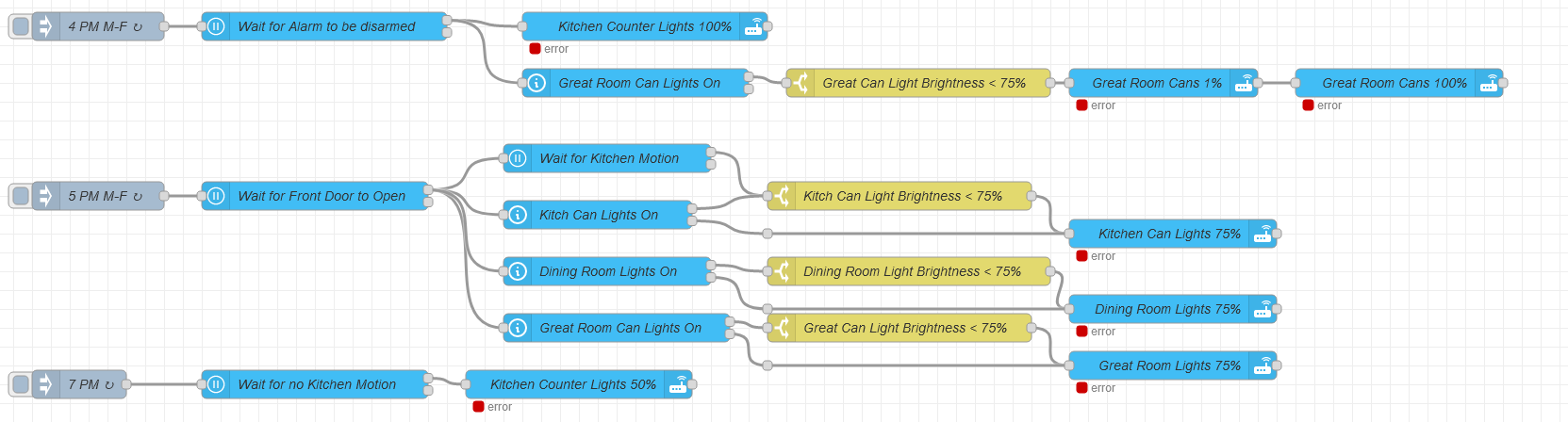
According to my logs, the Node-Red plugin auto-updated from 13.4.0 to 13.5.0. Restored the add-on from a backup taken before the upgrade and the errors are gone and automations are working. Upgrade to 13.5.0 and it the it fails the same way. I’ve repeated the process of restoring and upgrading 3 times, and the problem comes back every time.
Expected behavior
Automations run.
Actual behavior
No automations run.
Steps to reproduce
Update to 13.5.0
Proposed changes
No idea.
About this issue
- Original URL
- State: closed
- Created 2 years ago
- Comments: 17
I ran into this same issue when upgrading from 13.4.0 to 13.5.0 - and downgraded to get our automations running. After seeing the above post from @Nealtron I decided to look into the Node-Red settings to see if I also had something strange in the server node name field.
I had never touched the server node settings inside Node-Red so the values and structure most likely originated from some very old version of this addon. My server name is also very default “Home Assistant” so I did not change that, but I noticed that there was an unchecked checkbox “Using the Home Assistant Add-on” (it was working just fine without it - and might been doing so for who knows how long as I had never even looked at these).
I checked the box and everything continued to work in 13.4.0. I then upgraded to 13.5.0 and now it also works fine.
Maybe the settings needed just some change to get them saved in a more compatible format? Or maybe this “Using the Home Assistant Add-on” was previously not needed but is now mandatory.
this worked for me too. Many thanks!!
@jjlink Open the Node-RED webui. Click on the menu button the top right, and click on “configuration nodes”. Make sure you are looking under “On all flows” and look for “server” nodes. More than likely, you’ll only have one. Double click it to modify.