terraform-provider-azurerm: mssql_server: breaking change in the azure api
Community Note
- Please vote on this issue by adding a 👍 reaction to the original issue to help the community and maintainers prioritize this request
- Please do not leave “+1” or “me too” comments, they generate extra noise for issue followers and do not help prioritize the request
- If you are interested in working on this issue or have submitted a pull request, please leave a comment
Terraform (and AzureRM Provider) Version
azurerm = 2.31.1
Affected Resource(s)
azurerm_mssql_server
Terraform Configuration Files
resource "azurerm_mssql_server" "sqlsrv" {
  name                         = "sql${var.instance}${lower(var.app_shortname)}${lower(var.app_env)}${var.postfixid}"
  resource_group_name          = var.resource_group_name
  location                     = var.location
  version                      = "12.0"
  administrator_login          = random_string.sql-admin.result
  administrator_login_password = random_string.sql-admin-password.result
}
Debug Output
Panic Output
Expected Behavior
No extended policy is set in the resource block, so it should not be recognized at all.
Actual Behavior
Error regarding extended policy:
Error: issuing create/update request for SQL Server “sqlx1txxlxbdevxx312” Blob Auditing Policies(Resource Group “rgxxxx”): sql.ExtendedServerBlobAuditingPoliciesClient#CreateOrUpdate: Failure sending request: StatusCode=400 – Original Error: Code=“DataSecurityInvalidUserSuppliedParameter” Message=“Invalid parameter ‘storageEndpoint’. Value should be a blob storage endpoint (e.g. https://MyAccount.blob.core.windows.net).”
Steps to Reproduce
Just deploy a sql server with sql database using the azurerm_mssql provider
terraform apply
Important Factoids
References
About this issue
- Original URL
- State: closed
- Created 4 years ago
- Reactions: 86
- Comments: 57 (14 by maintainers)
👋🏻
We’ve just released v2.33 of the Azure Provider, which includes a workaround for this issue. You can upgrade to v2.33 of the Azure Provider by updating the version number in your Terraform Configuration.
For Terraform 0.13+ that’s:
or on Terraform 0.12:
At which point running
terraform init -upgradeshould download the latest version of the Azure Provider.From a technical level this workaround sets the field
isAzureMonitorTargetEnabledtotrue- since this is a workaround, this field is hard-coded rather than user-configurable at this point in time (albeit we can look to expose this in future if required). Longer-term once the bugfix deployment of the Azure API has been rolled out to all regions, older versions of the Azure Provider should working again - and we’ll look to revert this workaround (likely towards the end of the year).Whilst it’s unfortunate that the Service Team have opted to roll the breaking change out to all regions, before deploying the bug fix - as opposed to rolling back (which means that it could be another 1-2 weeks until older versions of the Azure Provider work) - based on the Acceptance Tests, we believe this should fix this issue for users who can upgrade to the latest version of the Azure Provider.
Thanks!
👋
I’ve just opened https://github.com/terraform-providers/terraform-provider-azurerm/pull/8975 which introduces a workaround for this issue, which’ll go out in tomorrow’s release (v2.33.0) - we’re running the regression tests at the moment, however based on what I can see (from the older
sql, rather thanmssqlresources which are still running) this should be fine 👍Apologies for the delay here, we were hoping the Service Team would revert the breaking change (and fix all users) - but this PR should workaround this issue for users who can upgrade to the latest version of the Azure Provider.
Thanks!
👋
We’ve raised this issue both via a High Priority support ticket and an ICM Ticket internally within Microsoft but are still waiting for the Service Team to respond here unfortunately - we’ve also confirmed this is present in multiple regions, so unfortunately this requires the Service Team’s attention to fix this.
Thanks!
👋 hey folks
Having taken a look into this unfortunately this is a breaking change/bug in the Azure API - I’ve opened https://github.com/Azure/azure-rest-api-specs/issues/11271 to track this.
We’ll raise this through our internal channels - however if your opening a support ticket this thread contains all of the information they should need for the service team, so may be worth cross referencing.
Thanks!
@dlm69 Thank you, this worked for me.
@jason-johnson Below i share working configuration with the deprecated policy block.
FYI MS deployed the breaking change to the East US DC today.
My workaround is to remove the azurerm_mssql_database_extended_auditing_policy or azurerm_mssql_server_extended_auditing_policy and replacing with the old (soon to be depracated) extended_auditing_policy block within azurerm_mssql_database or azurerm_mssql_server. It works for now.
Who knows, when fix will be deployed?
I’m seeing the same. The SQL Server actually gets created, I edited the state file to remove the “status”: “tainted”, line from the “azurerm_mssql_server” resource. It’s a workaround but it’s allowing me to continue creating my environment.
@marianbendik We have Terraform state stored in container in Azure storage account. So I just edit the state file. Editing directly in browser is not very comfort, so I just copy the file content into editor, search for
"status": "tainted"and delete that line. Copy changed content back to file in Azure and save it. That’s all. When we run our pipeline (it runsterraform apply), it works. But as I wrote, if fails with the same error, but not for SQL server, but for the SQL databases now. Then I just repeat the workaround - edit the file again, delete all the"status": "tainted"lines (we have 1 server, but several databases) and save it back. Another pipeline run is OK and our infrastructure is created.still having this issue in east us.
@Timovzl at this time the only workaround would be to specify an Extended Auditing Policy as suggested above.
Whilst the Service Team are working on reverting the bug on their end - I’ve been informed that this regression will first roll out to all regions, before the hotfix is then rolled out - rather than being reverted. Unfortunately that’s the path they’ve opted to take here, so that means existing versions of the Provider will be broken until the API fix is rolled out.
From Terraform’s perspective, I’m testing a branch at the moment which adds a workaround for this issue - which we’re intending to roll out in tomorrow’s release. It’s unfortunate the Service Team are rolling this forward rather than reverting and rolling out the hotfix - which would automatically fix all clients, unfortunately the Service Team have opted to take a different path here, and so shipping a fix in tomorrow’s release of the Azure Provider is the next best thing we can do here.
Thanks!
@tombuildsstuff Can this issue be reopened?
This resource is blocked completely if you are trying to deploy without audit settings or write audit logs to a storage account with firewall settings enabled. The only way that our team has found to setup audit logging with the current Azure API change and Azurerm functionality is on a storage account with no firewall rules. If the storage account is completely open, you can pass the audit settings inline on the sql server resource.
Using the inline settings, we get
BlobAuditingInsufficientStorageAccountPermissionswhen the storage account has firewall enabled.These MSFT docs outline what is required if the storage account has a firewall enabled.
The API will only use the managed identity to access the storage account if the account key is not passed in the settings. This is not allowed using the inline settings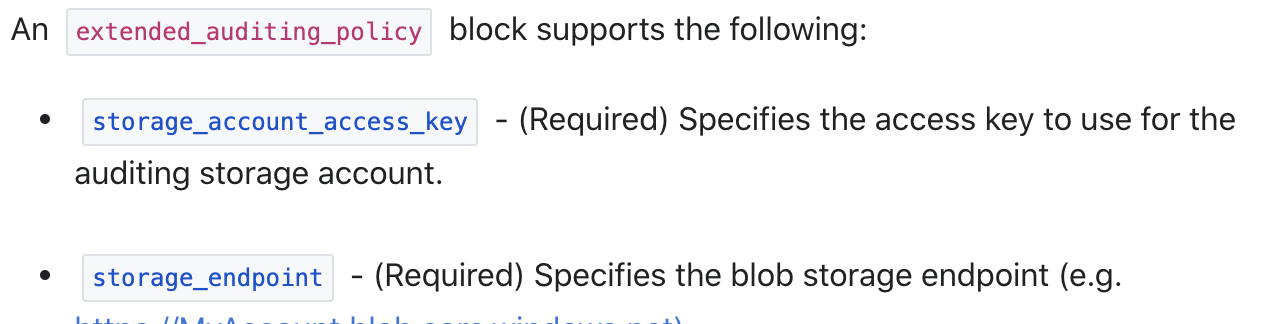
The key is optional in the new azurerm_mssql_server_extended_auditing_policy resource. This would allow the SQL Server identity to access the storage account.
This is where the Azure API issue https://github.com/Azure/azure-rest-api-specs/issues/11271 becomes a problem and forces the inline settings to be passed. If the inline settings are not passed we get the same error as the original post:
@tombuildsstuff sure, attached is terraform template and powershell script that is used to deploy the template. If you need any further clarification, let me know. Thank you for checking! tf_sql_logging_issue.zip
I am experiencing this issue in North and West Europe with the following versions of Terraform core and the provider.
@Timovzl
Indeed. I only had the extended auditing policy for the server itself, not the databases. Adding the block for the databases seems to have fixed the issue.
@dlm69 Would you mind sharing what you put in that policy? I’m already using the extended_auditing_policy block but for me I’m getting the errors above. The only thing in my extended_auditing_policy block is storage_account_access_key and storage_endpoint.
Latest update from our side: https://github.com/Azure/azure-rest-api-specs/issues/11271#issuecomment-712308813
I just had the same issue.
terraform untainton Azure SQL DB resource did the trick.@satano How did you please proceed? Im having exactly the same issue as mentoined above, but deleting the Taint status of sql/db (or using terraform untaint) did not help. I am still getting error message from the API, and deployment fails.
Well this won’t work for us, since we are using TF Enterprise and it’s not that easy to edit the state file 😦
My final educated guess is that azurerm_sql_server resource calls the Azure API in a deprecated way and a breaking change removing the compatibility has been made and released to the West EU datacenter.
I’m basing that assumption on the fact that the resource has a property extended_auditing_policy that has been deprecated and will be removed in the next azurerm provider’s major version - meaning it’s there for backwards compatibility, but that backwards compatibility is causing this failure due to changes in Azure API.