site-kit-wp: Storybook padding causes issues (on small viewports)
Bug Description
As mentioned in this comment: https://github.com/google/site-kit-wp/pull/3143#issuecomment-820978323, Storybook’s mobile viewport settings in our Storybook site adds 50px of padding on the left and right. This causes issues using Storybook to test the output of our components, especially on mobile viewports where a 320px width is actually more like 220px 😓
Steps to reproduce
- Open Storybook and view the story for a header with Help Icon and Date Range Selector: https://google.github.io/site-kit-wp/storybook/pull/3143/iframe.html?id=global--plugin-header-with-help-menu-and-date-range-selector&viewMode=story
- Change the viewport to the “mobile viewport”
- See screenshot for the error that happens
Screenshots
Big screenshots
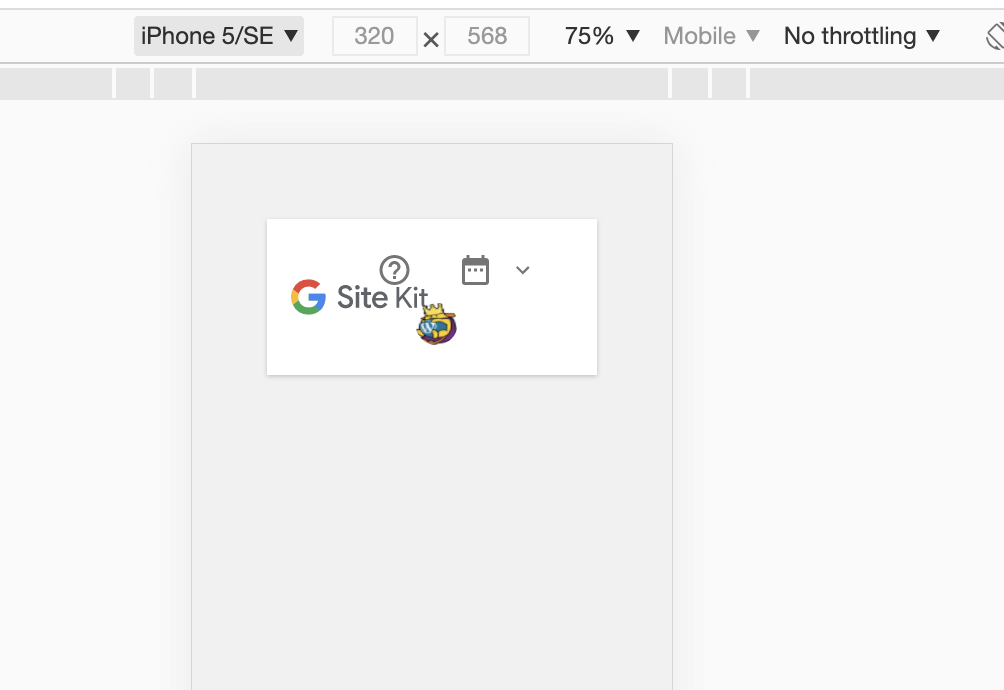
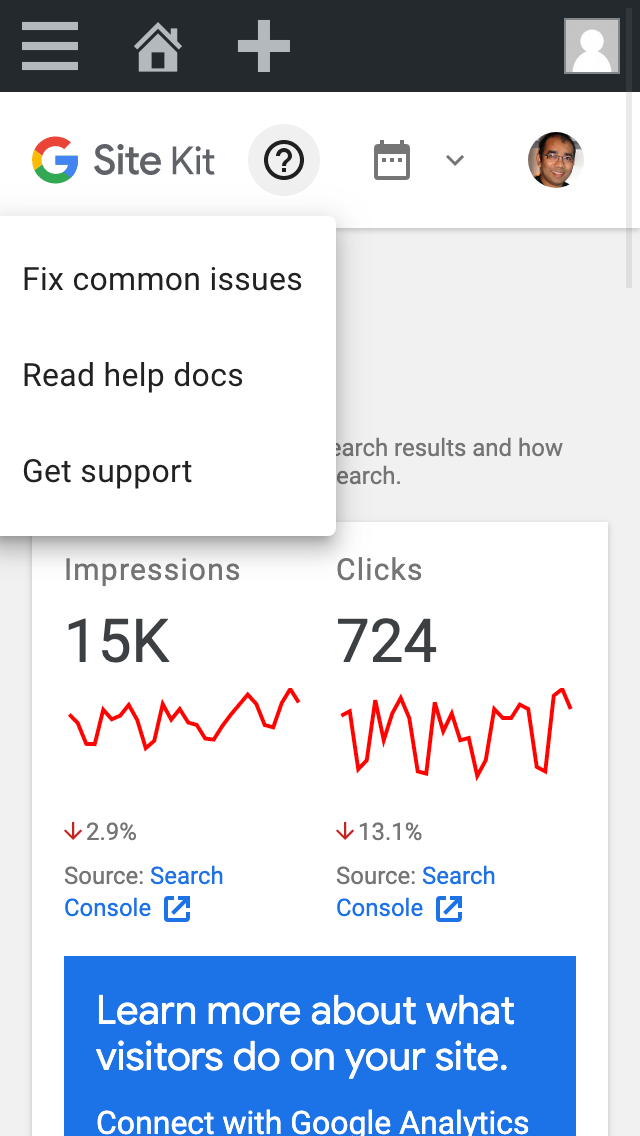
Compare this with the same story without the Storybook “chrome”, using a responsive developer tool screen:
Do not alter or remove anything below. The following sections will be managed by moderators only.
Acceptance criteria
- For “composite stories”, eg stories of full-page components or any other component that should not be rendered with extra padding, there should be a way to customize/remove the padding used for said stories
- This will allow some stories, like the ones mentioned above, to output the same layout as they would in the WordPress dashboard, without the “default” Storybook padding.
- There should be no padding around stories in any viewports that would cause differences between Storybook and the WordPress rendering. Paying particular attention to mobile/tablet viewports: all stories should render without extra padding causing their elements to be too tight together.
Implementation Brief
- Finish and merge #3315
- The stories within the following files should have the padding in Storybook set to
0via the story parameters. An example can be found instories/user-input.stories.js.- stories/dashboard-details.stories.js
- stories/dashboard.stories.js except:
Module Header
- stories/module-adsense-components.stories.js
- stories/module-adsense-settings.stories.js
- stories/module-adsense-setup.stories.js
- stories/module-adsense.stories.js except:
Account Select, none selectedAccount Select, selectedUse Snippet Switch, toggled on (default)Use Snippet Switch, toggled offAdBlocker WarningUser Profile
- stories/module-analytics-components.stories.js
- stories/module-analytics-settings.stories.js
- stories/module-analytics-setup.stories.js
- stories/module-analytics.stories.js except:
Account Property Profile SelectProperty Select including GA4 propertiesAnonymize IP switch, toggled onAnonymize IP switch, toggled offUse Snippet switch, toggled on (default)Use Snippet switch, toggled offTracking exclusions (default)Tracking exclusions (including loggedinUsers)Tracking exclusions (including contentCreators)GA4 notice
- stories/module-search-console-settings.stories.js
- stories/module-search-console.stories.js
- stories/modules-tagmanager-settings.stories.js
- stories/settings.stories.js
- stories/wp-dashboard.stories.js
- stories/data-table.stories.js
- stories/header.stories.js
- stories/modules-list.stories.js
- stories/page-header.stories.js
- stories/notifications.stories.js
- stories/report-table.stories.js
- stories/widgets.stories.js only the
WidgetAreachild stories. - stories/module-optimize-settings.stories.js
- stories/module-optimize-setup.stories.js
- stories/module-pagespeed-insights-components.stories.js
- stories/module-pagespeed-insights-settings.stories.js
- stories/setup.stories.js
- assets/js/modules/analytics/components/setup/SetupFormUA.stories.js
- assets/js/modules/idea-hub/components/dashboard/DashboardIdeasWidget/index.stories.js
- The above list can change if new stories are added, so please review all stories and set the padding to
0if the following conditions are met when viewing the story in theSmall mobileviewport in storybook:- Component overflows the viewport/content area
- UI looks broken due to lack of space.
Test Coverage
- No changes needed
Visual Regression Changes
- Stories with padding changed will need reference images updated
QA Brief
- Due to CR feedback, zero padding has not been applied to many stories from the IB
- Just check nothing looks too bad
Changelog entry
- Fix global storybook padding issues
About this issue
- Original URL
- State: closed
- Created 3 years ago
- Reactions: 1
- Comments: 32 (12 by maintainers)
TIcket created for broken menu story https://github.com/google/site-kit-wp/issues/3653
Ticket created Broken stories in module-analytics-settings.stories.js - https://github.com/google/site-kit-wp/issues/3652
@aaemnnosttv @tofumatt @asvinb I’m not sure about this one. It seems to me that having a padding still makes sense as a default, as only very few particular components need to have no padding to reflect more how they look in Site Kit.
For example, atomic UI components, widgets, even combinations of widgets to make up almost a whole screen aren’t really affected by what exact padding they have, but they should also not have no padding. Adding a decorator for that to almost all stories feels potentially counter-intuitive, being one more thing everyone has to follow for stories. Maybe it would be better to do it the other way around, use a decorator for the less common case (i.e. to not have padding)?
@eugene-manuilov and @aaemnnosttv Thanks for the clarification!
Overall the difference is night and day and this represents a huge improvement to what we previously had - the vast majority of the stories look great now. I just really wasn’t sure which breakages had resulted from this and which were unrelated / pre-existing, so I made a list 😅. Even if none of the problems have any bearing on this issue, it’s worth capturing them I suppose.
Thanks again. Let’s move this across to approval ✅
@tofumatt could you please review #3663?
@eugene-manuilov I had a go! But as we’ve reverted so much from the IB (and it’s pretty subjective as to whether something looks bad or not) I’m not too sure what to put!
Main thing is that nothing is broken