filament: Shadows not displaying for certain GLTF models
Describe the bug
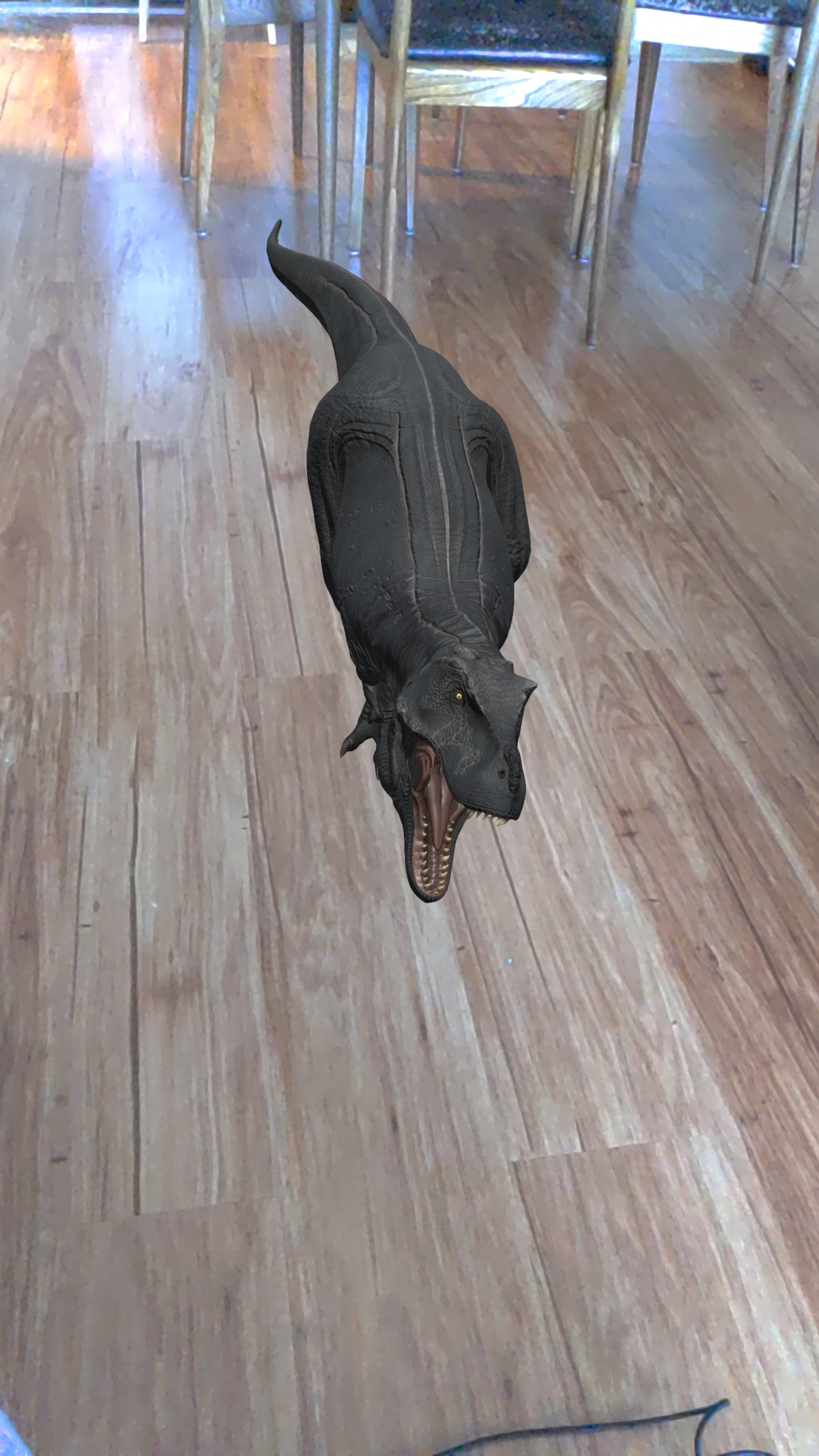
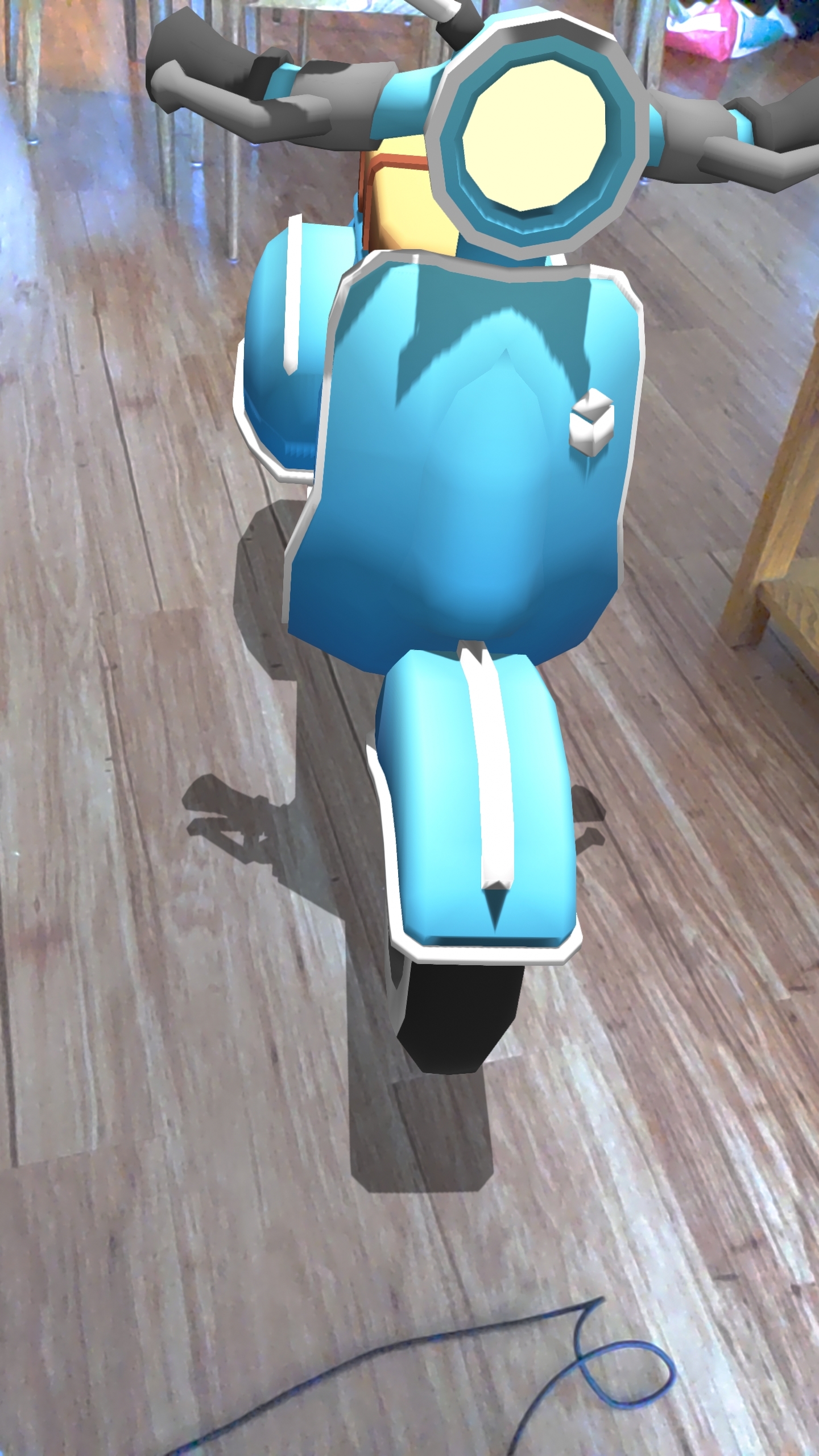
When rendering a model (in tandem with AR core for surface detection and positioning), certain GLTF models
(loaded with the AssetLoader class from gltfio) doesn’t cast a shadow on the planes that are rendered.
Here are the different models used:
-
Non-shadow casting model: trex.zip
-
Shadow casting model: scooter.zip
To Reproduce Steps to reproduce the behavior:
- Load the gltf asset using AssetLoader.
- Render a flat plane below the asset that will be loaded (set receive shadows to true)
- Set directional lighting and cast shadows to true.
- Place the gltf model on top of the plane
- Assert that the scooter model renders a shadow but the trex model doesnt.
Expected behavior Both models should be rendering shadows
Screenshots
Smartphone (please complete the following information):
- Device: Pixel 4XL
- OS: Android 12
Additional context
- The t-rex model itself is receiving shadows from the direct lighting, it just doesn’t seem to want to cast shadows.
About this issue
- Original URL
- State: closed
- Created 2 years ago
- Comments: 22 (5 by maintainers)
I figured out the lighting problem, it was indeed an existing bug in OpenGLProgram, I’ll fix it tomorrow. The bug would happen when a SamplerInterfaceBlock was defined on a program but not used/set.
Thank you all for all the help!
No problem. Test scaled.glb.zip.
Yes, use the
-soption, it makes things better: e.g.:gltf_viewer -s -a opengl bawanglong.glb