vscode-github-actions: Unable to login to github
Describe the bug I’m unable to log-in to github through Vscode. I don’t have error message. The login step in my browser is on success, but redirect to vs-code don’"t log me.
I have try the second way this bottom notification, but same effect.

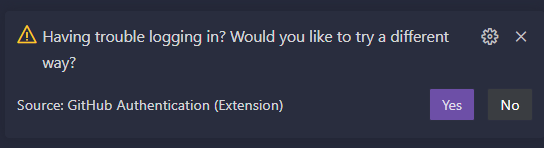
To Reproduce Steps to reproduce the behavior:
- Install WSL
- Login trough WSL
Expected behavior Login to github and show all workflow
Screenshots

Extension Version
v0.25.3
Additional context Add any other context about the problem here.
About this issue
- Original URL
- State: closed
- Created a year ago
- Reactions: 8
- Comments: 28 (5 by maintainers)
I ran into a similar issue with the same issue. I was getting:
What worked for me was to click on manage trusted extensions, which can be found on the accounts menu (lower left-hand side), which brings up a Manage Trusted Extension toolbar at the top. (sorry have my instance on the right, but by default, it would be on the left.
Next, I unclicked Github actions and then re-clicked it. The application made me go through the steps to re-authenticate and allow vscode access.
After that, my issue was resolved. Hope that helps someone 😊
@KetchupOnMyKetchup woh! I don’t know how, but today I was able to sign in =) 🎉
Yes it’s transient. I have logged in successfully. It’s annoying however, and it would be nice if the error was properly surfaced rather than having to trawl the logs.
@fox-john - I just tried this in WSL Ubuntu 22.04 and it worked for me, here is a demo of that specific environment:
We have also tested this on Windows, Mac Intel, and Mac M1 and it worked.
We fixed some bugs in the new version
v0.25.4and one that we noticed was a login issue and I am hoping it addressed this issue, but if not would be happy to work on this if I can get a specific error or if I can repro it on my side.@fox-john @inomdzhon @OpenCode @MetRonnie -
Would you please try:
v0.25.3and install the new versionv0.25.4and loginPlease let me know if any of these steps work, if so which one. And if not, what error messages you have so I can debug. Thank you so much for your help!
If someone has this problem, try putting this on terminal: code --open-external=https://github.com/login
I run into the same issue, after I turn off my global network VPN, it works. Hope that helps someone
Hello, I am facing the similar issues. I tried with all kinds of repos. Even I tried to login by creating a blank repo but still, I am getting the similar issue mentioned by @inomdzhon.
I am using VSCode Version
v1.78and github actions versionv0.25.7.Can anyone help me out on this?
I am able to login with v0.25.4 👍
I somehow fixed it - I opened another project/repo in different window and instead of a “Sign in to Github” button I got “Unable to connect to Github API. Do you have internet connection?”. I then switched to the previous project, reloaded window and it loaded fine.
Same issue, MacBook Pro M1, Ventura 13.0, vscode 1.76.0. I get redirected to Github, proceed with login normally and when I confirm opening the vscode link, vscode still shows “Sign in to GitHub” with a notification saying that if I have trouble, I can try different method. Clicking yes opens
http://127.0.0.1:53220/that only says “You are signed in” and that’s it, nothing changes.