sentry-javascript: upload Vue source map files to sentry do not work.
- Review the documentation: https://docs.sentry.io/
- Search for existing issues: https://github.com/getsentry/sentry-javascript/issues
- Use the latest release: https://github.com/getsentry/sentry-javascript/releases
Package + Version
-
@sentry/browser -
@sentry/node -
raven-js -
raven-node(raven for node) - other:
Version:
5.1.0
Description
project was created by Vue CLI 3, “main.js” file:
import Vue from 'vue'
import * as Sentry from '@sentry/browser'
import * as Integrations from '@sentry/integrations'
const dsn = 'http://4104209251f24d058f454cb97f4564fc@10.1.1.248:9000/4'
Sentry.init({
  dsn,
  release: '1.0.0',
  integrations: [
    new Integrations.Vue({
      Vue,
      attachProps: true
    })
  ]
})
“vue.config.js” file:
    new SentryCliPlugin({
        release: '1.0.0',
        include: './dist',
        ignore: ['node_modules', 'vue.config.js'],
        filenameTransform: filename => '~/' + filename
     })

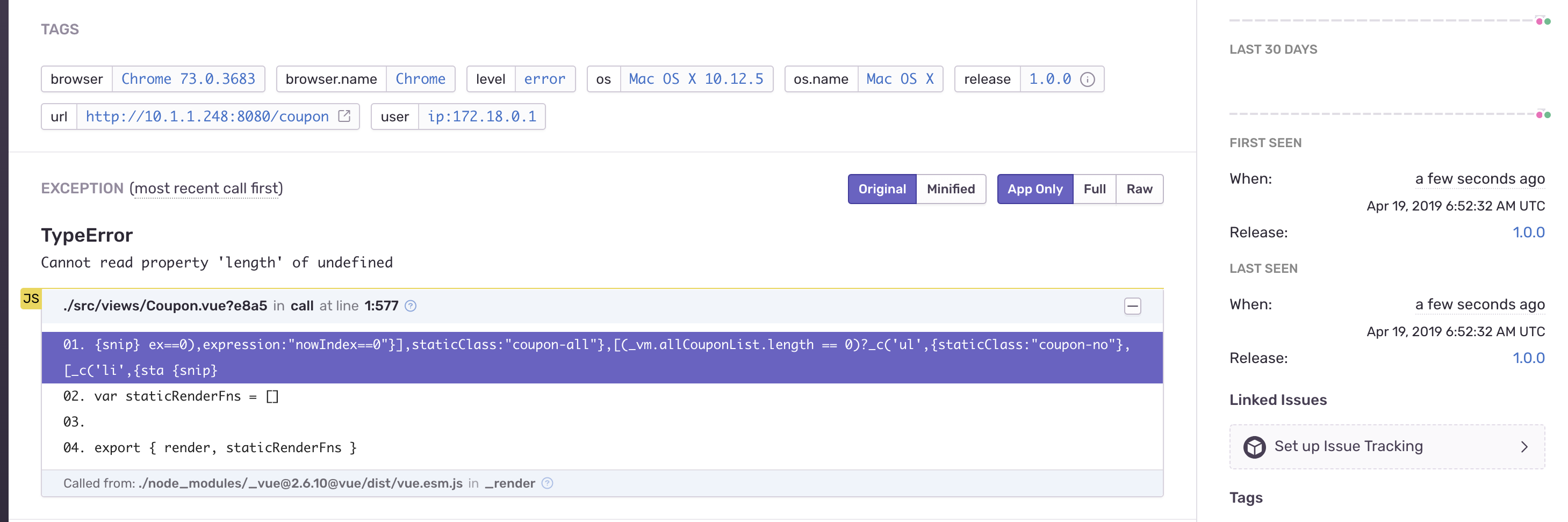
About this issue
- Original URL
- State: closed
- Created 5 years ago
- Reactions: 2
- Comments: 15 (8 by maintainers)
@teologov ah right, you are using our webpack plugin 😅
@teologov there you go https://github.com/kamilogorek/sentry-vue-sourcemaps
With webpack it’ll be the same, just make sure that releases match. You can also pass
rewrite: truein the config to make it resolve hidden source maps locally and send them to server in a “better shape”.