firebase-ios-sdk: Missing dsyms in firebase
[REQUIRED] Step 1: Describe your environment
- Xcode version: 12.4
- Firebase SDK version: 6.24.0
- Installation method:
CocoaPods(select one) - Firebase Component: Crashlytics
[REQUIRED] Step 2: Describe the problem
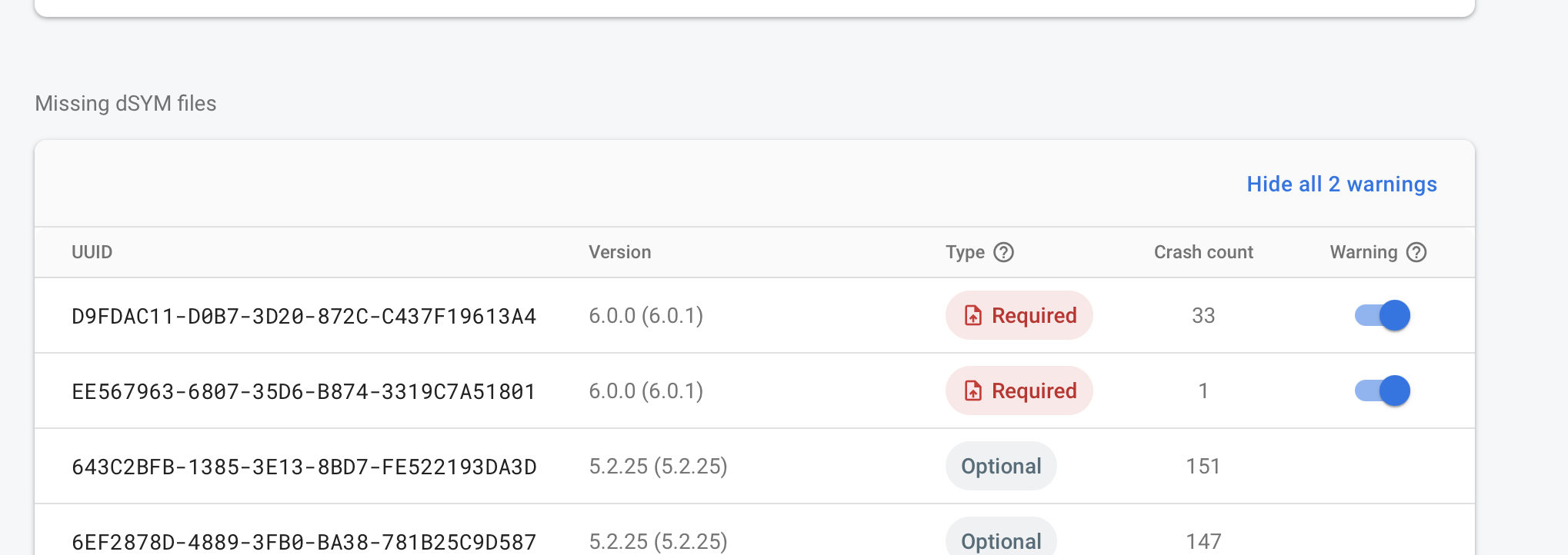
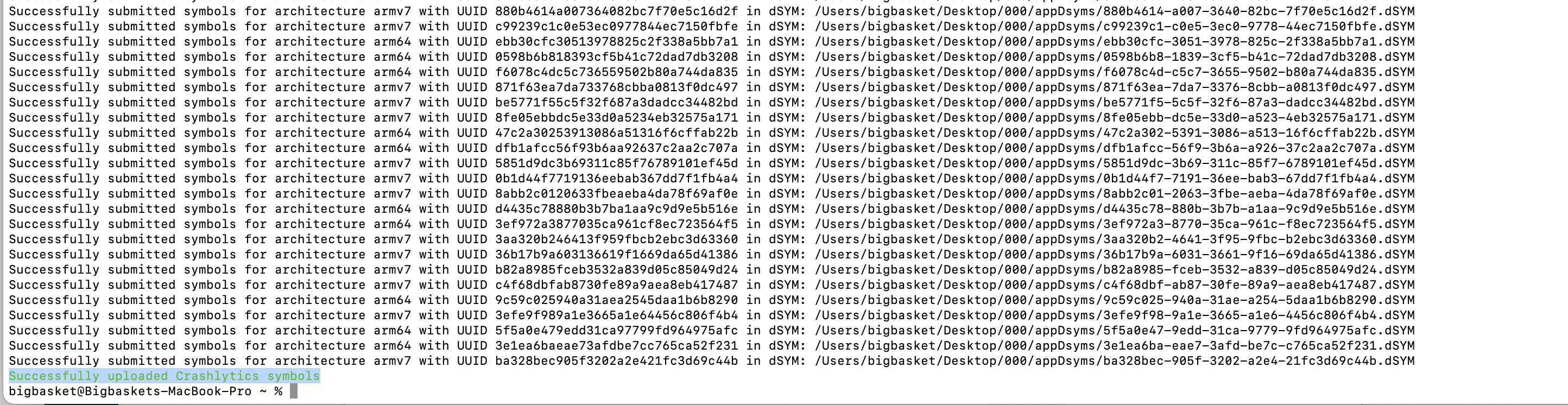
Manual upload script gives result as “Successfully uploaded Crashlytics symbols” But when I got Crashlytics it says “This app has 37 unprocessed crashes. Upload 2 dSYM files to process them”.
Steps to reproduce:

If you have a downloadable sample project that reproduces the bug you’re reporting, you will likely receive a faster response on your issue.
Relevant Code:
About this issue
- Original URL
- State: closed
- Created 3 years ago
- Reactions: 2
- Comments: 30 (6 by maintainers)
I’m facing this issue also, seems like Apple Connect is returning wrong UUID at this moment. To workaround this, you have to identify the missing Binary to find the missing dSYM file then rename the UUID to match the missing UUID. I just wrote an article to solve this: https://medium.com/geekculture/how-to-fix-the-missing-dsyms-on-firebase-crashlytics-5f36d9db51d9
I wrote a tool that automates finding the UUID for a binary image and overwrites its internal UUID. You can find it here: https://github.com/schmittsfn/dsymrename
Seems like the problem has been fixed by Apple. It works well on my side now.
@schmittsfn Thanks! That works for me!
Yeah we’re following a thread here on Apple’s forums: Thread Message
@schmittsfn I’ve been looking for this tool before, will add it to my article also. Thank you!
@schmittsfn Appreciate the help! though i guess it’ll only be applicable to those who do submit crash reports, but at least there is way, none the less
@kevinmun You can: Step A) In Crashlytics:
Step B) Find an unsymbolicated line in one of your crash files for that version:
CrashesStep C) Locate the dsym with the incorrect UUID:
Download Debug SymbolsdSYMsdirectorySizein DESC orderShow Package Contents@github-community The finding and replacing part in Step C) screams for automation 🤖