prophet: KeyError: 'metric_file'
Hi!
Version 0.7.1 of Prophet is unusable for me. Even if I use it in the most basic way, it constantly produces an error.
from fbprophet import Prophet
p = Prophet()
p.fit(df)
Error:
KeyError: ‘metric_file’ Exception ignored in: ‘stanfit4anon_model_f5236004a3fd5b8429270d00efcc0cf9_7332008770348935536._set_stanargs_from_dict’ KeyError: metric_file
Process finished with exit code -1073741819 (0xC0000005)
OS: Windows 10 Python: 3.7
Thanks for help! 👍
Best regards Robert
About this issue
- Original URL
- State: closed
- Created 4 years ago
- Reactions: 11
- Comments: 35 (7 by maintainers)
I met the same problem. After upgrading pandas to ver 1.0.4 and pystan to ver 2.19.1.1, it was solved. Hopefully it works for you as well.
Same problem. The solution I found was to uninstall previous versions and install the ones in conda-forge:
It works for me.
pip install pystan==2.19.1.1My solution is also to lower the version. conda install pystan=2.19.0.0 conda install -c conda-forge fbprophet=0.6.0
I had a similar problem yesterday, after upgrading
fbprophetto 0.7.1. I ended up creating a new conda environment. Installedfbprophetversion 0.6 and an earlier version ofpystan(forget which one, maybe 2.19.0?), and ensured that was working. However, I noticed the effect of #1617 bug, so I downgradedpandasto 1.0.5. Things looked good, Upgradedpystanto 2.19.1.1, upgradedfbrophetto 0.7.1, wrestled a lot with spyder/IPython. And so far things appear outwardly to be working. I should note all this is on Windows 10, python 3.6.12, and I used conda-forge channel for the latestpystanandfbprophet.I had the same issue after installing the latest fbprophet with “conda install -c conda-forge fbprophet”
Used following commands to downgrade fbprophet to 0.6.0 as suggested by others and that worked.
conda remove pystan fbprophet conda install pystan=2.19.0.0 conda install -c conda-forge fbprophet=0.6.0
I had the same problem when I switched from Colab to Jupyter. This worked for me.
pip install pystan==2.19.1.1
100% Guaranteed solution!
Install pandas:
pip install pandas==1.0.4Install pystan:
conda install -c conda-forge pystan==2.19.1.1Install fbprophet:
conda install -c conda-forge fbprophetconda install -c conda-forge/label/cf201901 fbprophetFollow the steps and run your code it will solve the issue.
Hello, guys, I just encounted the problem. After trying this, it works, pip install pystan == 2.19.1.1. BTW my previous pystan is 2.18.0.0. Hope this can help someone.
it worked for me… thanks for the solution
yes me too
In my case, the fbprophet version must be lowered to 0.6.0. Otherwise, the other modules will get this error no matter which version they use. I use Anaconda to manage my execution environment and modules, which makes it easy to switch versions. On windows10 and centOS7, I used Anaconda to set up the same environment, and the projects worked fine.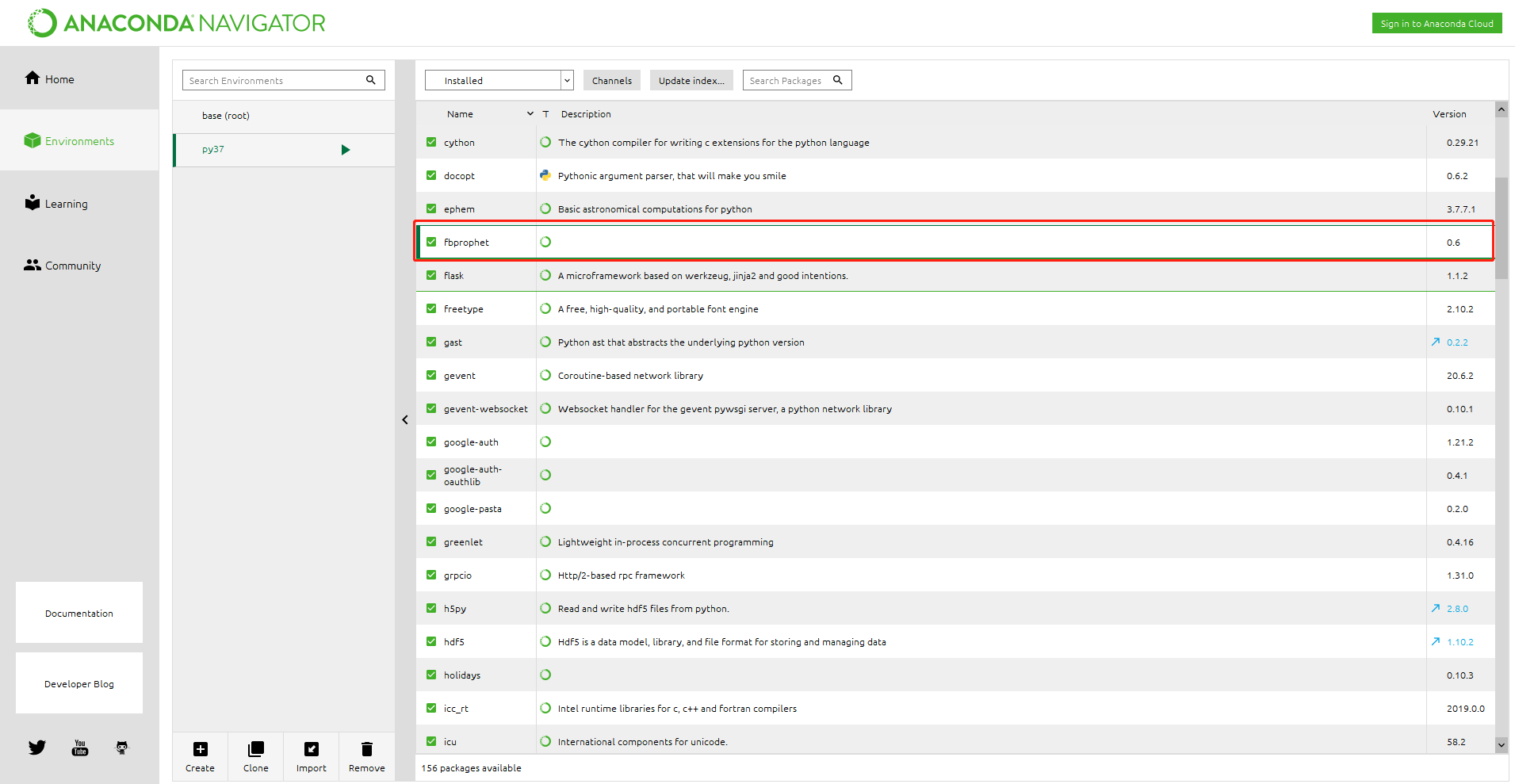
The same thing happened to me.My solution is to lower the version.
python: 3.8.0->3.7.9pystan: 2.19.1.1->2.19.0.0pandas: 1.1.1->1.0.4fbprophet: 0.7.1->0.6.0os: CentOS 7