expo: `Update.reloadAsync` does not update the local bundle
Summary
I am building an app and am using expo-updates. I am able to create updates, and the app is able to fetch them via Updates.checkForUpdateAsync() and Updates.fetchUpdateAsync(). However, after those two method calls, invoking Updates.reloadAsync() restarts the app, but does not update the JS bundle.
Managed or bare workflow? If you have ios/ or android/ directories in your project, the answer is bare!
managed
What platform(s) does this occur on?
iOS
SDK Version (managed workflow only)
44.0.6
Environment
expo-env-info 1.0.3 environment info: System: OS: macOS 12.0.1 Shell: 5.8 - /bin/zsh Binaries: Node: 14.18.1 - ~/.nvm/versions/node/v14.18.1/bin/node Yarn: 1.22.17 - ~/.nvm/versions/node/v14.18.1/bin/yarn npm: 6.14.15 - ~/.nvm/versions/node/v14.18.1/bin/npm Watchman: 2022.02.14.00 - /usr/local/bin/watchman Managers: CocoaPods: 1.11.2 - /Users/nate/.gem/ruby/2.7.2/bin/pod SDKs: iOS SDK: Platforms: DriverKit 21.4, iOS 15.4, macOS 12.3, tvOS 15.4, watchOS 8.5 IDEs: Xcode: 13.3.1/13E500a - /usr/bin/xcodebuild npmPackages: expo: 44.0.1 => 44.0.1 react: 17.0.1 => 17.0.1 react-dom: 17.0.1 => 17.0.1 react-native: 0.64.3 => 0.64.3 react-native-web: 0.17.1 => 0.17.1 npmGlobalPackages: eas-cli: 0.47.0 Expo Workflow: managed
Reproducible demo
Here is my simple component that illustrates the problem:
// Vendor
import { useEffect, useState } from 'react';
import { View, Text } from 'react-native';
import * as Updates from 'expo-updates';
import { KeyboardAwareScrollView } from 'react-native-keyboard-aware-scroll-view';
// Components
import BaseLayout from '~/components/layouts/base_layout';
import Button from '~/components/shared/button';
// Misc
import { tailwind } from '~/utils/tailwind';

const ListingSearchScreen = () => {
  const [update, setUpdate] = useState(undefined);

  const checkForUpdate = async () => {
    try {
      const update = await Updates.checkForUpdateAsync();
      setUpdate(update);
    } catch (error) {
      alert(`Error fetching latest Expo update: ${error}`);
    }
  }

  const fetchUpdate = async () => {
    try {
      const res = await Updates.fetchUpdateAsync();
      setUpdate(res);
      alert('Updated successfully fetched!')
    } catch (error) {
      alert(`Error fetching latest Expo update: ${error}`);
    }
  };

  const reload = async () => {
    try {
      await Updates.reloadAsync();
      alert('Reloaded!')
    } catch (error) {
      alert(`Error reloading: ${error}`);
    }
  };

  useEffect(async () => {
    checkForUpdate();
  }, []);

  return (
    <View style={tailwind('h-full bg-grayMutedBg')}>

      <BaseLayout.NoPadding hasNoHeader style={tailwind('flex-1')}>
        <KeyboardAwareScrollView>
        {
          update && (
            <View>
              <Button type="primary" onPress={fetchUpdate}>
                Fetch Update
              </Button>
              <Button type="primary" onPress={reload}>
                Reload
              </Button>
              <Text>{JSON.stringify(update, null, 2)}</Text>
            </View>
          )
        }
        {!update && <View><Text>No Update Yet</Text></View>}
        </KeyboardAwareScrollView>
      </BaseLayout.NoPadding>
    </View>
  );
};

export default ListingSearchScreen;
Code Walkthrough
On App Load
Updates.checkForUpdateAsyncis called on mount.- You can see that the
updateis fetched, stored in the local state, and then shown in the UI. Note:isAvailableis set totrue - Notice the
updateGroup: 5b9d8e29-1a79-49ba-971a-3d49a5734b54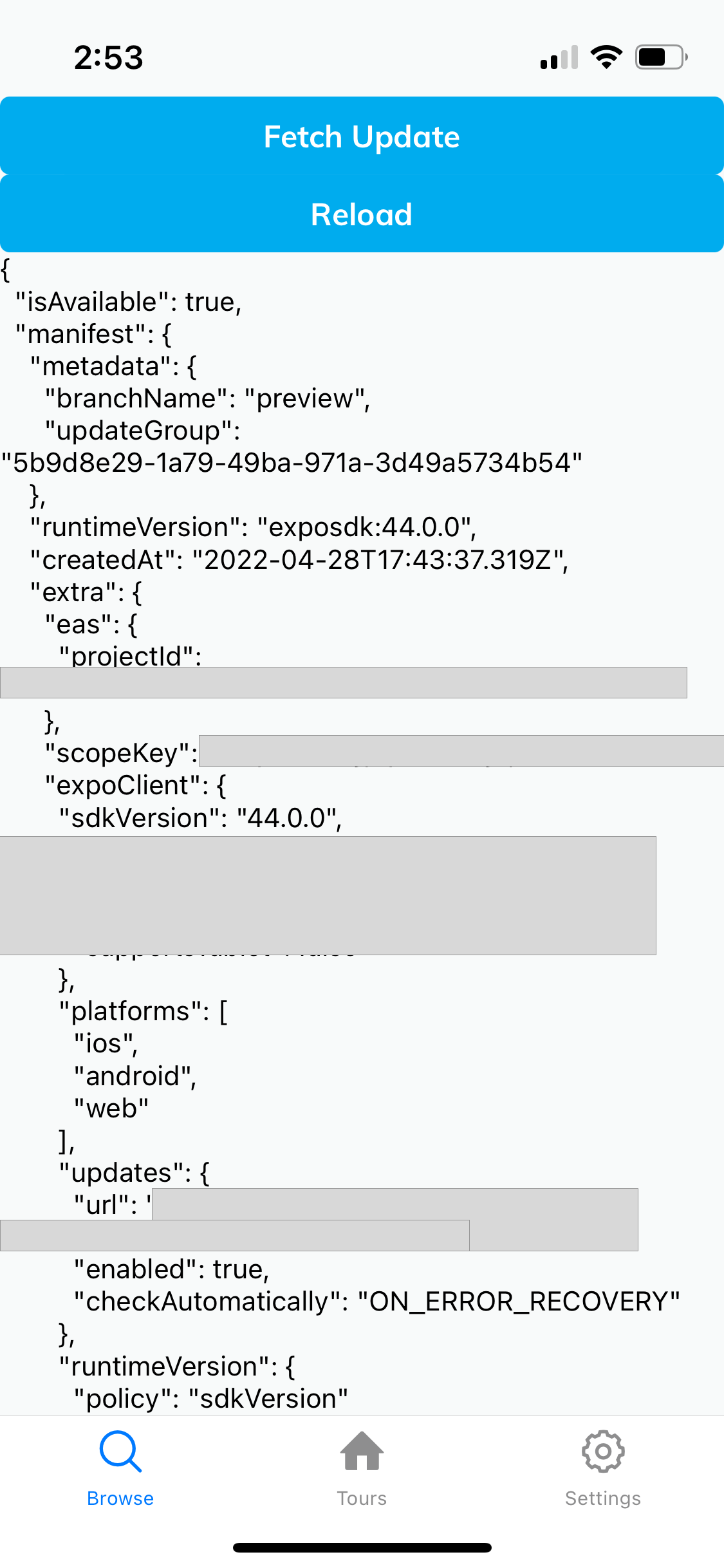
On click Fetch Update button
- This invokes
Updates.fetchUpdateAsync() - We store this response in the state and show it in the UI. **Note: ** the UI now shows
isNewis set totrue, as opposed toisAvailable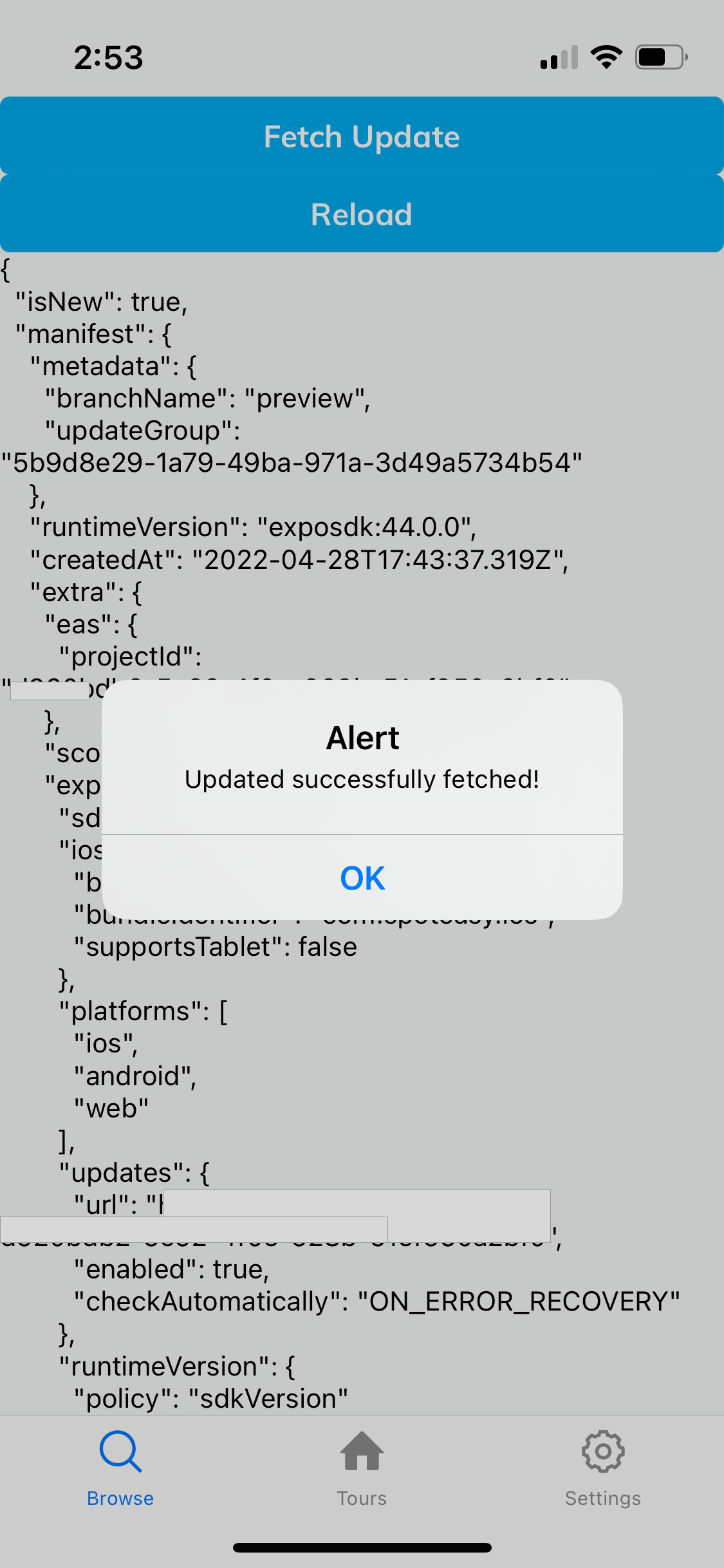
On click Reload button
- At this point, if we reload the app, it should update the local JS code with the new bundle that was fetched in the previous state.
- We would expect the app to reload, mount, check for any new updates (there shouldn’t be any), and then show that there is no update available in the UI. However, it shows the same update from last time.
- Notice that the
updateGrouphas not changed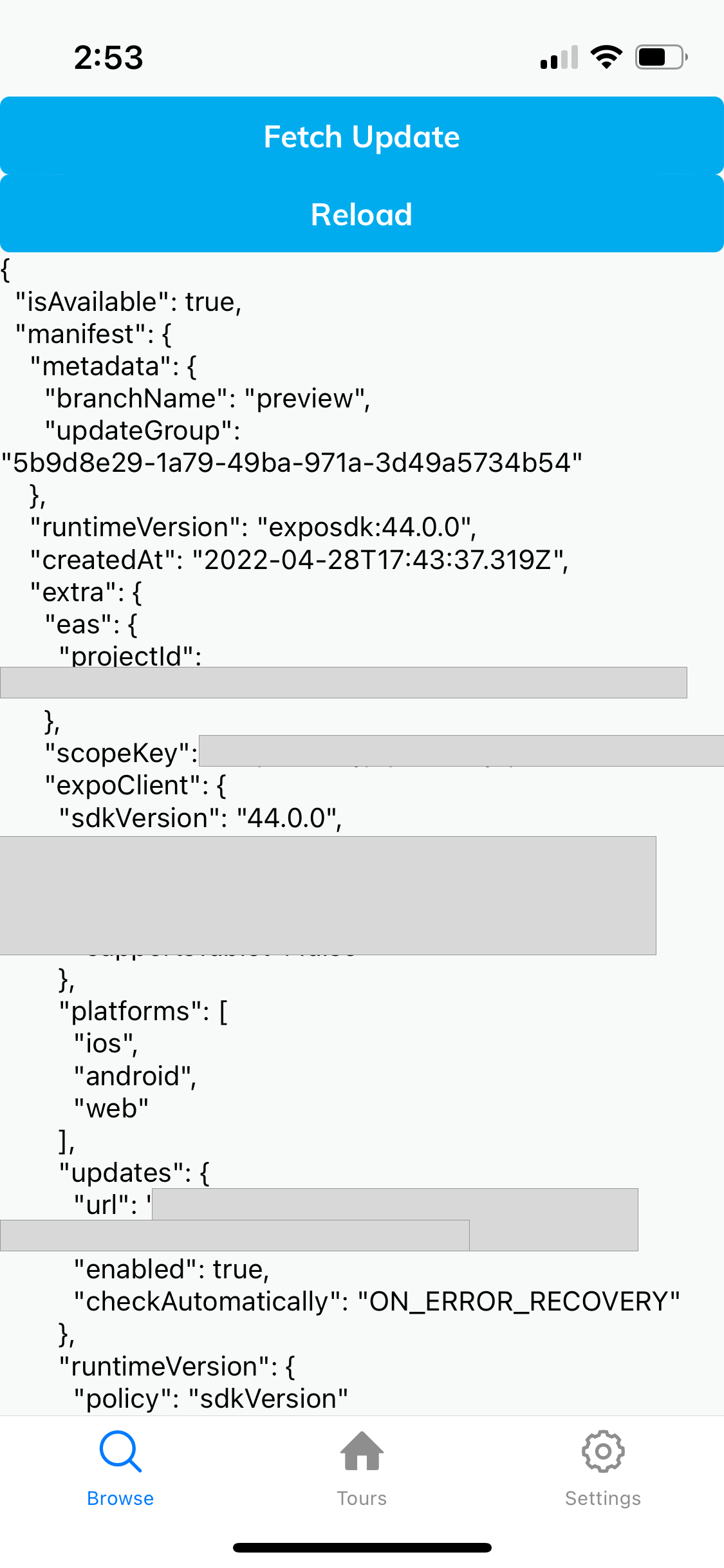
About this issue
- Original URL
- State: closed
- Created 2 years ago
- Reactions: 1
- Comments: 16 (3 by maintainers)
I’m experiencing this same issue after upgrading from expo 42 to 44. After
reloadAsync, the previous update shows instead of the newly downloaded one.I encountered the same issue on expo 45. I tried building with jsc instead of hermes, and now updates are working. Additionally, updates are working with Android when I build with jsc as well.
Seems it doesn’t work with hermes? I’m using jsc for now as a workaround.
Running into this issue with Expo 46 using expo-updates with EAS and swapping to
jscdidn’t do the trick for me. Did anyone find any other workaround to it?To everyone having this problem:
In my case the update - although I tested it with only a single letter change in a text - crashed the app, causing infinite startup loops.
The reason was that eas update can not use the secrets of the expo project on expo.dev.
I solved it via entering the secrets in the command line before the eas update commands.
E.g using windows powershell, with multiple secrets:
$env:APPKEY="<my_app_key>";$env:APPID="<my_app_id>";eas update --branch staging -p androidEDIT: And you have to use Constant.expoConfig instead of Config.manifest in your code.