expo: Unable to use custom font with `Expo.Svg.Text`
Environment
Environment:
  OS: macOS High Sierra 10.13.5
  Node: 8.9.1
  Yarn: 1.7.0
  npm: 6.1.0
  Watchman: 4.9.0
  Xcode: Xcode 9.4.1 Build version 9F2000
  Android Studio: Not Found

Packages: (wanted => installed)
  expo: ^27.0.1 => 27.1.0
  react: 16.3.1 => 16.3.1
  react-native: ~0.55.2 => 0.55.4

Diagnostics report:
  https://exp-xde-diagnostics.s3.amazonaws.com/zschiller-1159e596-d038-4375-aaae-acea46431b66.tar.gz
Steps to Reproduce
I’m trying to use a custom font loaded with Font.loadAsync on an Svg.Text element.
- Load the font using
Font.loadAsync - Render the font using a React Native
Textelement to verify it is loaded - Try to apply the font to
Svg.Textusing thefontFamilyprop
Expected Behavior
The Svg.Text element renders with the custom font I specified.
Actual Behavior
The Svg.Text element renders with a default font, Helvetica.

Reproducible Demo
About this issue
- Original URL
- State: closed
- Created 6 years ago
- Reactions: 2
- Comments: 32 (10 by maintainers)
Expo sdk v40. Managed workflow. Works with
processFontFamilyfrom expo-fonts:...<Svg.Text fontFamily={processFontFamily('Manrope_200ExtraLight')}>{text}</Svg.Text>...default system family[iOS]:Manrope_200ExtraLight[iOS]: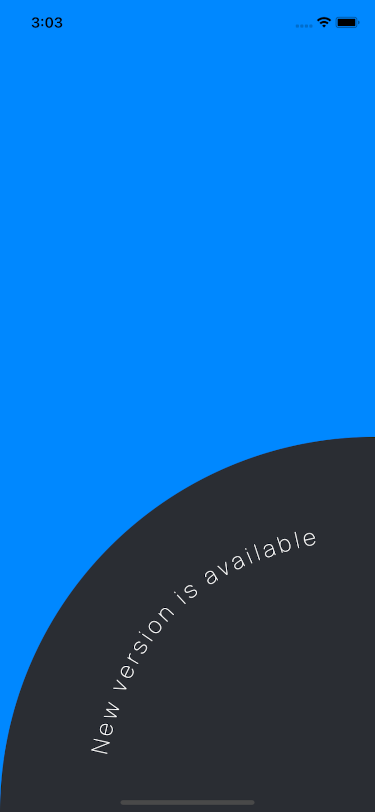
Same issue with EXPO ^39.0.0 🥺
Also running into the same issue. Expo 37.0.6 in managed mode, react-native 0.61.4, react-native-svg 11.0.1. It seems like there’s still some confusion about whether the issue is in Expo or react-native-svg. Maybe it would help for someone from each project to talk for a minute and at least figure out which project is responsible?
@brentvatne If I wanted to pay someone to fix this bug, where would I start?
Finally found an answer
<Text fontFamily={processFontFamily("gothic-bold")} />fixed the issue! Yay!yes, tested only on managed workflow.
UPD: works in ejected project too
Here is a workaround, for anyone interested:
Basically, with this solution you load the font file and use an external package (opentype.js) to convert text to a SVG Path. Depending on your usage, you might want to use some caching techniques as well.
First, get the opentype.js package.
Second, load the font.
Here is a simplified version of my code: (I did not test it after making modifications for this comment)
Here’s an example how to use it:
I’m having this issue as well. Currently using SDK v31.
@schazers - I think this might actually be a bug with our font code
First of all I have no intention to ruin this thread with unrelated stuff, this comment has nothing to do with the issue itself.
I feel that RN or Expo (not sure about who does what really) don’t approach the development in a hierarchical way. There are so many issues that should have been fixed, but instead I am seeing Expo for web? Why? Seriously, are you porting React Native to web when React operates there…? I hope I am missing something important here. Reminds me of the countless problems of Apollo and they can’t stop posting on their blog about their new toys…
And regarding the payment of the people actively working on them (which again I have no idea what’s going on), I totally get that you are not working for Google or w/e to get that sweet cash, but I believe some help/bugfixes for ‘simple’ things isn’t all that hard. I have posted several times here and on official Expo forums that the project feels abandoned sometimes.
Please take this as feedback; burn it or keep it.
Imagine the number of such seemingly simple issues on this project: https://github.com/expo/expo/issues
Now imagine the number of things that aren’t in that list but it would be really great if you could do them: https://blog.expo.io/you-can-now-use-expo-apis-in-any-react-native-app-7c3a93041331 https://blog.expo.io/expo-cli-and-sdk-web-support-beta-d0c588221375
And think about the number of people who draw a paycheck to make it better: https://expo.io/about
Sorry we haven’t found time to get this resolved yet, thanks to everyone for letting us know, and special thanks to @tal2 for finding and sharing a workaround to keep everyone unblocked. If anyone would be interested in helping get this (or any other issues you run into) fixed, please let us know!
One ugly workaround is to overlay a normal
Textelement on top of your SVG usingposition: absoluteandzIndex: 1/2/3/4/5. Would love to see this fixed though.I’m having this issue as well. Seems that the font doesn’t get passed correctly to react-native-svg or something, since they claim that custom fonts work as of 6.0.0^.
Ah, so sorry @zschiller !! Thanks brent