expo: [expo.google.logInAsync] Wrapper code doesn't take standalone clientIds when it should
See this thread from the forum
Steps to Reproduce
- Call
logInAsync, and provide with both non-standalone and standalone clientIds in params.
Note importantly that non-standalone OAuth credentials have host.exp.exponent as the package name, and standalone credentials have something different (like com.wallstreetjournal). If these don’t match the package name (specified in app.json for standalone) related to the requester (who is either expo or standalone, as indicated in Expo.Constants.appOwnership), I believe google correctly gives a request_uri_mismatch error.
  try {
    resp = await Expo.Google.logInAsync({
      behavior: "web",
      scopes: [
        'https://www.googleapis.com/auth/userinfo.email',
        'https://www.googleapis.com/auth/userinfo.profile',
        'https://www.googleapis.com/auth/calendar',
        'https://www.googleapis.com/auth/calendar.events',
      ],
      androidClientId: GOOGLE_CLIENTID_ANDROID_EXPO,
      iosClientId: GOOGLE_CLIENTID_IOS_EXPO,
      androidStandaloneAppClientId: GOOGLE_CLIENTID_ANDROID_STANDALONE,
      iosStandaloneAppClientId: GOOGLE_CLIENTID_IOS_STANDALONE
    });
}
- Do a standalone build
- Perform a login in the standalone build.
Expected Behavior
The app opens the system web browser and the google login screen is shown
Actual Behavior
The app opens the system web browser and gives this error message:
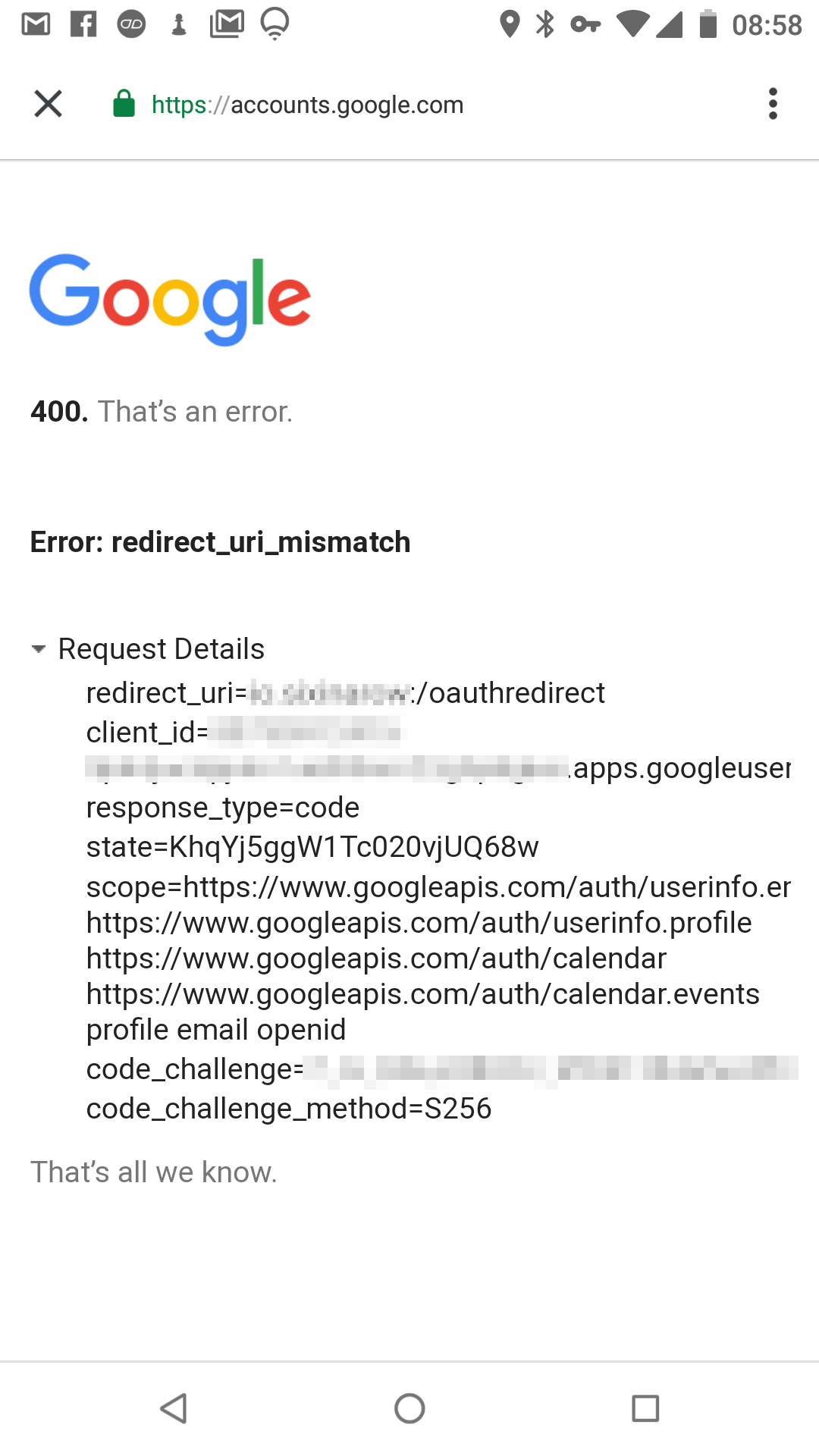
I checked the clientId in the error, and it isn’t my standalone clientId (which it should be), it’s the expo clientId. Since I did a standalone build, the requestor’s package name for the google login comes from my app.json (com.wallstreetjournal). Since the clientId provided is tied to the package name host.exp.exponent, there’s a mismatch.
I think the problem code is on lines 62-63 here. It always grabs the non-standalone clientIds. Maybe someone assumed (as I did, at first) that since the system behavior is deprecated, the standalone clientIds aren’t needed. They are!.
About this issue
- Original URL
- State: closed
- Created 5 years ago
- Reactions: 4
- Comments: 20 (5 by maintainers)
Tried setting up Google auth in Client such as:
import React from ‘react’; import { ScrollView, StyleSheet, Text, Button } from ‘react-native’; import {Google} from ‘expo’;
export default class LoginScreen extends React.Component { static navigationOptions = { title: ‘LoginScreen’, };
onPressHandler = async () => { const clientId = ‘649846420860-nd92louc1phcmh8h68vofonfk8mo7al1.apps.googleusercontent.com’; const { type, accessToken, user } = await Google.logInAsync({ clientId });
};
render() { return ( <ScrollView style={styles.container}> <Button title=“Google” onPress={() => this.onPressHandler()}/> </ScrollView> ); } }
When running this in android emulator on win10 and expo app in IOS the same error appears: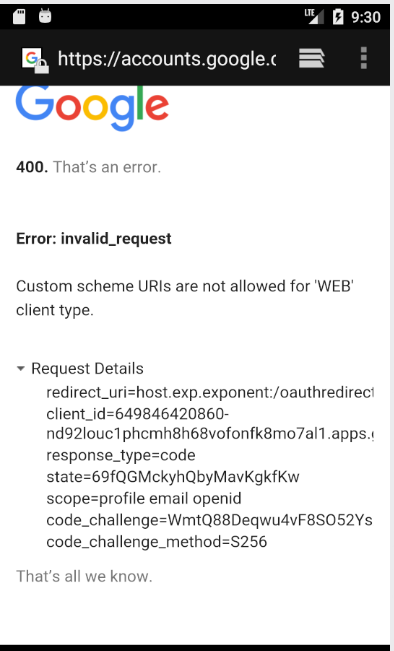
The docs have now been updated:
TL;DR: follow my blog post much easier to release and edit these 🙃 @ansonhoyt really sorry for the run around. The situation is something like this: Google native auth never worked in the client, the API was somewhat confusing because Google web auth is very advanced and looks like the native auth.
Then Google auth changed to work better with Firebase, which removed any chance to sandbox the functionality.
To combat this I created 2 libraries which essentially did the same thing
Expo.Googlewas assuming.AppAuthwhich can be used in the Expo Client. This is a very good solution and is identical to the functionality users ofExpo.Googlewere getting. (aside from a bug on Android which requires you to run UNVERSIONED as the SDK value (this should be fixed soon)).Expo.Googleis a JS wrapper around this library. To use it you should only pass yourclientIdto the sign-in method.GoogleSignInlibrary. This module can only be used by configuring yourapp.jsonin a special way, then building and running on in a production app. Or by ejecting to the unmanaged workflow and adding the Google REVERSE_CLIENT_ID to your URL schemes on iOS. (I personally detach on a branch and test the functionality this way)I’ll get around to updating the docs soon, unfortunately I’m just really stretched thin. 😕
You are correct, the docs need to be updated. For information on
systemauthentication, please refer to this article: https://blog.expo.io/react-native-google-sign-in-with-expo-d1707579a7ceuse host.exp.exponent as bundler identifier and try it
i find a fix!
behavior: ‘web’, scopes: [‘profile’, ‘email’], androidClientId: Expo.Constants.appOwnership === ‘standalone’ ? PROPERTIES.ANDROID_STAND_ALONE_APP_CLIENT_ID : PROPERTIES.ANDROID_CLIENT_ID, iosClientId: Expo.Constants.appOwnership === ‘standalone’ ? PROPERTIES.IOS_STAND_ALONE_APP_CLIENT_ID : PROPERTIES.IOS_CLIENT_ID, androidStandaloneAppClientId: PROPERTIES.ANDROID_STAND_ALONE_APP_CLIENT_ID, iosStandaloneAppClientId: PROPERTIES.IOS_STAND_ALONE_APP_CLIENT_ID, webClientId: ‘274334129691-k9shjbjjttr3tfj39opodgr2llusucn0.apps.googleusercontent.com’
thanks all
@vietnogi I ran into this problem when following these instructions and running my app on a physical device. Google (unlike Facebook) is very particular about the client matching the specified environment, so you’ll need to create an OAuth client that matches your device type (Android or iOS).