expo: [expo-gl][Android][standalone] gl.texImage2D doesn't render image in Android standalone app if asset localUri path protocol is different from "file://"
Environment
| software | version |
|---|---|
| expo | 34.0.0 |
| react-native | https://github.com/expo/react-native/archive/sdk-34.0.0.tar.gz |
| device | Pixel 2 XL (simulator), Samsung Galaxy A8 (real device) |
| platform | Android |
exp diagnostics output
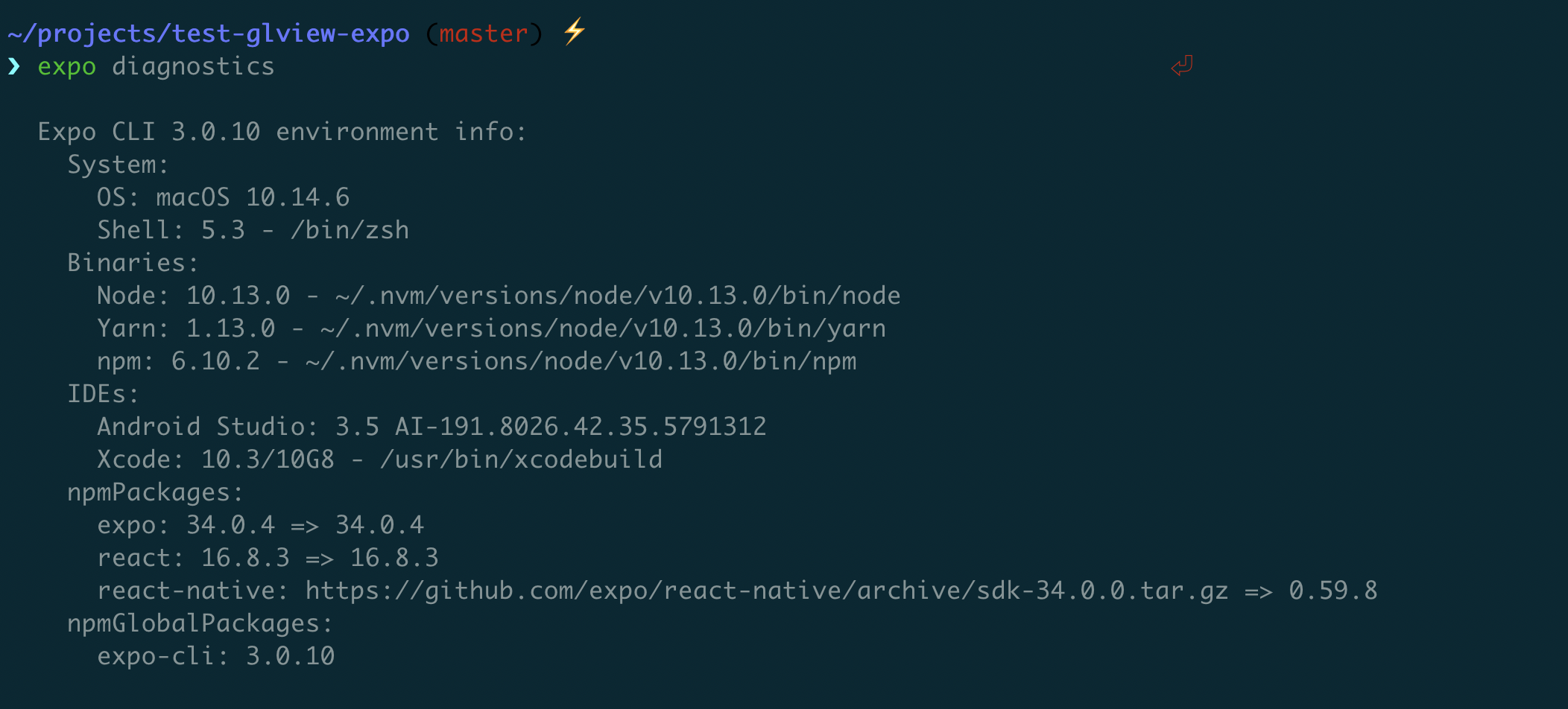
Steps to Reproduce
The bug is only reproducible in Android standalone app. When you test it in development with Expo mobile app all local uris always start with file://.
I used GLHeadlessRenderingScreen.tsx module from Expo examples as App.js in my test repo. To test the bug do
git clone https://github.com/serhiipalash/test-glview-expo
cd test-glview-expo
yarn
expo build:android
Download .apk and install it on Android Simulator.
Screen recordings:
Android simulator Pixel 2 XL (in my real device Galaxy A8 behaviour is the same): https://drive.google.com/file/d/1OlWgCrb0jZrZYIaO-Wubd3wbkkOKuIN-/view
App doesn’t work in this line

because this code in Android standalone app returns local uri which starts with asset://

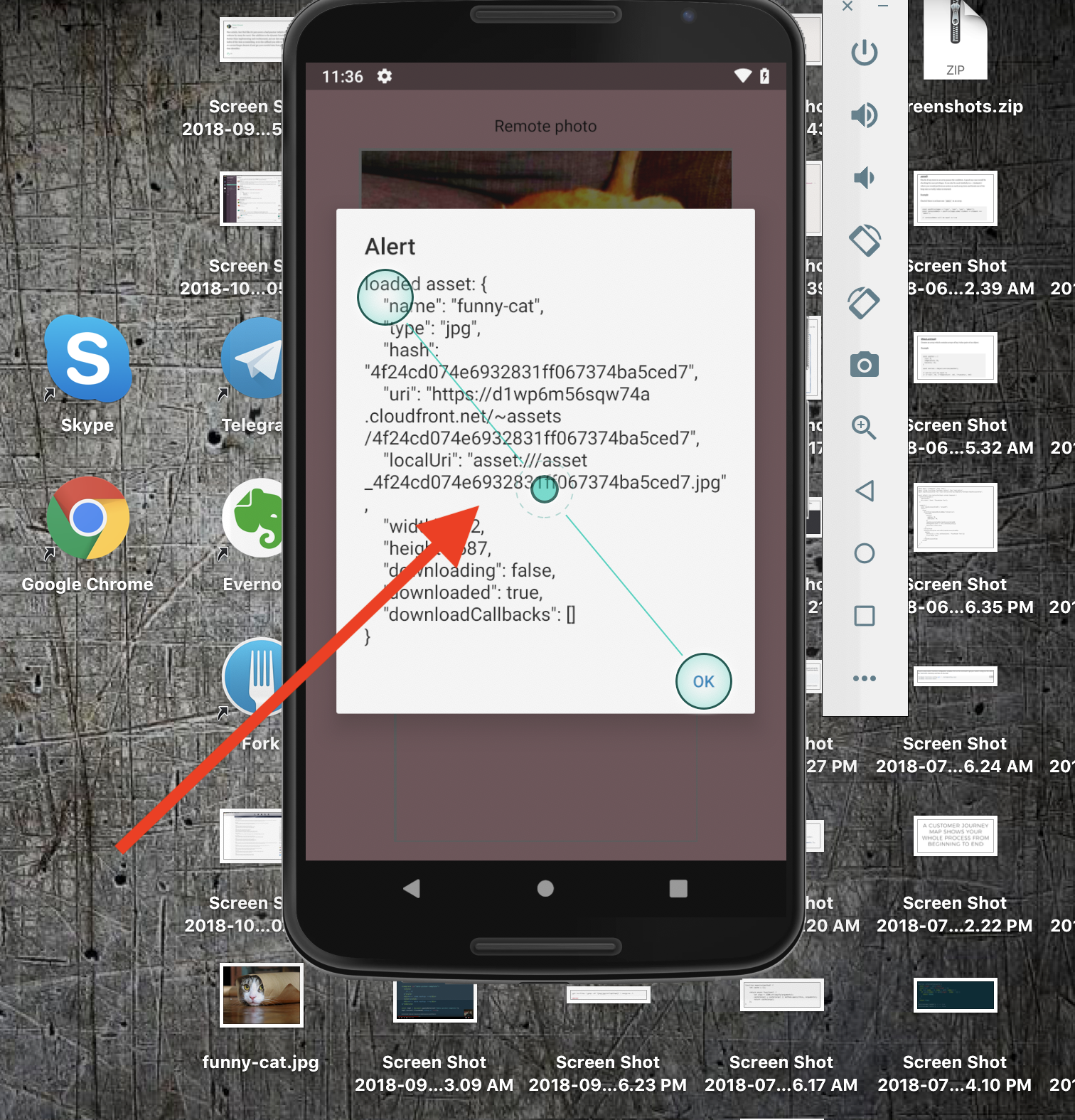
There is no way to resolve local or remote asset in Android standalone app to local path with file:// protocol using Expo.Asset or Expo.FileSystem.
Expected Behavior
In Android standalone app you can resolve asset from module and pass it to gl.texImage2D(...) and it should be rendered independent from uri path protocol.
Actual Behavior
In Android standalone app asset resolves to local uri with protocol asset:// and gl.texImage2D(...) doesn’t render image for such uri.
I assume that to fix this issue you have to add all missing protocols in expo-gl native code here
https://github.com/expo/expo/blob/master/packages/expo-gl-cpp/cpp/UEXGL.cpp
These protocols I found as missing
data://
asset:// - All local paths in Android Expo standalone app
assets-library:// -CameraRoll.getPhotos iOS
content:// - CameraRoll.getPhotos Android
Reproducible Demo
https://github.com/serhiipalash/test-glview-expo
ping @tsapeta
About this issue
- Original URL
- State: closed
- Created 6 years ago
- Reactions: 8
- Comments: 30 (22 by maintainers)
Commits related to this issue
- Всё ещё не работает в standalone(https://github.com/expo/expo/issues/2693); intersect fix, minor impr — committed to 3d-math-university/3d-math by vovaa99 5 years ago
I encountered yet another flavor of this issue today when I switched my project from managed to bare workflow.
In managed, standalone Android builds, my texture image asset.localUris look like
"asset:///asset_images_myimagefile"and are handled by the copyAssetToCacheAsync() work-around I posed above.Now, in bare Android builds, the same images resolve to asset.localUris that look like
"assets_images_myimagefile". Note that there is no “asset:” prefix and the file format suffix (.pngin my case) has been stripped.Consequently, in https://github.com/expo/expo/blob/master/packages/expo-gl-cpp/cpp/UEXGL.cpp loadImage() fails to load the image into an OpenGL texture because it has no special-case handling for this new form of asset.localUri reference.
I worked around this problem by adding https://github.com/itinance/react-native-fs to my bare builds and using its
readFileRes()function to copy the bytes of the drawable image into a local file (using expo-file-systemwriteAsStringAsync()), and then passing the “file://” URI into expo-gl’s texture loader.Basically, the root problem seems to be an architectural issue where
expo-assethas now added a bunch of different “flavors” of asset reference beyond just"file://", but theexpo-glstack has not been updated to handle any of these new ways to reference image files.TypeScript is not alerting about this problem because the asset.localUri references are all just strings, which masks the fact that different formats need different, platform-specific handling in the texture loading code.
Here is our current workaround for this issue:
All the assets needed will first go through this thing before I can render anything. then I’ll use the return value like
Lame, but works.
Hi everyone! @EvanBacon, you had an idea why is this bug happens. Maybe need to share it with @tsapeta ? It would be great to see this bug fix in SDK 32 😃
I’ve reopened this issue because the bug with not rendering image with path protocol different from
file://orhttps://is still there. Please check my previous comment to see screenshots.In Android standalone app when you try to use local bandled asset as source for
gl.texImage2Dit doesn’t work because source path isasset://. In our app we temporary fixed this by using remote assets as they have protocolhttps://, but it is not a production way as it slows down view rendering compared to using local assets and our app can no longer work offline.The issue is reproducible in Expo v31. I will update the test repo to Expo v32 in next few days, test and write about result here.
@tsapeta can you please try to fix it?
why it has not been fixed for a while?
The bug is fixed. Not sure who fixed it, but thank you @tsapeta ! Our app works properly, but the test repo I created has another bug. The app starts without crashing, but the image is not rendered.
In development mode it looks like this
I guess it is another bug in the code of “Headless GL” example from Expo docs. This code I used for test repo. So be aware that “Headless GL” wont work in Android standalone app.
I am closing this issue. Thanks again!
ping @EvanBacon