expo: Apps opened in Expo Client do not extend behind StatusBar anymore
🐛 Bug Report
Environment
  Expo CLI 3.17.11 environment info:
    System:
      OS: Linux 5.3 Ubuntu 19.10 (Eoan Ermine)
      Shell: 5.0.3 - /bin/bash
    Binaries:
      Node: 12.6.0 - /usr/local/bin/node
      Yarn: 1.22.4 - ~/.yarn/bin/yarn
      npm: 6.13.0 - ~/.npm-global/bin/npm
    npmPackages:
      react: 16.9.0 => 16.9.0
    npmGlobalPackages:
      expo-cli: 3.17.11
Expo Client 2.15.0 on Android 9
Steps to Reproduce
After updating the expo client to the latest version run an app that relies on the screen extending behind the StatusBar.
This issue was already reported in the expo forum:
https://forums.expo.io/t/android-padding-in-headers-since-the-expo-clients-update/35239
Expected Behavior
For the screen to extend to the very top of the screen.
Actual Behavior
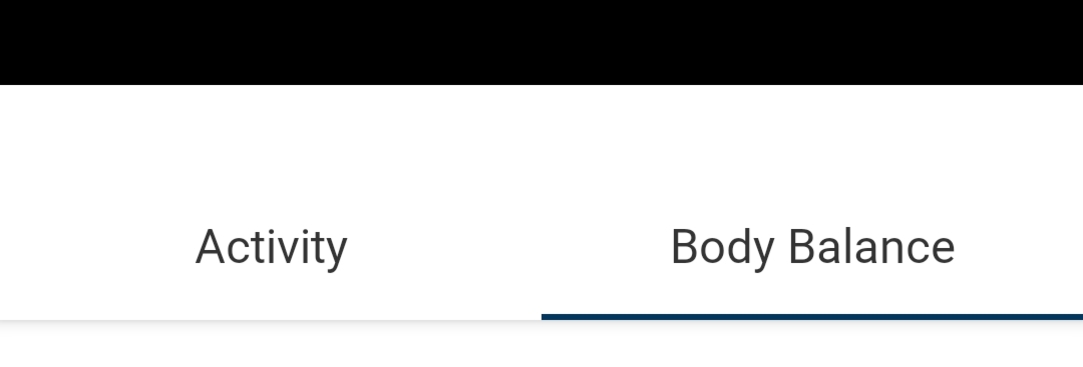
Content is only rendered from just below the StatusBar, meaning we now have twice the amount of padding that we need (screenshot +1 shamelessly copied from the forum post mentioned above, but it’s the same behaviour we experienced)
Everything is ok in our standalone builds, but the same code opened via the expo client shows this added padding.
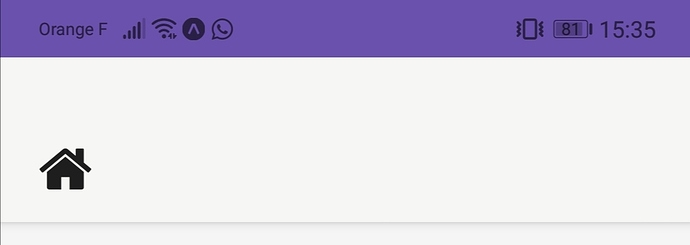
Note the black StatusBar which should usually be in front of the TabNavigator
Reproducible Demo
I’ve tried to reproduce this with a minimal demo, but can’t seem to do that. Any ideas on what might cause this so I can include that in a demo?
About this issue
- Original URL
- State: closed
- Created 4 years ago
- Comments: 23 (7 by maintainers)
and/or in app.json
if you use
expo-status-barit defaults to translucentIt didn’t seem to work for me either @sharadrb . I had to add
translucent={true}to the<StatusBar />components throughout the application.I was unsure why, but i imagine it has something to do with the defaults being overridden somewhere. An easy fix 👍