App: SMS message has wrong footer as `Tap below to respond new.expensify.com- https://newexpensify.com/r/2539...`
If you haven’t already, check out our contributing guidelines for onboarding and email contributors@expensify.com to request to join our Slack channel!
Action Performed:
- Send a message to phone login account
- Do not see the message logging into phone account to trigger SMS message (SMS received in 10 min)
- Check the footer message
Expected Result:
Should be Either Respond on new.expense.com or should be Tap https://new/ expensify.com/r/2539…
NOTE: For emails this is appearing as “To respond, head over to new.expensify.com or reply directly to this message.”
Actual Result:
Tap below to respond new.expensify.com- https://newexpensify.com/r/
Workaround:
unknown
Platforms:
Which of our officially supported platforms is this issue occurring on?
- Android / native
- Android / Chrome
- iOS / native
- iOS / Safari
- MacOS / Chrome / Safari
- MacOS / Desktop
Version Number: 1.2.76-7 Reproducible in staging?: y Reproducible in production?: y If this was caught during regression testing, add the test name, ID and link from TestRail: Email or phone of affected tester (no customers): Logs: https://stackoverflow.com/c/expensify/questions/4856 Notes/Photos/Videos:
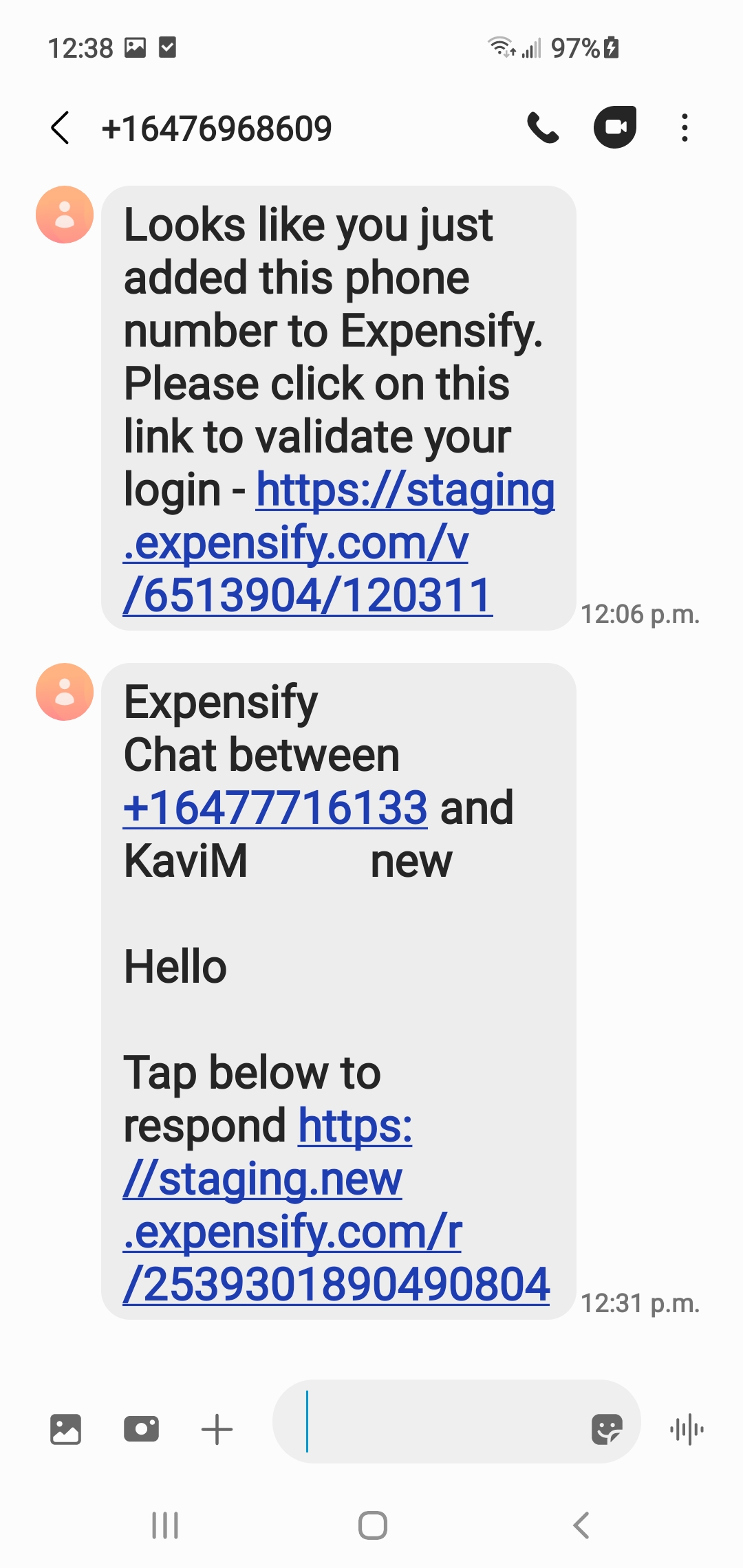
Expensify/Expensify Issue URL: Issue reported by: @quinthar Slack conversation: https://expensify.slack.com/archives/C049HHMV9SM/p1675355720358349
Upwork Automation - Do Not Edit
- Upwork Job URL: https://www.upwork.com/jobs/~012135b19f20f969aa
- Upwork Job ID: 1630637112131440640
- Last Price Increase: 2023-02-28
About this issue
- Original URL
- State: closed
- Created a year ago
- Comments: 15 (6 by maintainers)
I think this should be internal because the SMS is being sent from the backend.
@Julesssss I thought this would be internal 😅