electron-builder: Universal build fails on non-ARM64 hardware, and M1 target DMG is 'damaged'
I’ve got an app which I build hosted in an Electron container, to give me some native/filesystem interop. It works well.
However, for some reason, if I build the M1/ARM64 version (or a Universal build) on GitHub actions, I get a ‘damaged’ DMG file (for the ARM64 build) and an odd Javascript/Node error for the universal build:
TypeError [ERR_INVALID_CALLBACK]: Callback must be a function
at makeCallback (fs.js:136:11)
at rmdir (fs.js:671:14)
at Promise (internal/util.js:274:30)
at new Promise (<anonymous>)
at rmdir (internal/util.js:273:12)
at MacPackager.doPack (/Users/runner/work/Damselfly/Damselfly/Damselfly.Desktop/node_modules/app-builder-lib/src/macPackager.ts:123:15)
You can see the build failure for the Universal version here. The ARM64 build completes, but the resulting App fails to start, with MacOS saying it’s ‘damaged’.
Building locally on my M1 MacBook pro works fine. My hunch is that the GitHub Actions runners aren’t MacOS ARM64 hardware, so can’t build the M1 versions. But that’s weird, because my understanding is that electron-builder should be able to build ARM64/Universal targets on an Intel Mac (as per this issue. I’m sure it used to work about 3-4 weeks ago, and I haven’t seen any references to Electron build needing to run on M1 hardware to build M1 targets.
I’m using Electron 11.0.0, electron-builder 22.10.4, node 10.24.1. The OS that I’m running this on is 11.4 beta, on an M1 Macbook pro.
About this issue
- Original URL
- State: closed
- Created 3 years ago
- Reactions: 4
- Comments: 44 (6 by maintainers)
Mention that this issue is not fixable by electron. To avoid this error, you have to code-sign and notarize your application.
To sign and notarize a native M1 application, you have to setup an Apple ID and enter the developer program of Apple (99$/year).
Hello, I am experiencing this issue on an M1 Pro MBP running macOS Monterey 12.0.1. All of the apps built for the
arm64architecture are reported as “damaged” when I download from github, but they open when built locally.Running
sudo xattr -r -d com.apple.quarantine "/Applications/myapp.app"resolves the issue, but it’s not user-friendly. I hope that this will get fixed soon, I’ll unfortunately have to stick to building only forx64architecture.Still an issue
Just wanted to add my experience with building
arm64macOS builds via themacos-latestintel-based runners in CI.I was getting the damaged error seen below but I added back codesigning to my CI builds and no longer get presented by at least that error anymore.
While that’s not a perfect solution for all do we have a way to run the gatekeeper attribute removal programmatically via a config that @Tenpi mentioned above?
Ultimately I think the best approach for anyone trying to distribute software for macOS you should sign and notarize it. Now there are instances like CI builds where notarizing doesn’t make sense but you can at least sign them.
Yes, I used to be able to do this as well, but something has broken recently (which is, if I may be so bold, why I raised this issue…).
This is not correct. If you don’t sign, the first time you open an app OSX will prompt that it’s from an unverified publisher, but you can continue to run it anyway. I’ve never signed this app, and the x64 version works fine on Intel and M1 Macs. The Universal one is now working too. The M1 version works fine if I build it on my M1 mac, it just doesn’t work (and gives the damaged error) if I build it on an Intel mac in Github Action’s pipelines, and the M1 build used to work fine through Github, so something changed recently that broke this.
Do you have any anecdotal examples of people who can successfully build arm64 electron apps on Intel Macs?
It occurs for all users.
Experiencing this same issue on my M1 Macbook building an application with electron-builder 23.1.0 on MacOS 12.4
Still an issue
@Hacksore
That won’t work as its your local system adding that flag. So would only work if you distribute it with a shell script to be run first which will look really dodgy
Yes, this is exactly what I think the required solution is here. Because as I wrote above: You might need to noratize too depending on the developer account, newer accounts are required to notarize:
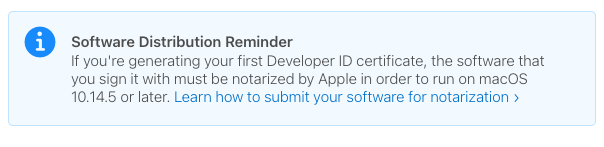
Mac apps don’t need to be signed (it’s only a requirement if you’re pushing to the AppStore). If you don’t sign them, the first time you launch you’ll see a dialog confirming you’re happy to use an unsigned app, but they don’t come up as ‘damaged’. I’ve never signed any of my apps, and they’ve worked on OSX just fine.
The universal builds that I’m creating also work fine too. So this isn’t a code-signing issue; it’s a problem with the DMG that electron-build is producing.
I fixed this problem by upgrade my mac osx version to 12+
As mentioned by julusian, code signing is different for arm and intel macs. On an arm mac, if an app is not code signed, then the os will claim that the program is “damaged” and want to delete it. (On an intel mac, you will only get a warning that it is unsigned, which you can then overwrite.) If you do not have a pad Apple developer account, you can work around this by using something called “ad hoc” signing, which decorates the program with some kind of empty signature (the hyphen after -s stands for an ad hoc signature):
codesign --force --deep -s - name_of_your_app.app
This will eliminate the “damaged” message on arm macs, and revert to the intel situation, where the user can run the app once they have agreed to use it from an unidentified developer.
This issue is unrelated to GitHub actions.
If that’s the case, how come a universal apple Electron app works just fine? I haven’t paid apple anything and have been using a universal app built on M1 without this error since I first reported the issue.
We are still experiencing this issue over at https://github.com/notion-enhancer/notion-repackaged (tracked here https://github.com/notion-enhancer/notion-repackaged/issues/9), if there is anything we can do to help debug this issue, let me know.
Try running
sudo xattr -r -d com.apple.quarantine something.appfor your built app.From what I found when looking into arm builds a few weeks ago is that must be signed or they claim to be damaged. That command above should remove the flag indicating it is untrusted and will allow it to run.
The reason the builds work when produced on M1 is because they were built on that machine. If you were to download the dmg over http, they will also be reported as damaged.
I havent tried universal binaries, so I don’t know how they behave.
The only advice I can give is to use github actions to build on a non-M1 host, and/or build universal. That’s what I did to workaround it. Hoped the electron team might have fixed it by now though!
The universal build works with 22.11.4. I can no longer repro the problem with ARM64 builds, because I’ve removed it from my project (I only build universal now).
Can you try 22.11.4? We recently updated to use fs/promises re: your original issue.
For the arm64 dmg, are you assembling the dmg on an intel machine or on an arm64 machine? M1 deprecated HFS+ and must create APFS dmg’s, whereas building on an intel machine will still generate HFS+ (maintains backward compatibility)
I don’t have access to your build’s artifacts because I waited too long to respond to this. If you’re able to generate new ones, I’d recommend checking what the filesystem type of the dmg is. That could help isolate where the related electron-builder code would be
The same build steps work for x86 though. At least in my tests, I don’t sign for either x86 or ARM.
In my case I built on x86 mac and shared the dmg to another person who tried it on M1.