electron-react-boilerplate: After merged 0.18.0 and run 'yarn dev',the app not start.
Prerequisites
- Using yarn
- Using node 10.x
- Using an up-to-date
masterbranch - Using latest version of devtools. See wiki for howto update
- Link to stacktrace in a Gist (for bugs)
- For issue in production release, devtools output of
DEBUG_PROD=true yarn build && yarn start - Tried solutions mentioned in #400
Expected Behavior
Step 1: 0.17.x is ok, merged 0.18.0
Step 2: rm -rf node_modules && yarn cache clean && yarn && yarn electron-rebuild && yarn dev
Step 3: expect app start.
Current Behavior
windows 10
but nothing happend.
run ‘yarn package’ is ok.
λ yarn dev
`yarn run v1.19.1 $ cross-env START_HOT=1 node -r @babel/register ./internals/scripts/CheckPortInUse.js && cross-env START_HOT=1 yarn start-renderer-dev $ cross-env NODE_ENV=development webpack-dev-server --config configs/webpack.config.renderer.dev.babel.js Starting Main Process…
electron-react-boilerplate@0.18.0 start-main-dev D:\WorkSpace\HCCN_Projects\sapp-deployment-tools cross-env HOT=1 NODE_ENV=development electron -r @babel/register ./app/main.dev.js
libpng warning: iCCP: cHRM chunk does not match sRGB`
Your Environment
- Node version : v10.16.3
- Version or Branch used : master
- Operating System and version : Windows 10 1909 18963.476
- Link to your project : master, no code change
About this issue
- Original URL
- State: closed
- Created 5 years ago
- Comments: 41 (19 by maintainers)
Try turning off dark mode in Win10.
https://github.com/electron/electron/issues/19468
This worked for me. Running
yarn buildlike @AntonGarasko recommended helped, but live-reloading didn’t work still and was fixed by #2341 for me.Same for me, it doesn’t work. I’ll try an older version
Thanks… It work… 😃))
There was no problem at all in Ubuntu. but have this problem in Windows10.
I tried all of the answers above but it didn’t work.
and this worked for me. (Windows 10)
Be careful with this new version, there is a rollback with the two package.json structure. If you have native libs that need to be recompiled you have to declare them in the app/package.json. check this documentation : https://www.electron.build/tutorials/two-package-structure
Thanks a lot. IDK why doesn’t work on dark mode…
This is an issue on electron’s side. This project does not handle electron installation.
Just tried, it’s not working 😕
I have the same issue. I init a new project by clone this repo and run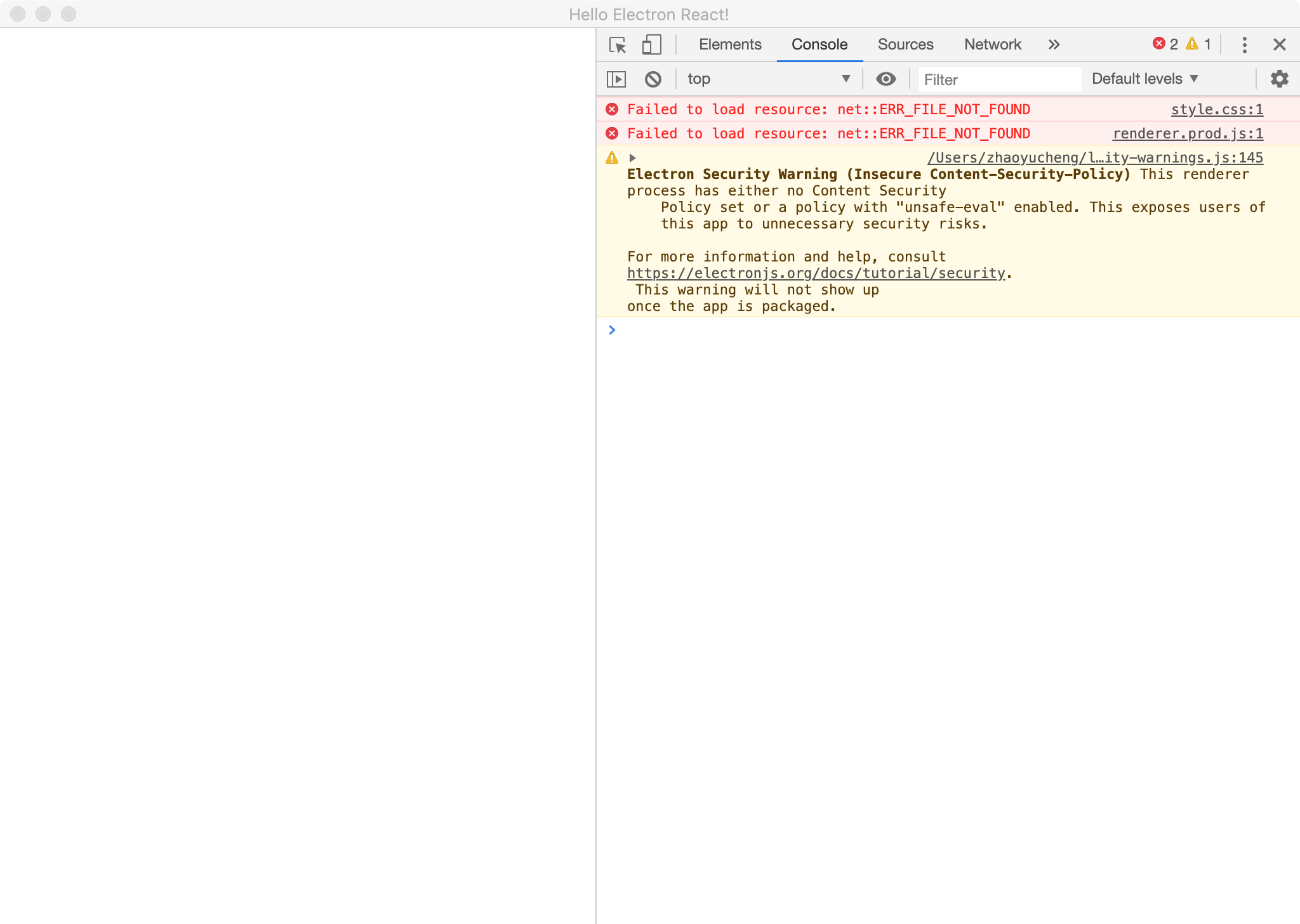
yarn. When I useyarn dev, this is my error.No change, still can’t open the window
Try updating the devtools.
yes, I also cleaned C: \ Users \ {user} \ AppData \ Roaming.
I tested tag v0.17.1 and can open the app normally after the above steps
But why can’t start the app using only the template? I have n’t changed anything, just do
But after that, nothing happened and the app didn’t open automatically.