electron: vibrancy + backdrop-filter breaks (works without vibrancy)
Issue Details
- Electron Version: Tried 6.0.2 and 7 beta 2
- Operating System: Mac 10.14.6
- Last Known Working Electron version: never
Expected Behavior
If I don’t do vibrancy I see the proper blur effect like so:

If I do have vibrancy on the window, it looks like this, where it shows a blurred layer as well as the original non-blurred layer both:

To Reproduce
Started on a fiddle but this is a super complex fiddle, is there a simpler one? May not work…
https://github.com/natew/fiddle
$ git clone git@github.com:natew/fiddle.git
$ npm install
$ npm start || electron .
About this issue
- Original URL
- State: closed
- Created 5 years ago
- Reactions: 7
- Comments: 21
Opacity of the background elements seem to be a factor.
Dropdown w/
backdrop-filterover a “sidebar” div w/background: transparent. Doesn’t work.Opaque
backgroundon the sidebar div. Works.This issue need to be opened, still an issue today. electron 25.
@MarshallOfSound could i be cheeky and do a polite bump on this one in case it’s a “quick” fix 😅
It’s just a div element on top of another element with the backdrop-filter and a semi transparent background.
Chrome
Electron
It’s not like it does nothing. The elements behind the overlay become a little glowing like in the example above.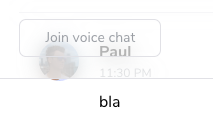
It’s still a problem in electron 9. Background blur is getting more popular. I hope it will be fixed soon.
But I’m not using any vibrancy on the window. Instead I’m just using the following snipped in my css and getting the same effect like the screenshot above.