electron: Unable to install Electron version >=7: EPERM: operation not permitted
Preflight Checklist
- I have read the Contributing Guidelines for this project.
- I agree to follow the Code of Conduct that this project adheres to.
- I have searched the issue tracker for an issue that matches the one I want to file, without success.
Issue Details
- Electron Version:
- electron@7.0.0 (any version > 6)
- Operating System:
- Windows 10 May 2019 Update
- Last Known Working Electron version:
- electron@6.0.8 (in fact any version <= 6)
Expected Behavior
Should download and install fine.
Actual Behavior
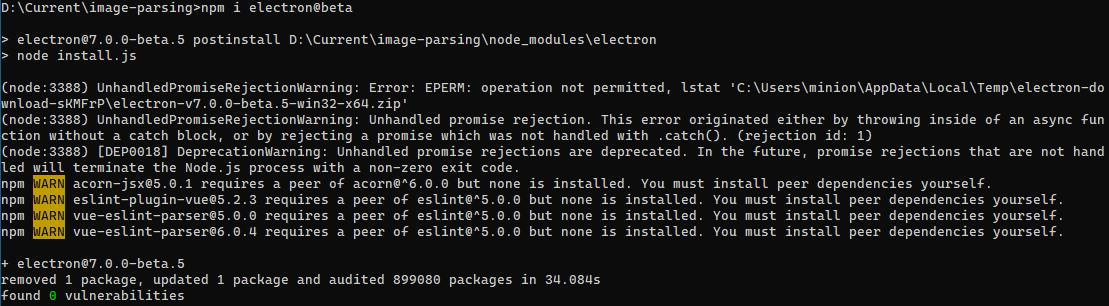
Download fails with permission denied error.
To Reproduce
npm install electron on windows
Screenshots
Additional Information
I don’t know. 😦 Looks like the download method changed in the newer version which somehow does not work for me.
So far I have tried these options:
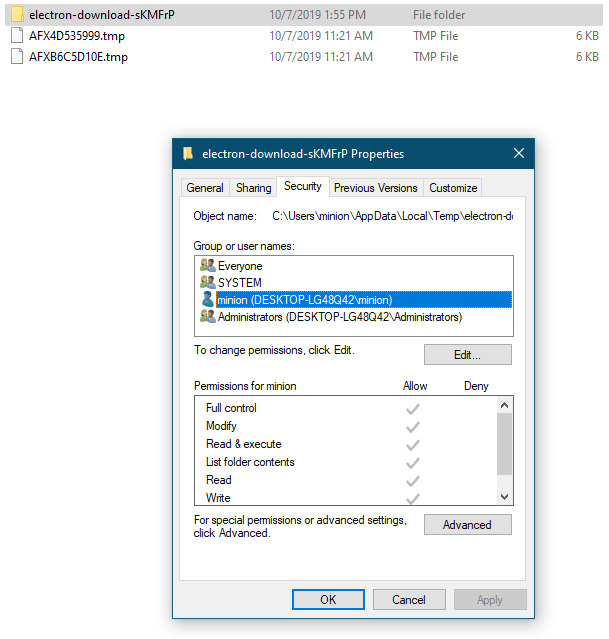
- Disabled Windows defender
- Tried recreating temp folder
- Tried changing path of temp folder (even changed drive)
- Adding
everyoneto the security of thetempfolder - Updating npm
- Running CMD as Administrator
- Making sure that run
nodejsalways run as administrator
About this issue
- Original URL
- State: closed
- Created 5 years ago
- Reactions: 12
- Comments: 29
Workaround:
npm install electron, installation fails with EPERM error, but createsnode_modulesfolder\distinnode_modules\electronnode_modules\electron\distpath.txtinnode_modules\electrondirectory, add text:electron.exeFrom this point it should work. If you re-run the installer the dist folder and path.txt will be deleted.
Colleague fixed it by edit .\node_modules@electron\get\dist\cjs\artifact-utils.js line 38 :
I had same problem, but on my environment, Remove line below from .npmrc ELECTRON_MIRROR=https://npm.taobao.org/mirrors/electron/ will solve this problem.
Was a coporate proxy problem here… To fully configure the proxy do:
Had the same problem and did some debugging. @electron/get handles electron downloads starting from electron 7.
Turns out you need to set ELECTRON_GET_USE_PROXY. Then @electron/get uses global-agent as proxy lib. global-agent in turn uses the env variable GLOBAL_AGENT_HTTP_PROXY to determine the proxy address.
Setting both resolved the issue for me!
yes,now i have to install electron@6.1.3 instead