electron: 9.0.0 does not display local images
Preflight Checklist
- I have read the Contributing Guidelines for this project.
- I agree to follow the Code of Conduct that this project adheres to.
- I have searched the issue tracker for an issue that matches the one I want to file, without success.
Issue Details
- Electron Version:
- v9.0.0
- Operating System:
- Windows 10
- Last Known Working Electron version:
- v8.3.0
Expected Behavior
My app shows a gallery of images from local disk. Electron 8.2.0 would show images. v9.0.0 shows blanks with error:
GET file:///C:/VHA/vha-videos/filmstrips/6f3acc0aeee45a7af5404e3849d8719f.jpg
net::ERR_UNKNOWN_URL_SCHEME
Actual Behavior
App does not show local images
To Reproduce
Clone https://github.com/whyboris/Video-Hub-App
Run the app, create a “hub” (give it a folder with videos) and it will create a gallery of images.
Exit the app, update to Electron 9 (comment out 2 lines of shell.openItem) and run app again
Screenshots
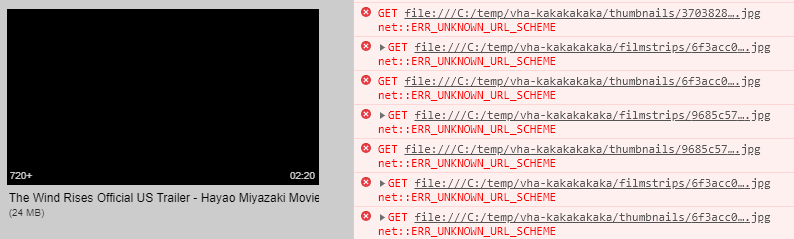
Additional Information
About this issue
- Original URL
- State: closed
- Created 4 years ago
- Reactions: 25
- Comments: 39 (9 by maintainers)
Commits related to this issue
- fix: file protocol not working during dev https://github.com/electron/electron/issues/23757 — committed to tiddly-gittly/TidGi-Desktop by linonetwo 4 years ago
- Adds explicit file:// protocol support As a security measure, Electron 9.0.0 stopped enabling the `file://` protocol when `webSecurity` is set to `false`. See https://github.com/electron/electron/is... — committed to Azure/BatchExplorer by gingi 3 years ago
- fix: url utils to fix static file loading https://github.com/electron/electron/issues/23757 — committed to tiddly-gittly/TidGi-Desktop by linonetwo 3 years ago
- ERR_UNKNOWN_URL_SCHEME: fixed in bootstrap.main.ts using code from photoCollage as referenced in https://github.com/electron/electron/issues/23757 — committed to tshaffer/autorunTsLastChance by tshaffer 3 years ago
A recap for anyone else who’s having this issue:
webSecurityfrom yourBrowserWindowsettings as pre-update:decodeURI(). This will undo any conversion of characters the browser may have added to the file.As of my understanding the issue is that when websecurity is disabled AND the file is loaded via http: the file: url scheme is not enabled as a url scheme. My hacky solution is to pretend the file: url scheme is a custom file scheme. And just pass the file path through. This works great in development mode ( i.e. when you have webpack-dev-server serve the app via http: ), but gets overriden by the ‘real’ file: url scheme when packaged ( since in this case the document gets loaded via the
file:url scheme in the first place ). You can do it like so:I dont know if this is really a good idea though, in theory this is great since it allows developers to specify custom request guards for the filesystem, but then again how useful is it when it only works in development mode?
Just FYI, my original Issue (of not showing images) is broken on both Windows & Mac (I tested on both) 😓
@codebytere This problem occurs when the audio tag uses an absolute path to load local resources when the page is loaded using the http protocol, and it works fine when using a relative path.
Platform: Windows 10 / Linux(Ubuntu 18.10)
repro: https://github.com/lyswhut/test-load-local-file
npm run servernpm run start2Windows 10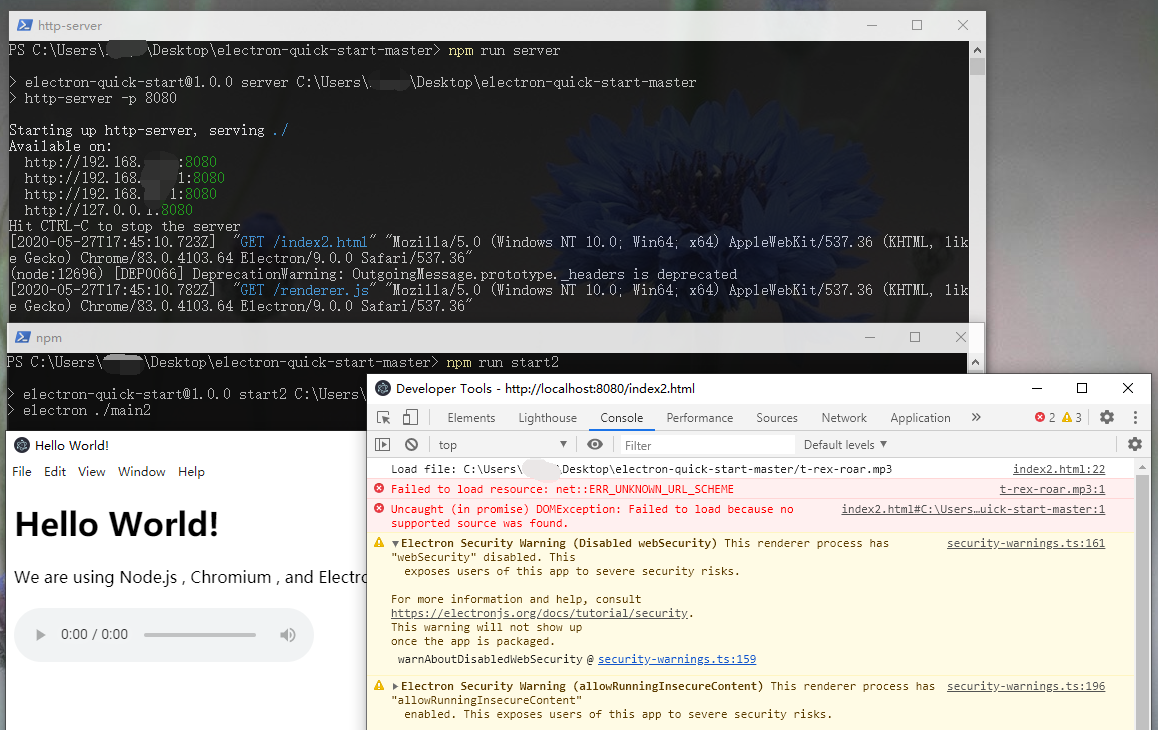
Linux(Ubuntu 18.10)
I can also verify it isn’t Windows-specific. I am experiencing the problem on macOS 10.14.6.
Thanks! Just checked on macOS and it ran correctly so it looks like a Windows specific problem. I’ll dig in more as soon as i can.
any update ? same problem electron v11,
@Bug-Reaper This workaround solves the problem where you use a http server to serve your app in development and still want to use the file url scheme to load images / json an the like. However, everything you execute in the registerFileProtocol callback in your example will not be executed when the app us served via the file protocol itself. (i.e. in a production environment) This is fine if you just want to polyfill the weird electron behaviour, but as soon as you’re also putting resolving guards or custom logic in the file handler you have to use a custom protocol like
media:///To do this you just have to replace file with media:Here’s a minimal gist that shows the issue: https://gist.github.com/3e9239970afe56956d7fc93f97b4881f
Bisected to https://github.com/electron/electron/compare/v9.0.0-beta.12...v9.0.0-beta.13.
Seems https://github.com/electron/electron/pull/22919 is the cause, which is a backport of https://github.com/electron/electron/pull/22903. cc @zcbenz
@ethan-ou’s solution works except with some special characters. For example it fails with a file with this name:
However if you replace
decodeUriwithdecodeURIComponentit works even with fishy file names, e.g.:Is this no longer possible? If I follow this exactly nothing happens. But, if I use a custom protocol instead, it works. Are we no longer able to registerFileProtocol for
file?The bug seems to persist somehow still in electron
13.1.9. I am able to just pass a local image path to an<img src="C:/test.jpg" />tag and the image will show up fine. However, when I take the same URL and set it as background of a<div>like this:<div style="background-image: url('file:///C:/test.jpg')" />it won’t load and the console says:ERR_FILE_NOT_FOUND.Registering the file protocol manually as mentioned above does not change anything.
@JonasKruckenberg Re: your edit:
Will something like :
Not work in production. If so how would I alter that sample to use “media:///” as you describe?
yes, when image path contains querystring it breaks completely to stop image shown. and report below error message,
GET file:///C://clock.jpg?1593534885821 net::ERR_FILE_NOT_FOUND
those src path could work normal before electron 9.
The same problem. It can’t work well when I upgrade the 9.0.0 version on Mac.
As for Electron 25.1.1 (tested on mac OS only) and to keep your webSecurity enabled, add custom protocol when creating your browser window
Then load your image with media:// protocol
It is useful to add the following code to the created window.
My requirement is to upload a local file.
What you, @venuseo are reporting is caused by the fact that query strings are not a thing in file urls as per RFC8089 They exist in the Http and https Url standard but not in the file Url standard. ( How would they translate to file system paths anyway? ) So using query strings in file Urls is pretty hacky and is only possible because the chromium Url parser apparently ignores query strings in file Urls. Our solution doesn’t however since all it does is URI decoding and removing the
file:///part. So your Urlfile:///c://localpath/hello.jpg?param=1will be turned intoc://localpath/hello.jpg?param=1which obviously is not a working filesystem path. What you could do to replicate the electron 8.x behaviour, however, is to split the parsed path at the first question mark and return the first element in the array:I would discourage you from using query strings completely though since standards exist for a reason Maybe find a different solution like rerendering the img tag for example.
This is not because of this bug, but because the querystring is part of the http url scheme not of the file url scheme. See This StackOverflow answer This is pretty much intended behavior as there is no server to parse the querystring with file urls anyway.
Edit: Or do you mean it breaks completely?
I have updated repro and Linux has the same problem: https://github.com/electron/electron/issues/23757#issuecomment-634829046
Switch to electron@8.3.0 to resume work
same problem. In v9.0.0, when browserWindow uses http protocol to load the page, the audio tag cannot load the local audio file, When the file protocol is used to load the page, the local audio file can be loaded normally.
The last working version: v8.3.0
@whyboris could you please provide a more minimal sample? That app is rather large which makes it harder for us to isolate the Electron-mediated issue separate from the rest of the app’s workings.