che: If re-branded che-code won't connect to the embedded openvsx
Summary
Hi Eclipse Che team 👋 (I don’t know if that’s a bug or something I missed in my configuration)
What am I trying to do ? I want to run a vscode that consumes a custom che-plugin-registry for vscode extensions, instead of the default open-vsx.
What have I done ?
-
Build a che-plugin-registry with my extra extension in it.
-
Deploy Che on kubernetes, overriding the plugin registry image and setting
openVSXURLto an empty string. (This is supposed to force the extension url to use the one from the embedded plugin-registry)
kind: CheCluster
apiVersion: org.eclipse.che/v2
spec:
  components:
    pluginRegistry:
      openVSXURL: ""
      deployment:
        containers:
        - image: jsomsanith/che-plugin-registry:7.59.0
          imagePullPolicy: Always
What result I have ? I create a new workspace in che, and in vs-code, while searching for extensions, it still consumes open-vsx and it doesn’t find my extra extension.
Relevant information
What have I discovered during investigation ?
-
The default extension url (open-vsx) is set in the product.json file in vscode.
-
On vscode build, a script replaces a placeholder in product.ts code. This code is the class that is injected everywhere to get the
product.jsonconfiguration. It takes the content ofglobalThis._VSCODE_PRODUCT_JSONif defined, otherwise, it’s the default content (that replaced the placeholder). -
The che customisation of vscode introduces a script: entrypoint-volume.sh. This script is executed on workspace creation. If the
OPENVSX_REGISTRY_URLenv var is defined and is empty, it replaces the extensions url in product.json with the value ofCHE_PLUGIN_REGISTRY_URLenv var. -
In my workspace devfile, I can see the correct values of the env vars
components:
  - attributes:
      controller.devfile.io/merge-contribution: true
    container:
      env:
        - name: CHE_DASHBOARD_URL
          value: 'https://che.localtest.me'
        - name: CHE_PLUGIN_REGISTRY_URL
          value: 'https://che.localtest.me/plugin-registry/v3'
        - name: CHE_PLUGIN_REGISTRY_INTERNAL_URL
          value: 'http://plugin-registry.eclipse-che.svc:8080/v3'
        - name: OPENVSX_REGISTRY_URL
          value: ''
      image: 'quay.io/devfile/universal-developer-image:ubi8-0e189d9'
      memoryLimit: 512Mi
      mountSources: true
      sourceMapping: /projects
    name: tools
- I checked the
product.jsonin the pod and it contains the right replaced values (no open-vsx) 🎉. But, in the che-code output, there is no web client code that will import and consume thisproduct.json; only imported by some code that is executed on the (node) server side. 🤔 The scripts that the web vscode downloads, consumes the values fromproduct.ts.globalThis._VSCODE_PRODUCT_JSONis not defined, so I end up with the default extension url.
About this issue
- Original URL
- State: closed
- Created a year ago
- Comments: 17 (10 by maintainers)
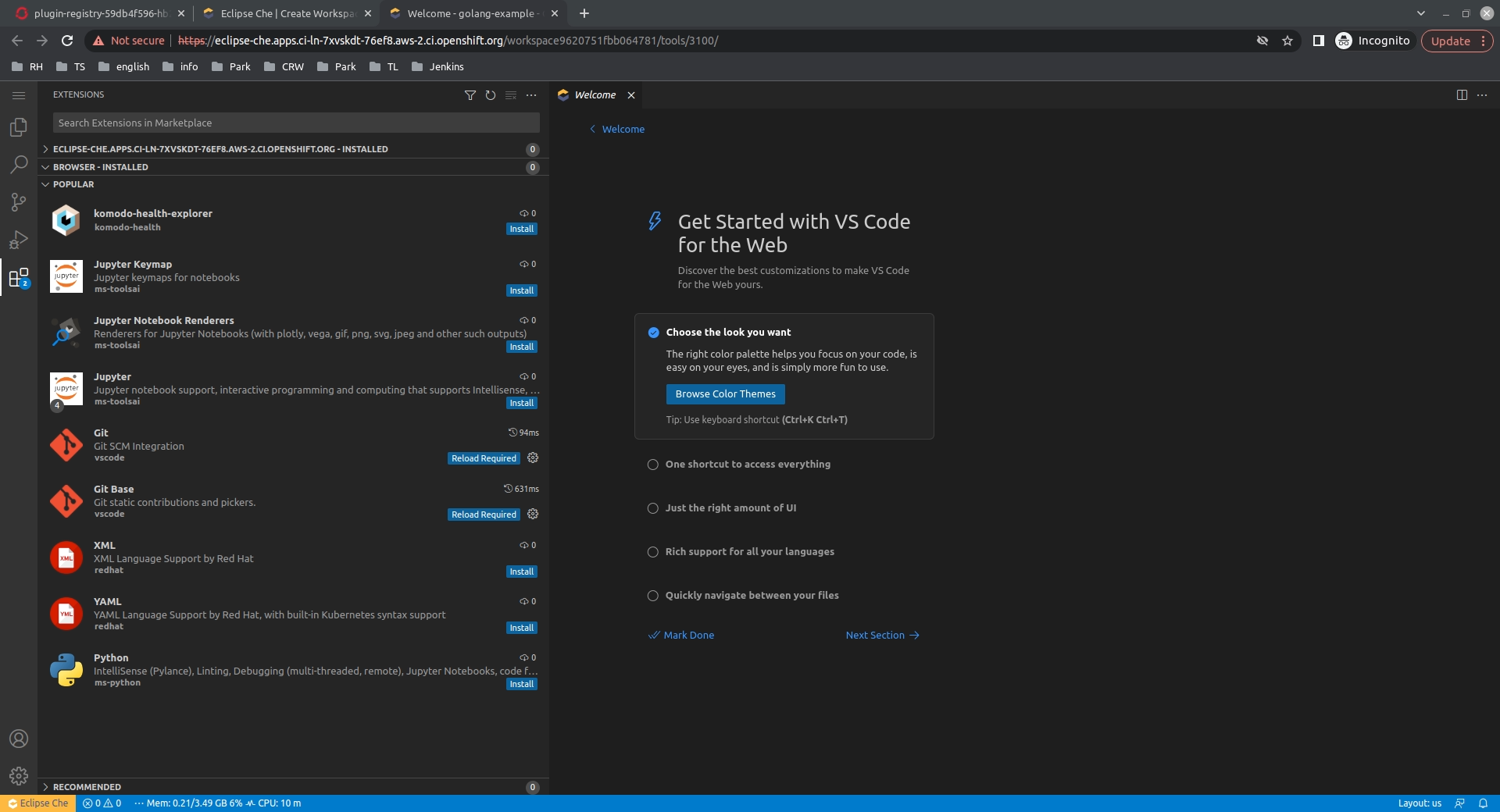
It seems everything is correct in the procedure. I’ve deployed Che on OS with the patch from the description to use local OpenVSX: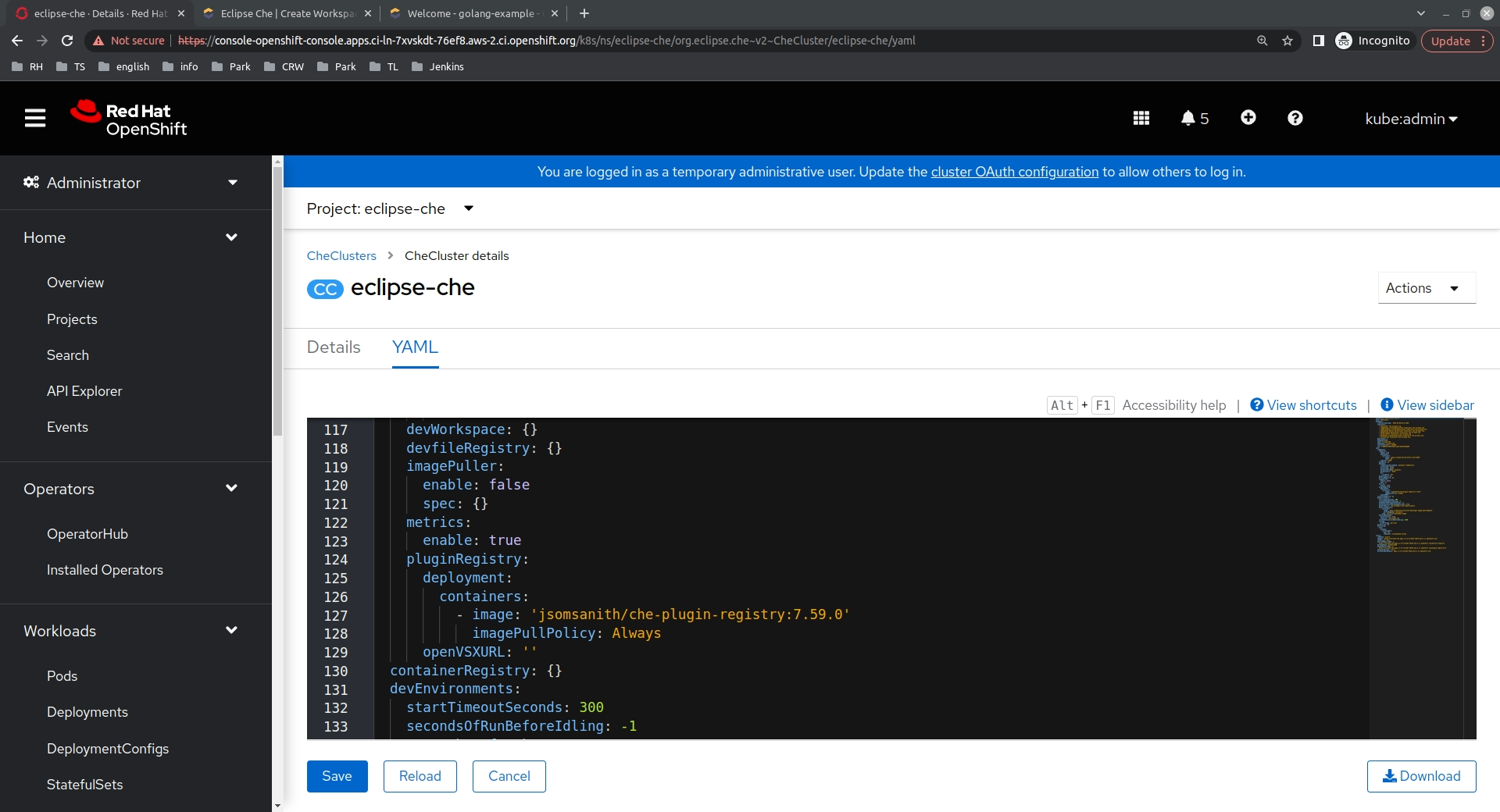 And in the extensions view I see only extensions from the custom registry:
@jsomsanith could you please share the content of the CheCluster custom resource to check if the path was applied.
From the issue description, it looks like everything is configured correctly, according to the docs.
That’s the way of configuring the plugin registry for an air-gapped environment. I haven’t seen any related issues reported last time. @svor could you take a look at it from the plugin registry side perspective, if nothing is missing in the described steps?