che: Eclipse che Dashboard issue (devworkspacetemplates and devworkspace 401)
Describe the bug
Hi All, I am installing eclipse che on my k3d k8s cluster using helm chart next version. Install is Successful and able to hit the dashboard URL, but once the oidc authentication is verified and the callback is also successful but I am getting below error Failed to fetch available workspaces, reason: Failed to fetch the list of devWorkspaces. Unable to list devworkspaces: unauthorized
here is my CheCluster manifest
I am using NFS as my storage class.
apiVersion: org.eclipse.che/v1
kind: CheCluster
metadata:
name: eclipse-che
namespace: eclipse-che
spec:
auth:
externalIdentityProvider: true
openShiftoAuth: false
identityProviderURL: "https://test.eu.auth0.com/" ## changed for security reasons
oAuthClientName: "abc" ## changed for security reasons
oAuthSecret: "xyz" ## changed for security reasons
database:
chePostgresDb: ""
chePostgresHostName: ""
chePostgresPort: ""
chePostgresSecret: ""
externalDb: false
devWorkspace:
enable: true
k8s:
ingressClass: kong ## changed for security reasons
ingressDomain: "eclipse-che.test-sample.com" ## changed for security reasons
tlsSecretName: che-tls
metrics:
enable: true
server:
customCheProperties:
CHE_OIDC_USERNAME__CLAIM: "email"
cheClusterRoles: ""
tlsSupport: true
# cheLogLevel: "DEBUG"
cheWorkspaceClusterRole: ""
gitSelfSignedCert: false
nonProxyHosts: ""
proxyPort: ""
proxySecret: ""
proxyURL: ""
workspaceNamespaceDefault: <username>-che
storage:
postgresPVCStorageClassName: "nfs"
preCreateSubPaths: true
pvcClaimSize: 10Gi
pvcStrategy: common
workspacePVCStorageClassName: "nfs"
### Che version
next (development version)
### Steps to reproduce
NA
### Expected behavior
NA
### Runtime
Kubernetes (vanilla), other (please specify in additional context)
### Screenshots
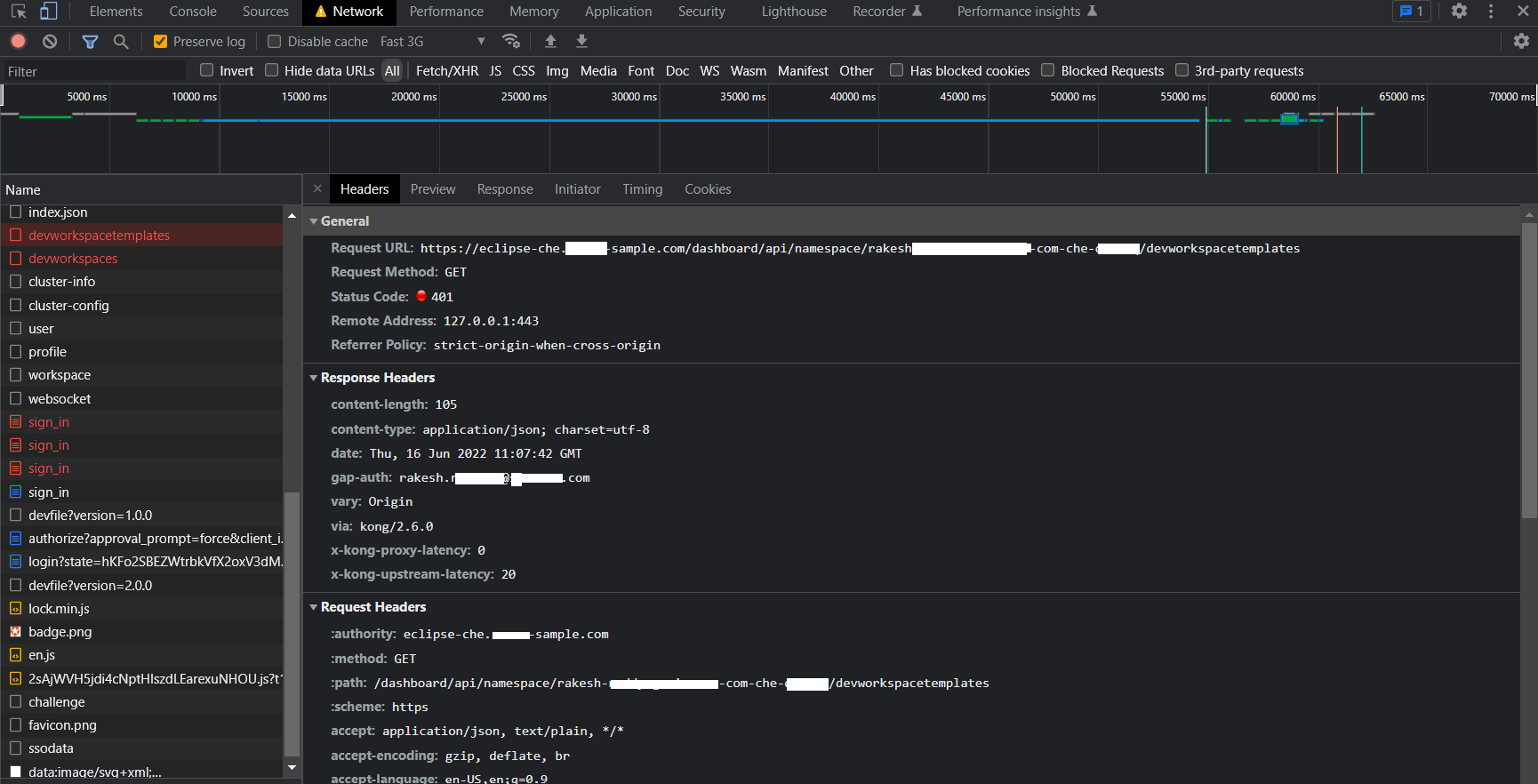
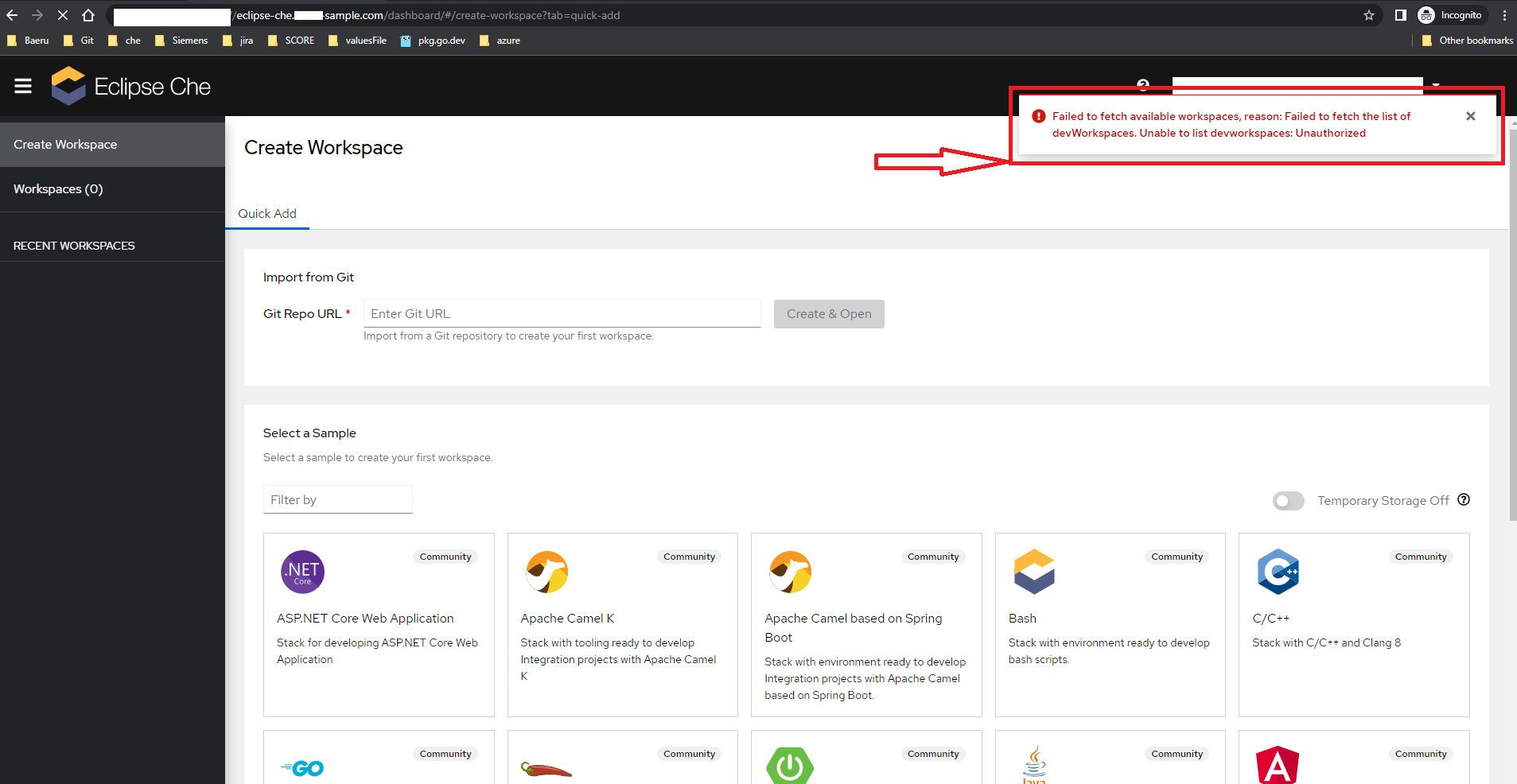
### Installation method
chectl/next
### Environment
Linux
### Eclipse Che Logs
_No response_
### Additional context
_No response_About this issue
- Original URL
- State: closed
- Created 2 years ago
- Reactions: 3
- Comments: 34 (10 by maintainers)
I am also experieing the same error. I am using Eclipse Che (latest next version) on AKS with Azure AD enabled. I have configured my CheCluster in the following way:
I have followed the following Tutorial in your Blog: https://che.eclipseprojects.io/2022/07/25/@karatkep-installing-eclipse-che-on-aks.html
But still receiving the error described in this bug.
Anyone can help? Also happy to contribute, but I have no idea where the bug could be located.
You can get inspired how we’re doing that for minikube in chectl https://github.com/che-incubator/chectl/blob/main/src/tasks/platforms/minikube.ts#L135
@rakeshreddyrg09 It is not possible to specify ingress class separately, but it is possible by setting annotations for ingress:
Check you current ingress annotations not to miss anything
@rakeshreddyrg09 i think there are some stale files in the k8s cluster. i’m not really sure about that.
is it possible for you to create a new k8s cluster and install eclipse che version
chectl/0.0.20220613-next.df3ae2c darwin-x64 node-v16.13.2in the new k8s cluster?please dont forget to follow the details mentioned in this link