msbuild: GenerateResource task does not support non-string resources on .NET core
From @tarekgh on June 14, 2017 15:54
@Spongman commented on Tue Jun 13 2017
a (.csproj) project a with an embedded text file, added using the VS2017.2 project properties UI.
on windows, it works fine.
on linux, it just shows:
$ dotnet --version
1.0.4
$ uname -a
Linux mybox 3.16.0-4-amd64 #1 SMP Debian 3.16.43-2 (2017-04-30) x86_64 GNU/Linux
$ dotnet run
..\Resources\New Text Document.txt;System.String, mscorlib, Version=4.0.0.0, Culture=neutral, PublicKeyToken=b77a5c561934e089;Windows-1252
@danmosemsft commented on Tue Jun 13 2017
@tarekgh are there any known issues here?
@tarekgh commented on Wed Jun 14 2017
Please take a look at the issue https://github.com/dotnet/cli/issues/3695 this was CLI issue and I believe it is already fixed but I am not sure which release include the fix. I’ll move this issue to CLI repo.
Copied from original issue: dotnet/cli#6866
About this issue
- Original URL
- State: closed
- Created 7 years ago
- Reactions: 22
- Comments: 79 (46 by maintainers)
Commits related to this issue
- Move file resources out of Resources.resx The CLI toolchain only supports string literals inside of a RESX file. Other blobs, such as a reference to a file on disk, are not supported. Instead their v... — committed to jaredpar/roslyn by jaredpar 6 years ago
- Move ExprTreeTestResources.resx to a manifest stream The CLI toolchain only supports string literals inside of a RESX file. Other blobs, such as a reference to a file on disk, are not supported. Inst... — committed to jaredpar/roslyn by jaredpar 6 years ago
- Move Semantics resx to manifest stream The CLI toolchain only supports string literals inside of a RESX file. Other blobs, such as a reference to a file on disk, are not supported. Instead their valu... — committed to jaredpar/roslyn by jaredpar 6 years ago
- converts the project to netcoreapp2.1 to be able to run the tests under linux remove the use of the resource file because of a bug on how msbuild handle the generation of resources on .net core: https... — committed to LordVeovis/xmlrpc by LordVeovis 6 years ago
- workaround for https://github.com/Microsoft/msbuild/issues/2221 — committed to adams85/po by adams85 6 years ago
- Commit non-string resources instead of generating as part of build Generating the resources as part of he build requires he resgen tool which only works for builds that are on windows with the full V... — committed to weshaggard/corefx by weshaggard 6 years ago
- Commit non-string resources instead of generating as part of build Generating the resources as part of he build requires he resgen tool which only works for builds that are on windows with the full V... — committed to weshaggard/corefx by weshaggard 6 years ago
- Commit non-string resources instead of generating as part of build Generating the resources as part of he build requires he resgen tool which only works for builds that are on windows with the full V... — committed to weshaggard/corefx by weshaggard 6 years ago
- Commit non-string resources instead of generating as part of build Generating the resources as part of he build requires he resgen tool which only works for builds that are on windows with the full V... — committed to weshaggard/corefx by weshaggard 6 years ago
- Commit non-string resources instead of generating as part of build Generating the resources as part of he build requires he resgen tool which only works for builds that are on windows with the full V... — committed to weshaggard/corefx by weshaggard 6 years ago
- Commit non-string resources instead of generating as part of build Generating the resources as part of he build requires he resgen tool which only works for builds that are on windows with the full V... — committed to weshaggard/corefx by weshaggard 6 years ago
- Commit non-string resources instead of generating as part of build Generating the resources as part of he build requires he resgen tool which only works for builds that are on windows with the full V... — committed to weshaggard/corefx by weshaggard 6 years ago
- Commit non-string resources instead of generating as part of build Generating the resources as part of he build requires he resgen tool which only works for builds that are on windows with the full V... — committed to weshaggard/corefx by weshaggard 6 years ago
- Commit non-string resources instead of generating as part of build Generating the resources as part of he build requires he resgen tool which only works for builds that are on windows with the full V... — committed to weshaggard/corefx by weshaggard 6 years ago
- Commit non-string resources instead of generating as part of build Generating the resources as part of he build requires he resgen tool which only works for builds that are on windows with the full V... — committed to weshaggard/corefx by weshaggard 6 years ago
- Commit non-string resources instead of generating as part of build Generating the resources as part of he build requires he resgen tool which only works for builds that are on windows with the full V... — committed to weshaggard/corefx by weshaggard 6 years ago
- Commit non-string resources instead of generating as part of build Generating the resources as part of he build requires he resgen tool which only works for builds that are on windows with the full V... — committed to weshaggard/corefx by weshaggard 6 years ago
- Commit non-string resources instead of generating as part of build Generating the resources as part of he build requires he resgen tool which only works for builds that are on windows with the full V... — committed to weshaggard/corefx by weshaggard 6 years ago
- Commit non-string resources instead of generating as part of build Generating the resources as part of he build requires he resgen tool which only works for builds that are on windows with the full V... — committed to weshaggard/corefx by weshaggard 6 years ago
@danmosemfst @tarekgh, Thanks, I managed to work around it like this:
This appears to work under both dotnet cli and msbuild
I’m pretty sure this is now a must-fix for the announced .NET Core 3.0 support for Windows Forms: https://blogs.msdn.microsoft.com/dotnet/2018/05/07/net-core-3-and-support-for-windows-desktop-applications/ 😃
And we can’t just error out and say only strings are supported. We have to actually make non-strings work.
Any ETA on fixing this?
MSBuild does not support currently support non-string resources on .NET Core. However, it is not checking the resx data’s type attribute, but instead blindly using the value as a string. This should either work or have a clear “not supported” error at build time.
Relevant snippet from repro project resx:
Code that is not checking the
typeattribute: https://github.com/Microsoft/msbuild/blob/cc727f715651f305639ad8635fefc40165299f86/src/Tasks/GenerateResource.cs#L2909-L2920It might be easy enough to actually handle this ResxFileRef-to-string case correctly. If we do that, we still need a clear error in other non-string data cases.
That’s correct, but with one wrinkle: we didn’t make it into 16.3p1, so there will be a difference in your assemblies between code compiled with
MSBuild.exe/Visual Studio, and that compiled withdotnet {ms}buildfor 16.3p1/3.0.100-p7. Both should work, but only thedotnet build-produced binaries will fully adopt the new mechanisms. This will be fixed for p2/p8.I’m going to close this since the initial implementation is complete. After trying your scenarios with
dotnet buildin p7, please file new issues about any problems you encounter with non-string resources!@voltcode I’m afraid adding support for something that never worked in that combination would not be allowed for a servicing change. We keep a very high bar for that. Taking big features like this backwards adds too much risk. This was a very large change across three repositories. We have fixed this for .NET Core 3.0+ and MSBuild 16.3+, and that is all we can do without a time machine.
I’m also getting with issue with
dotnet build/dotnet msbuild, but not with the msbuild.exe packaged with VS2017, which seems to correctly embed string resources.I mean .NET Core 2.x projects with .NET Core SDK 2.x behave as they always have. It is regrettable that they did not have the result of this work, but it is simply too late to change that.
.NET Core 2.x filled many gaps with .NET Framework vs. .NET Core 1.x, but not this one. We didn’t backport all of those gap closings to 1.x either. We literally cannot do that. We have to defend every backport rigorously, and the change will be rejected if it is closing a gap that was always there.
We will get tenfold more passionate feedback when we break something in a servicing update. We are holding this bar with the best of intentions. The risk is simply too high.
@tarekgh wrote:
Note that this doesn’t work very well if your resources are localized. You also need the logic to get the right resource for the current UI culture. ResourceManager is supposed to be the thing that handles that.
any ETA on this?
I’ve asked this before, but I’ll ask it again here. Why do we need reflection at all to go from one serialized format (resx) to another (resources)?
Ignoring format details, it seems theoretically possible to defer all instantiation until runtime and just encode the resx without loss of information into the resource.
Is there a limitation of the .resources format itself at play, or is it just the API we’ve been using to write it?
Another angle to take on that is: why does ResGen need to load user code for execution/relfection? ResGen should be able to get everything it needs by just reading assembly metadata and never loading types. That likely means larger changes in either this task or in the WinForms implementation of ResXResourceReader but that’s the direction we’ve been heading with other build tools.
Just bumping this comment: https://github.com/Microsoft/msbuild/issues/2221#issuecomment-389000840
This is a must-fix for .NET Core 3. @AndyGerlicher, do we have a milestone or tag we can use for that?
@dsplaisted Can you put this on the agenda for next sync up with msbuild?
cc @dasMulli
As a stop-gap solution while we wait for resource embedding to become a properly-supported, cross-platform, I created a
dotnettool which does something vaguely similar: https://github.com/RendleLabs/Embedder/blob/master/README.md(I forgot to
git push, will do that soon)Visual Studio uses MSBuild.exe to build. Using that will be closer to the VS build.
Yes, using MSBuild.exe followed by
dotnet test --no-buildsounds reasonable in your use case.@voltcode What I’ve been doing is using Visual Studio’s .NET Framework msbuild which has always supported non-string resources rather than .NET Core’s msbuild which had never supported them. I used this starting with VS2017:
See related https://github.com/dotnet/corefx/issues/37041 and https://github.com/microsoft/msbuild/pull/4420
There was live streamed discussion available at https://www.youtube.com/watch?v=5heMq4U2ek8
Is there an ETA for this?
We are currently working around this issue in our projects with the following helper function:
Then we add the files as
<EmbeddedResource Include="Resources\some_file" />and replace the oldResourceswith this:I have a
ResourceManager.GetObjectcall on an embedded resource which succeeds on windows but fails with the following error on using dotnetcore 2.0.3 (from the dotnet-sdk-2.0.3 docker image) on Linux:Is this a related issue?
I have an embedded text file “grades.json” which is accessed via the autogenerated
Resources.Designer.csfile. That error message occurs here:EDIT: *** IF YOU ARE RUNNING INTO THIS ERROR WHEN THEN READ THIS - YOUR BUILD SERVER’S “BUILD TOOLS FOR VISUAL STUDIO 2019” MAY NOT BE UP TO DATE ***
I am able to successfully run my app from my command line on my local dev machine, but cannot run it after it’s being built in TeamCity.
Local Dev Machine
TeamCity Build Server
Visual Studio Build Tools 16.1.9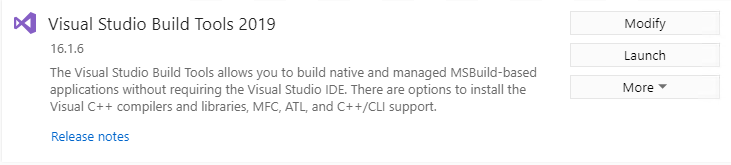
When I click “Launch”, I get:
Attempt to fix
vs_buildtools__1704816089.1574373004.exe)7DA4388648C92544C97407C6F052FD6BC0317DB407CADAB9FDCB328A34D3E317It is not supported in VS 2017. There has been a lot of work in msbuild, NuGet, the project system, and other VS components for .NET Core 3.
This fix should be backported to MSBuild 15 at least and .NET Core 2.1/2.2, resource files are a very old feature, lack of support for them prevents people on .NET FX from migrating onto .NET Core.
Let’s hope it won’t be windows only then (as WinForms will be.)
Extremely sloppy notes to myself from things I’ve figured out recently:
@maxrandolph definitely. If you look at all the commits I’ve been linking in here they are fixing problems on Windows. It’s a
dotnet buildissue.@nguerrera okay to change the title?
@nguerrera gave me a work around here. Going to move to this declaration to work around it.
That is right. who want language-specific resources will need this functionality fixed otherwise it will not be easy to workaround this except if you do a lot of manual workaround work.
@nguerrera I was looking at some other offline internal reported issue, and it end-up it is the same issue here but using binary files and calling ResourceManager.GetStream.
of course, using
mscorlibneed to change anyway by our tools.I have a couple of questions here:
When is this planned to be fixed ?
you can just embed the file directly to the resources and read it with Assembly.GetManifestResourceStream. no need to miss with the resx at all.
This also applies to images even on Windows using dotnet build, msbuild 😭