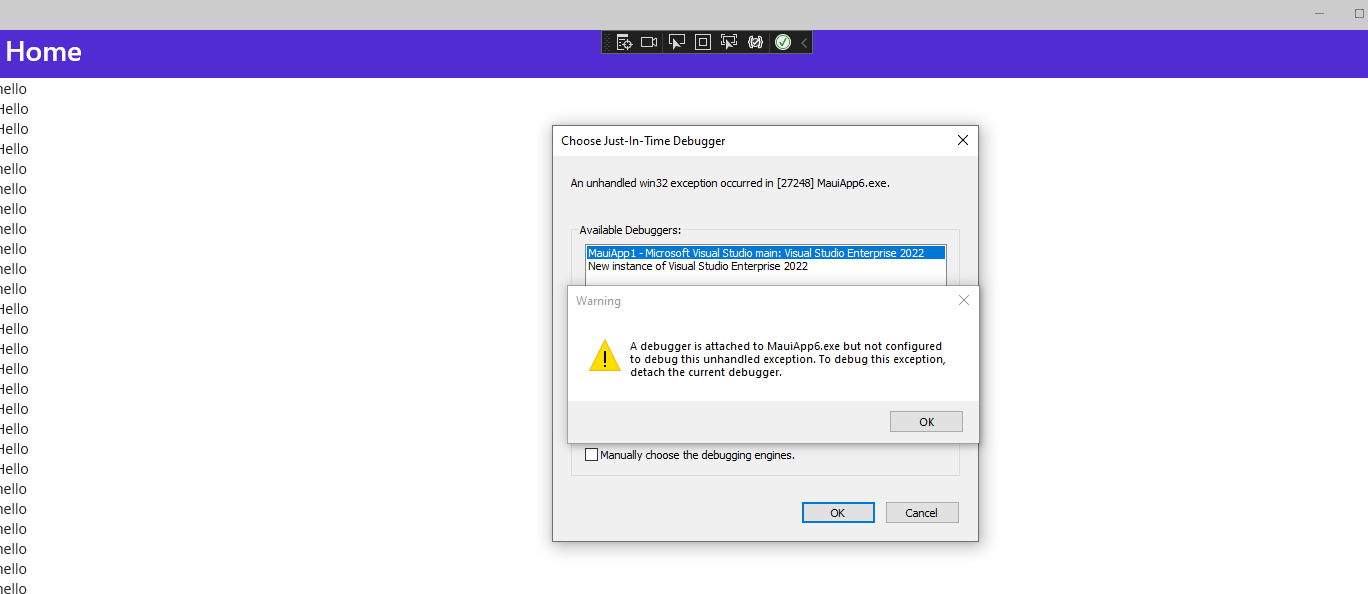
maui: [WinUI] Silent crash when updating binding at runtime while thumb scrolling
Description
Application getting crashed without any exception while thumb scrolling(Dragging thumb).
Steps to Reproduce
- Create a sample with MainPage ->ScrollView -> StackLayout- > N number of labels till scrollviewer becomes scrollable.
- Create a ViewModel class with string Property.
- Set the ViewModel as BindingContext of MainPage or StackLayout.
- Bind the ViewModel string property to three or more label Text property.
- Subscribe ScrollView.Scrolled event, Inside the body update BindingContext of the MainPage or StackLayout.
- Now deploy the sample and scroll using thumb, application will get crashed without any exception.
Note
Try binding ViewModel.string property to more label if crashing not occurs.
Code snippet
MainPage.Xaml
  <ScrollView Scrolled="ScrollView_Scrolled">
        <StackLayout x:Name="Stack">
            <Label Text="{Binding Name}"/>
            <Label Text="Hello"/>
            <Label Text="Hello"/>
            <Label Text="Hello"/>
            <Label Text="{Binding Name}"/>
            <Label Text="{Binding Name}"/>
            <Label Text="{Binding Name}"/>
            <Label Text="{Binding Name}"/>
            <Label Text="{Binding Name}"/>
            <Label Text="{Binding Name}"/>
            <Label Text="{Binding Name}"/>
            <Label Text="Hello"/>
            <Label Text="Hello"/>
            <Label Text="Hello"/>
               ....
               ....
            <Label Text="Hello"/>
        </StackLayout>
    </ScrollView>
ViewModel:
public class NumberViewModel : INotifyPropertyChanged
{
    private string name = "hello";
    public string Name
    {
        get { return name; }
        set { name = value; this.RaisePropertyChanged(nameof(Name)); }
    }

   public event PropertyChangedEventHandler PropertyChanged;
   public void RaisePropertyChanged(string propName)
   {
        if (this.PropertyChanged != null)
        {
            this.PropertyChanged(this, new PropertyChangedEventArgs(propName));
        }
   }
}
MainPage.Xaml.cs
public MainPage()
{
    InitializeComponent();
    this.BindingContext = new NumberViewModel();
}
private void ScrollView_Scrolled(object sender, ScrolledEventArgs e)
{
     this.BindingContext = new NumberViewModel() { Name = "Updated" };
}
Version with bug
6.0.400 (current)
Last version that worked well
6.0 Release Candidate 3
Affected platforms
Windows
Affected platform versions
10.0.17763.0
Did you find any workaround?
When setting ScrollViewer(platform view) scrollbar visibility to Visible exception not occurring.
Relevant log output
The program '[32648] SampleApp.exe' has exited with code 3221225477 (0xc0000005) 'Access violation'.
About this issue
- Original URL
- State: closed
- Created 2 years ago
- Reactions: 1
- Comments: 20 (8 by maintainers)
@RanjithkumarSyncfusion ok, thanks for your info, I can repro as you say.