maui: .NET MAUI iOS can't debug or publish arm-64 without iossimulator-x64
Description
you can’t debug or publish iOS-arm-64 without the folder iossimulator-x64.
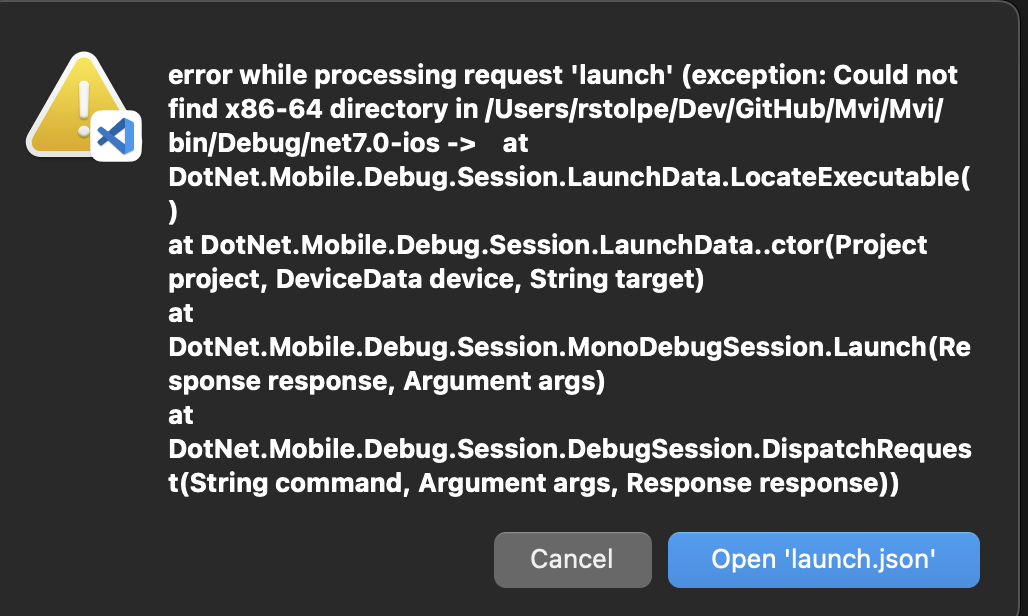
Steps to Reproduce
- delete all the folders inside the Debug folder both the one that are located in obj and bin.
- In the .csproj file add the following as debug and release, make sure that you delete the other enteries.
	<PropertyGroup Condition="$(TargetFramework.Contains('-ios')) and '$(Configuration)' == 'debug'">
		<RuntimeIdentifier>ios-arm64</RuntimeIdentifier>
		<CodesignEntitlement>Entitlements.plist</CodesignEntitlement>
		<ArchiveOnBuild>true</ArchiveOnBuild>
		<BuildIpa>true</BuildIpa>
		<IpaPackageName>Mvi</IpaPackageName>
	</PropertyGroup>
	<PropertyGroup Condition="$(TargetFramework.Contains('-ios')) and '$(Configuration)' == 'Release'">
		<RuntimeIdentifier>ios-arm64</RuntimeIdentifier>
		<CodesignEntitlement>Entitlements.plist</CodesignEntitlement>
		<ArchiveOnBuild>true</ArchiveOnBuild>
		<BuildIpa>true</BuildIpa>
		<IpaPackageName>Mvi</IpaPackageName>
	</PropertyGroup>
- Now try to debug or build you will get an error that it’s not possible.
Link to public reproduction project repository
don’t have
Version with bug
7.0 (current)
Last version that worked well
Unknown/Other
Affected platforms
iOS
Affected platform versions
iOS 16
Did you find any workaround?
Yes,
- Run the debug or build without the
<RuntimeIdentifier>ios-arm64</RuntimeIdentifier>line. - Now add
<RuntimeIdentifier>ios-arm64</RuntimeIdentifier>back and then run the build or debug again and now it will work.
Relevant log output
No response
VS bug #1748626
About this issue
- Original URL
- State: closed
- Created 2 years ago
- Reactions: 1
- Comments: 17 (9 by maintainers)
Why? You have everything above. No need for any code Mr. boot 😃
Yah this is annoying one