maui: Error - selected execution mode not supported in MAUI
This issue has been moved from a ticket on Developer Community.
[severity:I’m unable to use this version] I cannot run a MAUI app in Visual Studio Enterprise 2022 for Mac Preview Version 17.3 Preview (17.3 build 1972).
The error: Can not execute “path to project/project.dll”. The selected execution mode is not supported for .NET projects.
I tried to check via Terminal: maui-check, and there I got the following error:
.NET SDK - Workloads (6.0.301) Checkup… ❌ android (Microsoft.NET.Sdk.Android.Manifest-6.0.300 : 32.0.424) not installed. ❌ maui (Microsoft.NET.Sdk.Maui.Manifest-6.0.300 : 6.0.408) not installed.
I tried the automatic fix and I got the following error: Fix failed - Workload Install failed: `dotnet workload install –from-rollback-file “/var/folders/nb/7pktfhcd5lq3q23rd4cmqby00000gn/T/maui-check-2c858791/workload.j son” android ios maccatalyst tvos macos maui --source “$(PACKAGE_SOURCE_NUGET_ORG)”
Original Comments
Feedback Bot on 7/19/2022, 07:32 PM:
(private comment, text removed)
Thomas Rothen on 7/19/2022, 10:59 PM:
(private comment, text removed)
Original Solutions
(no solutions)
About this issue
- Original URL
- State: closed
- Created 2 years ago
- Reactions: 5
- Comments: 19 (5 by maintainers)
Even though My Mac is selected. android binaries are referred to when I click on run or press F5. Probably wrong platform binaries are selected.
The “selected execution mode is not supported for .NET projects” error seems to happen if you do not have classic (legacy) Xamarin.iOS installed.
Visual Studio for Mac seems to disable the execution handlers for iOS and Maccatalyst in this case for MAUI. This results in the cryptic error message about the execution mode not being support.
If you create a standalone .NET 6 iOS or .NET 6 Maccatalyst project then the main toolbar shows a Hammer icon instead of the arrow icon, indicating the project cannot be run.
Re-running the installer and installing Legacy - Xamarin.iOS seems to be a workaround. After doing that I could run/debug MAUI and .NET 6 iOS/Maccatalyst projects.
+1 Stuck with the same issue.
As @Mteheran said, build works, but VS can’t run the app. So, at least I can run the app from the console with:
dotnet build -t:Run -f net6.0-maccatalyst@davidortinau @rmarinho Lots of people are going to come with same issue. Any resolution?
I had to install legacy Xamarin.Android to get hot reload and debugging to work on VS for Mac Preview 17.4.
I get the same thing for both debug and release.
Repro:
Here’s my project that has the problem.
Archive.zip
And system details
Same error from past 1 week. Any resolution ???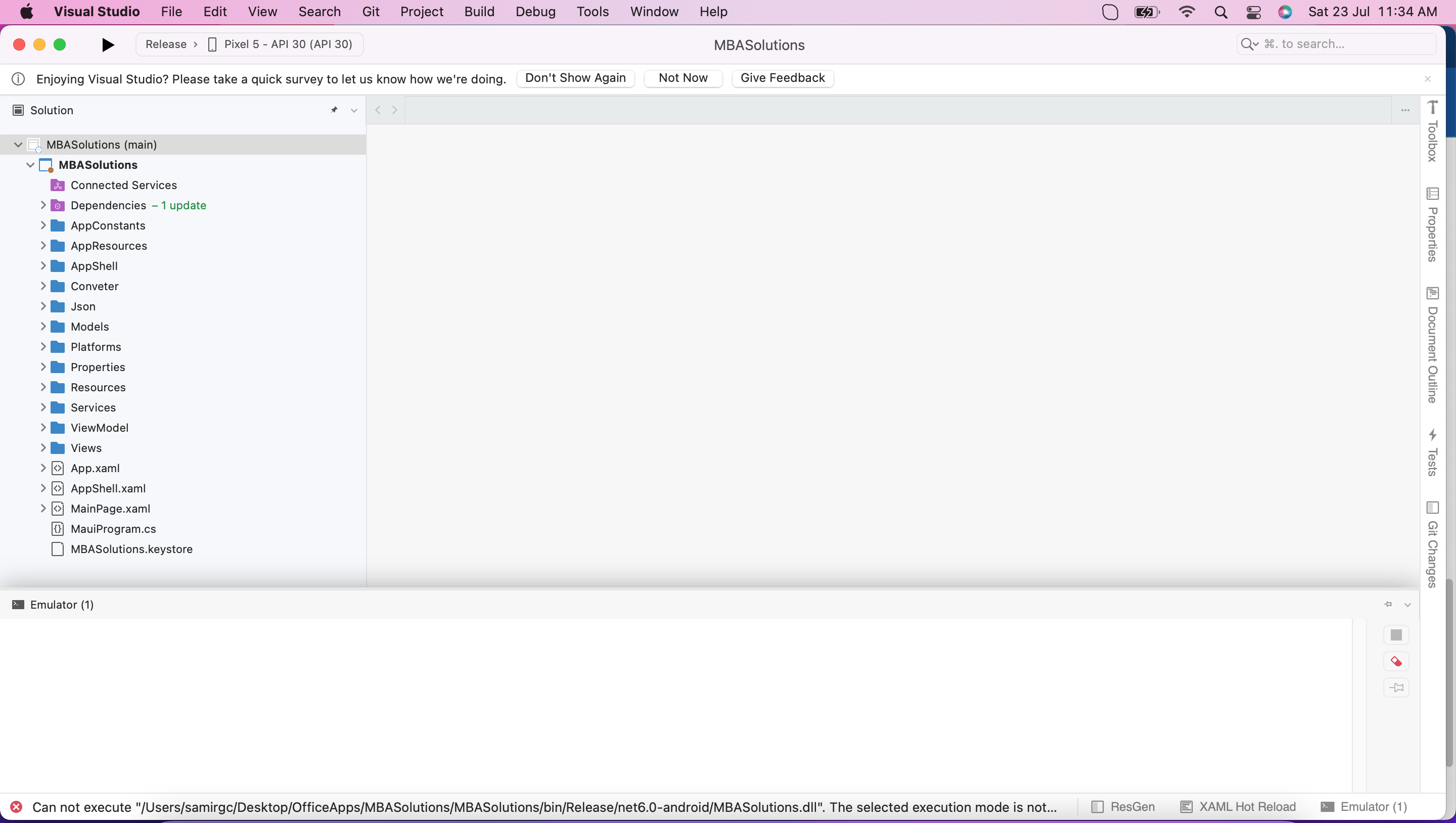
Debug works fine. Release - > Error This is my prod app can’t share the repo.