maui: Changing the root page when navigating crashes the application on Android
Description
Hello friends,
First, I would like to THANK YOU all for #dotnetmaui, being honest, it has been a delight developing apps using .NET MAUI. It is fast, reliable and overcool! Developing UI using Borders is probably my favorite feature ever in the world! It is so much easy now to style form controls or any other element in the UI with Borders, it is just amazing.
Let me start detailing the issue, I’m facing.
Note: I’m using Prism.Maui on the application, I know it is still on beta, however, I believe this issue is related to MAUI and not Prism itself.
The application has defined a flow for non-logged users and logged users. Any flow starts with the OnBoarding page, this page provides just a welcome message to the users and it is in charge of redirect the logged users to the Dashboard page. However, if the user is at the OnBoarding screen, and for example (just for the demo) I click on Sign In button and want to redirect the user to the Dashboard screen and for instance remove from the navigation stack the root page and now Dashboard become the root page, so we prevent logged the users to navigate back while the app is open.
So, when navigating to a page we change the root and on Android it appears to do a jump into another app somehow and for instance it generates an issue. I’m sharing a video to demo it below:
https://user-images.githubusercontent.com/1047398/197197951-df6299de-d96e-4e7c-a109-12cd80791703.mp4
Steps to Reproduce
- Create a new Maui Application
- Add Prism.Maui to the project and setup the initialization
- Create a 2 Views and 2 ViewModels
- Register them on Prism.Maui
- Navigate from one page to another page (Not modal)
Link to public reproduction project repository
https://github.com/vhugogarcia/acceso/tree/feature/base-architecture
Version with bug
7.0 Release Candidate 2
Last version that worked well
Unknown/Other
Affected platforms
Android
Affected platform versions
Android (any version)
Did you find any workaround?
I could not find a workaround at this moment.
Relevant log output
The code I'm using to navigate to another page is:
 _navigationService.NavigateAsync(uri)
            .OnNavigationError(ex => Debug.WriteLine(ex));

I believe this is the source code from Prism.Maui: https://github.com/PrismLibrary/Prism.Maui/blob/master/src/Prism.Maui/Navigation/PageNavigationService.cs

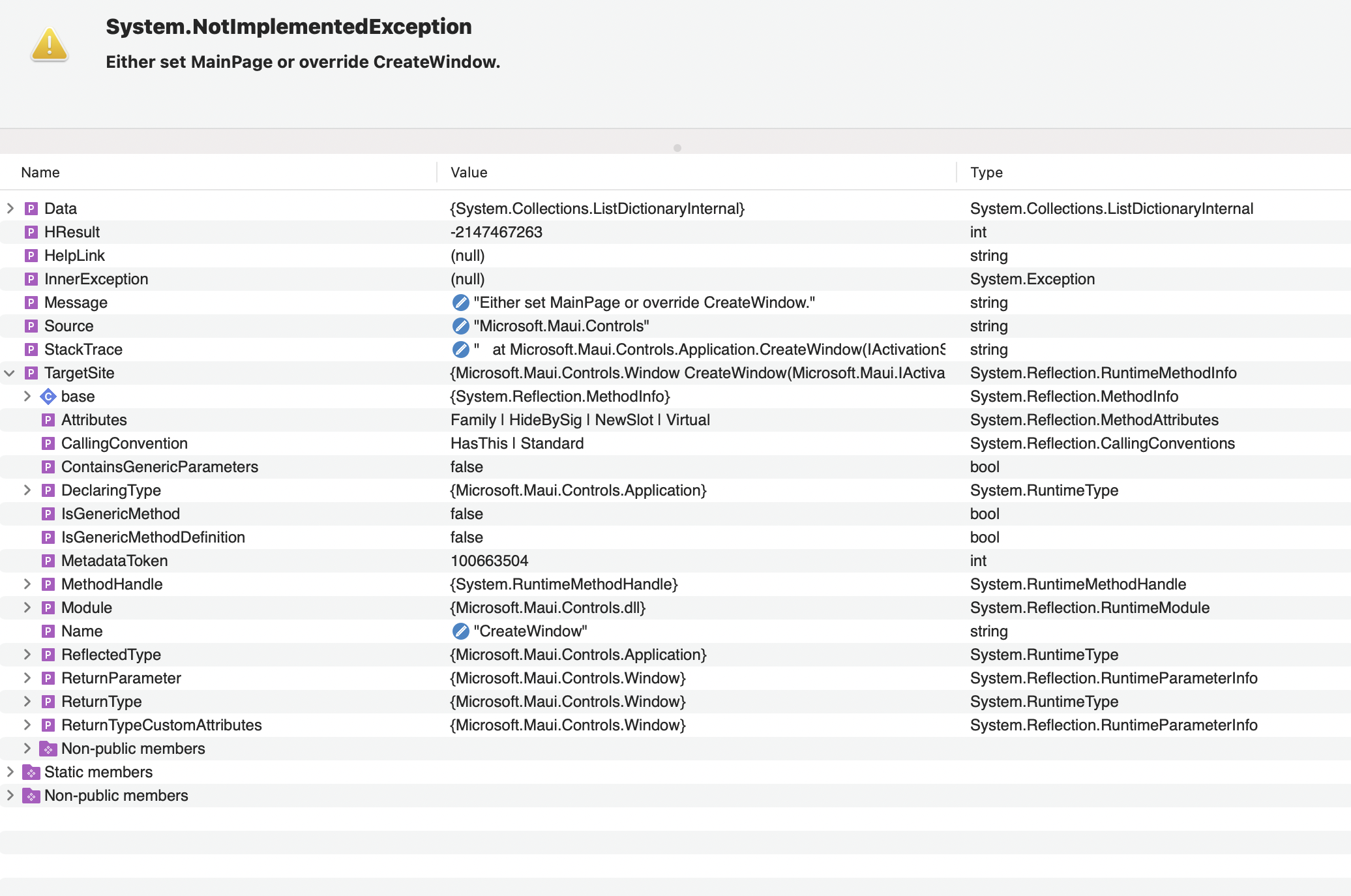
Error Message: Either set MainPage or override CreateWindow.
Error Source: Microsoft.Maui.Controls
Error StackTrace:
   at Microsoft.Maui.Controls.Application.CreateWindow(IActivationState activationState) in D:\a\_work\1\s\src\Controls\src\Core\HandlerImpl\Application\Application.Impl.cs:line 126
   at Microsoft.Maui.Controls.Application.Microsoft.Maui.IApplication.CreateWindow(IActivationState activationState) in D:\a\_work\1\s\src\Controls\src\Core\HandlerImpl\Application\Application.Impl.cs:line 40
   at Microsoft.Maui.Platform.ApplicationExtensions.CreatePlatformWindow(Activity activity, IApplication application, Bundle savedInstanceState) in D:\a\_work\1\s\src\Core\src\Platform\Android\ApplicationExtensions.cs:line 44
   at Microsoft.Maui.MauiAppCompatActivity.OnCreate(Bundle savedInstanceState) in D:\a\_work\1\s\src\Core\src\Platform\Android\MauiAppCompatActivity.cs:line 32
   at Android.App.Activity.n_OnCreate_Landroid_os_Bundle_(IntPtr jnienv, IntPtr native__this, IntPtr native_savedInstanceState) in /Users/runner/work/1/s/xamarin-android/src/Mono.Android/obj/Release/net7.0/android-33/mcw/Android.App.Activity.cs:line 2816
   at Android.Runtime.JNINativeWrapper.Wrap_JniMarshal_PPL_V(_JniMarshal_PPL_V callback, IntPtr jnienv, IntPtr klazz, IntPtr p0) in /Users/runner/work/1/s/xamarin-android/src/Mono.Android/Android.Runtime/JNINativeWrapper.g.cs:line 121
About this issue
- Original URL
- State: closed
- Created 2 years ago
- Comments: 15 (12 by maintainers)
@vhugogarcia yea, so you can just hide or show Shell parts to do that or just create different areas
Or just
Then when they log in
Some variation of above
I can confirm that #10271 is fixed in VS 17.4.1 (.net 7.0.100)…
@vhugogarcia AFAIK Shell should be good to go.
Technically you should never have to swap out the MainPage if you’re using shell because you can just hide/show elements or just create different areas inside shell.
That being said, if you want to swap out the main page RC2 should work fine. Most of the fixes with GA are related to swapping between FlyoutPage/TabbedPage
Hi, @vhugogarcia - are you able to reproduce this issue in a project that doesn’t use Prism? If so, would you be able to share a repro?