aspnetcore: Blazor and .NET6 creates an error: EntrypointInvoker in assembly Microsoft.AspNetCore.Components.WebAssembly
I have my simple project with Blazor. I updated the project from .NET5 to .NET6. I deploy to the production environment using Web Deploy. On the production server, I am getting this error
Error: Could not find class: Microsoft.AspNetCore.Components.WebAssembly.Hosting:EntrypointInvoker in assembly Microsoft.AspNetCore.Components.WebAssembly

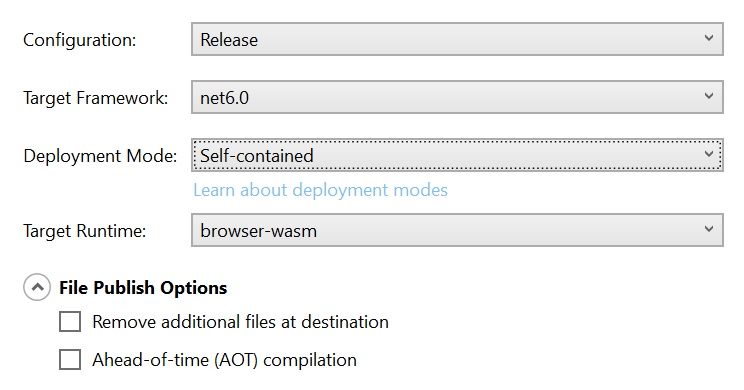
The configuration of Web Deploy is
About this issue
- Original URL
- State: closed
- Created 3 years ago
- Comments: 21 (7 by maintainers)
Ohh but clearing my browser cache fixed it. Try that!
Ran into the same issue, but it wasn’t in the browser cache, it was in the CDN cache (Cloudflare in my case). Don’t forget to purge the cache.
I’m just asking if the HTTP headers prohibited caching, wouldn’t that make it slower for users to download the application after the first visit? I just mention AOT because it adds significant file size.
ohh @legistek you are right. It made me crazy… simple solution… Thank you everybody! Here the result
@erossini do you also mind including the
obj\project.assets.jsonfor this file? It might be one of your references is causing an older version of blazor.webassembly.js to be used, instead of the 6.0.0 version, and the resolved package references might give us some hints. Alternatively, if there’s a minimal app you could share with us that reproduces the problem, that would be great.