docksal: Updating to Docker Desktop 2.2.0.0 breaks Docksal
I have updated my Docker Desktop to 2.2.0 and can’t start docksal anymore. When I run fin up I am getting an error
Resetting Docksal system services...
 * proxy
docker: Error response from daemon: driver failed programming external connectivity on endpoint docksal-vhost-proxy (83b3ef7bafa2d27d0af784b64c635e1fff31b26803dad7bca9a4b20eb98457fb): Error starting userland proxy: listen tcp 192.168.64.100:8443: bind: cannot assign requested address.
 ERROR:  Failed starting the proxy service.
I did try to change ports but didn’t help. My docksal version is
ygerasimov$ fin --version
fin version: 1.93.0
About this issue
- Original URL
- State: closed
- Created 4 years ago
- Comments: 33 (12 by maintainers)
Commits related to this issue
- Unpin Docker Desktop As per https://github.com/docksal/docksal/issues/1268#issuecomment-628946613 — committed to froboy/docksal by froboy 4 years ago
- Bump REQUIREMENTS_DOCKER_DESKTOP to 2.1.0.5 This is the last version before networking regressions were introduced (#1268) [ci skip] — committed to docksal/docksal by deleted user 4 years ago
Here are the direct links to the latest 2.1.x version (2.1.0.5): Mac: https://download.docker.com/mac/stable/40693/Docker.dmg Windows: https://download.docker.com/win/stable/40693/Docker Desktop Installer.exe
I can confirm this bug when upgrading to Docker Desktop 2.2.0.0 on macOS resulting in:
Error starting userland proxy: listen tcp 192.168.64.100:443: bind: cannot assign requested address.Going back to Docker Desktop Version 2.1.0.5 resolves the issue for now.
Also confirming that if you restart Docker Desktop and then do a
fin start, the project site no longer responds. Still have to do afin system resetto get the site to work again. Once that is done, doingfin stopandfin startseem to work fine.So you just need to use
fin system resetafter rebooting or restarting Docker Desktop. Hopefully this is something that can be fixed on the Docksal side. The bug that prevented Docker Desktop 2.2 from working DOES seem to be resolved. Needing to usefin system resetis a new issue.Confirmed that this issue is resolved after upgrading to edge 2.2.3.0.
@danshumaker Downgrading is a temporary workaround. The actual issue is upstream in Docker for Mac/Win. Chiming in there will make the most sense.
Upstream issues:
Opened new issue #1342 to track this.
The latest stable Docker Desktop versions (released today) should address this regression:
On my mac with catalina (10.15.4) it works with edge 2.2.3.0 , but I have to run always “fin system reset” after “fin project start”, because the dns to “whatever.docksal” is not working.
Still not working for me.
Docker: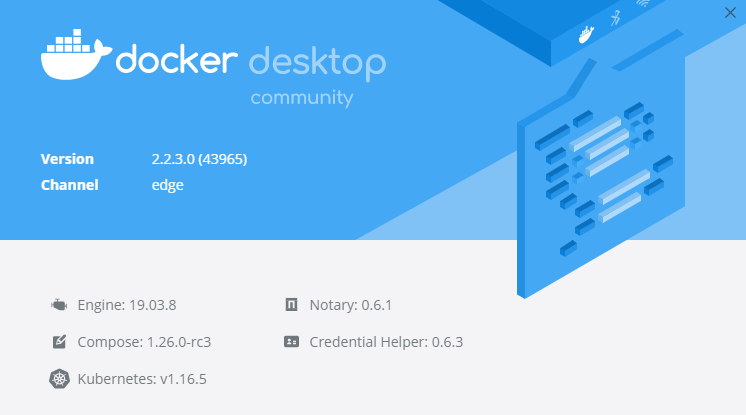
Docksal: $ fin version fin version: 1.93.0 $ fin start ALERT: Some Docksal services were not running Restarting Docksal system services… Configuring network settings… Resetting Docksal system services…
Would be nice to mention a specific supported version on https://docs.docksal.io/getting-started/setup/#install-macos as it took me a while to get to this discussion.
You are correct, it is also an issue for windows. See: https://github.com/docker/for-win/issues/5546
One gets the same error with the Windows 10 version of Docker 2.2.0.0
Right now the solution is to downgrade Docker to 2.1.x