dbeaver: Access Denied: Cannot Read /usr/bin When Installed as Snap
System information:
- Elementary OS 5.1
- DBeaver 6.3.1
Connection specification:
- MariaDB
- MySQL
Describe your question:
I am not able to read my system’s /usr/bin path within DBeaver when it is installed through the Snap packaging system. I have A MySQL and MariaDB client on my local machine in that directory and would like to use DBeaver to dump databases. Is there any insight some one can provide?
I apologize if this is a technical limitation of Snap and does not belong here.
About this issue
- Original URL
- State: closed
- Created 4 years ago
- Reactions: 11
- Comments: 29 (8 by maintainers)
My case was an issue when trying to save a DUMP on a second HDD. I solved by following steps:
1st - open ubuntu software 2nd - search for dbeaver-ce 3rd - after installed it, click Permissions 4th - check Read/write files on removable storage devices
Hope it might help someone in the future.
Cheers
snap is the biggest crap, uninstall snap version and use the deb package
Same situation here. Used snap install on ubuntu 20.04
tried snap package on ubuntu 20.04 and also can’t get native client running, even no permissions to /usr/bin… installed -deb package from https://dbeaver.io/download/ and now all fine…
i just needed to set /usr/bin as native client home dir: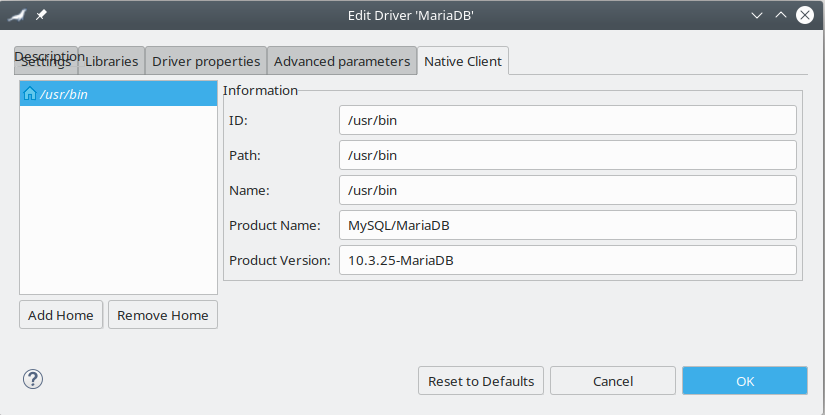
As it said above, the reason why snap version is not able to find/read the “local client” binaries is the strict confinement. But there is a way to workaround it:
Allow dbeaver-ce snap to read/write from removable media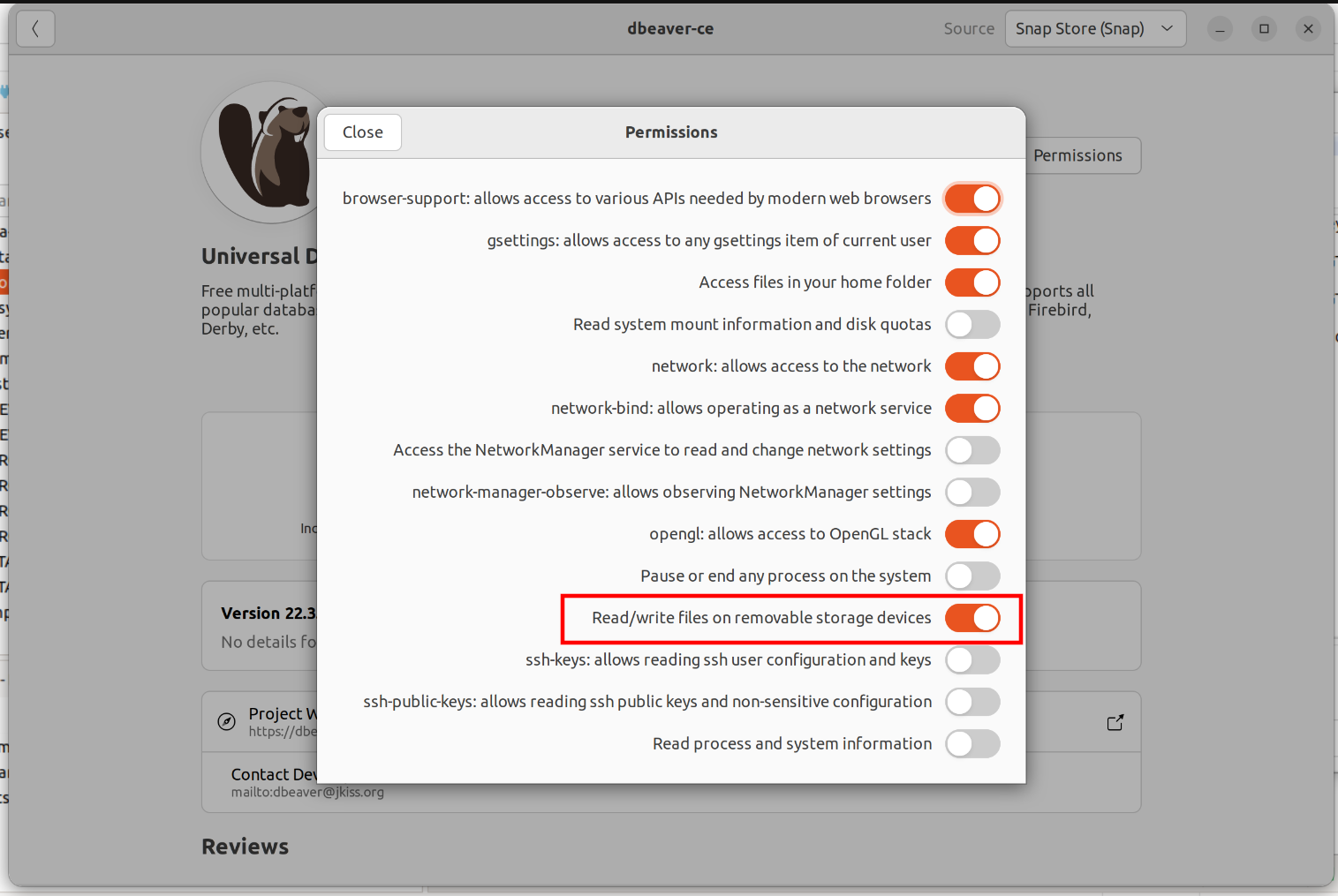
Create a mount point in /mnt
sudo mkdir /mnt/usr_binBind mount your binaries location (/usr/bin in my case) to newly created dir
sudo mount --bind /usr/bin/ /mnt/usr_bin/Now you are able to set /mnt/usr_bin as your “local client” home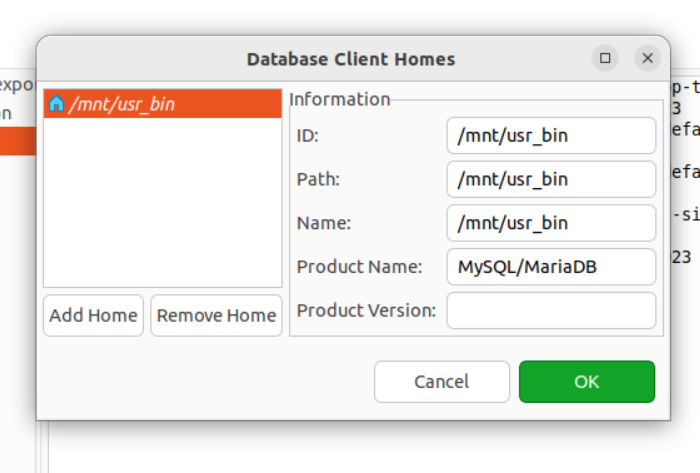
same on Ubuntu 22
This actually worked to add the client home location somehow, but still gives me errors when actually attempting to do something like run a backup. I’m using Postgres not MariaDB, and I still get an error like
Error executing process Utility 'pg_dump' not found in client home '/usr/bin' (/usr/bin)because DBeaver still doesn’t have permission to the perl script link in /usr/bin even with this location now added.Same with postgres.
dveaver have no permission to access /usr/bin.
I ran
.debfile for dbeaver and executed fine!I can reproduce this on Ubuntu 19 when installed via “Ubuntu Software”
Same here in
/snap/Ubuntu folder with mysql. Dbeaver don’t ask permission to me in initialize application.I tried run dbeaver with sudo, log file is below:
I tried above mentioned steps… didn’t help though So I just went the command line way Sharing commands for MYSQL
Create dump
mysqldump -u [username] -p -h [host] [databasename] > [dumpfile.sql]Import Dump data
mysqldump -u [username] -p -h [host] [databasename] < [dumpfile.sql]Import Dump data at localhost
mysqldump -u [username] -p [databasename] < [dumpfile.sql]PS: I self created the databasename while importing before using the command.
Using .deb based installation and everything works perfectly (the specific issue for me was setting local client, required to perform the backup operation).
same here, installed via
snap install dbeaver-cetrying todumpa mysql database with no success.As far as i can tell its related to strict confinement, because dbeaver need an local client to do the export, and because of snap confinement dbeaver cant reach the mysql client installed on my system
that wasnt fix yet?
This could easily be fixed in the snap, and I’m happy to help the developers with this, but I can’t do anything until they actually use a publicly available
snapcraft.yamlfile to build the snap and use the patches provided by the community. This issue is tracked here: https://github.com/dbeaver/dbeaver/issues/8774@galgalesh Thank you, I am personally fine wit the MariaDB client, but I think it may be more valuable to include both.