dask-labextension: Failed to connect to Bokeh server Error: Could not open websocket
When I try to use the extension via JupyterHub I get the following websocket error
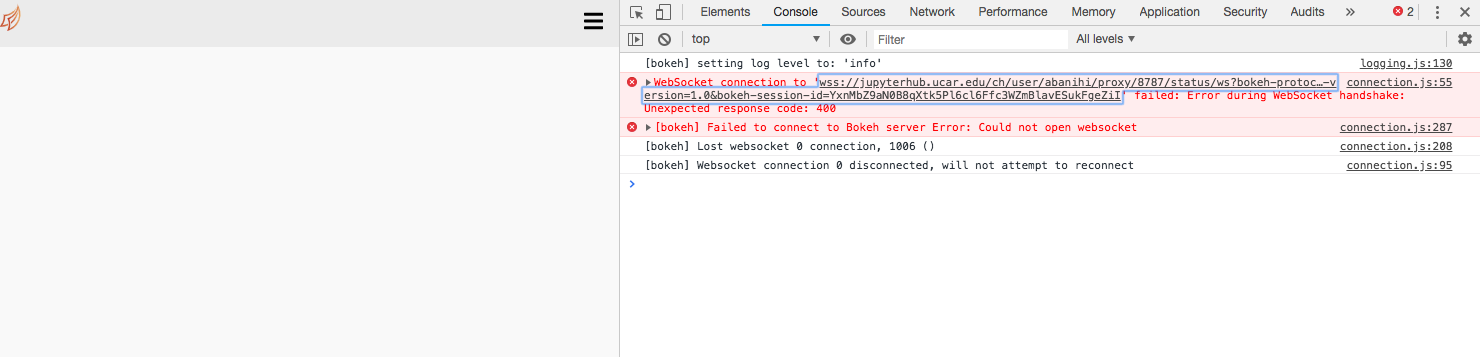
I can confirm that the extension was properly installed:
$ jupyter serverextension list
config dir: /ncar/usr/jupyterhub/20190118/etc/jupyter
    dask_labextension  enabled
    - Validating...
      dask_labextension 0.3.1 OK
    jupyterlab  enabled
    - Validating...
      jupyterlab 0.35.4 OK
    nbserverproxy  enabled
    - Validating...
      nbserverproxy  OK
@jhamman pointed out that he thought the websocket problem was fixed in https://github.com/bokeh/bokeh/issues/6023. I am wondering whether this has to do with dask-labextension or it is something that would need to be addressed upstream in Bokeh.
Ccing @jbaksta as he is the Jhub’s admin, and knows more about the Jhub setup than me.
About this issue
- Original URL
- State: closed
- Created 5 years ago
- Comments: 23 (4 by maintainers)
Great! We are still dealing with some difficulties with the newest tornado, but once they are nailed down you should be able to update without difficulties.
I believe I’ve run into this same issue. While I can start a cluster and generate a valid dashboard URL, the graphs in the panes display nothing. It appears that I cannot connect to the Bokeh server.
My setup may be somewhat unusual / complicated. I’m running JupyterLab in a Docker container that is being presented inside of an iframe (I’m using the Domino Data Lab platform). I only wanted to mention this because there may be configuration settings in Domino that might affect the behavior of this extension. I’m honestly just not sure, so I figured I’d raise the question here in case there is an obvious fix / approach to troubleshooting.
Thanks for the update @andersy005 and @jbaksta! If either of you have a minute to describe how to fix a problem like this, a PR to the README.md would be much appreciated.