cypress: Studio: failed to save commands
Current behavior
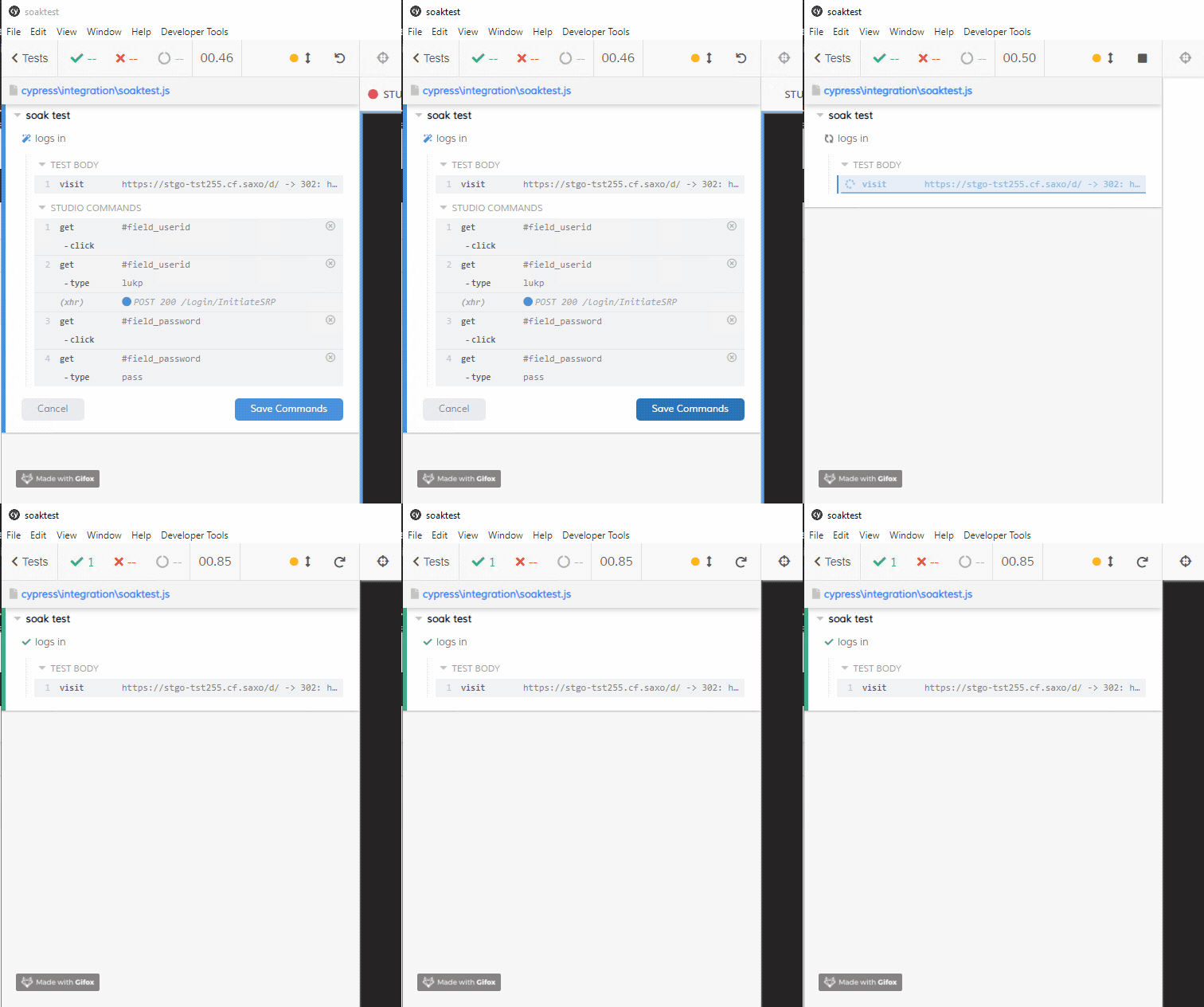
Test code to reproduce
I created a new repo, added cypress, did cypress open, deleted examples, created a new spec:
describe('soak test', () => {

	it('logs in', () => {

		cy.visit('internal url');

	});

});
Then I opened studio, typed into an input and clicked save.
The page refreshes so I needed to use animation capture to see the error.
How can I provide more details on the exact error? I don’t see anything in the debug log but I will attach it here.
Versions
6.3.0 windows 10
About this issue
- Original URL
- State: closed
- Created 3 years ago
- Comments: 23 (16 by maintainers)
My test case file was exactly as I put in the initial description and it was a brand new setup - all I did was enable studio.
We’ve just released copy to clipboard in v7.7.0 - check it out and let us know what you think!
We’re still working on a more dedicated fix to prevent this message from occurring in the first place but copy to clipboard should help out in the meantime.
@panzarino It did add a new test in the example above, just not exactly in the expected place. I just mean, it didn’t completely fail. The copy to clipboard is a solution anyone could use though.
I was also seeing this error, but we use a custom
suitefunction that does some setup before work (reset db, authenticate as a specific user type). When I removed the custom suite method and used a standarddescribeit was able to write the commands.Given that there may be non-standard setups like this, it would be a useful feature to simply display the commands in a modal so the user could copy/paste them rather than trying to parse the file and write to disk.
Setup: Cypress 6.4.0 (Mac) Electron 87.0.4280.141
Before (using our custom suite function):
After (standard describe):
Custom suite function (basically extends
describe):Relevant Packages:
Webpack preprocessor options: