cypress: Cypress tests fail abut Gitlab CI Exit successfully
Current behavior:
Our tests failed but in Gitlab CI, it doesn’t exit with correct error code. It still says Job succeeded

Desired behavior:
The job should failed with ERROR: Job failed:
Versions
Operating System: Gitlab CI Cypress Version: 3.3.2 Browser Version: Electron headless Base Image: 12.1.0
About this issue
- Original URL
- State: closed
- Created 5 years ago
- Reactions: 6
- Comments: 16 (2 by maintainers)
I also had this problem and finally I think we ended up solving it. We have our own gitalb-runner so we can modify the config.toml and that’s where we could solve it by changing these two values:
It seems in our case that it was a question of performance of the machines that performed our jobs, which due to lack of resources killed the docker containers without giving error. In our gitalb-ci.yml, we update cypress image:
And this is the result: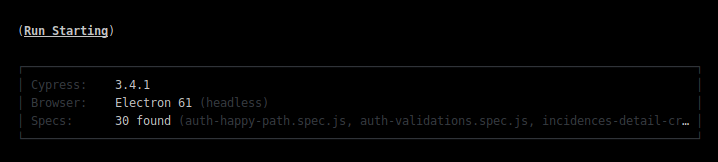
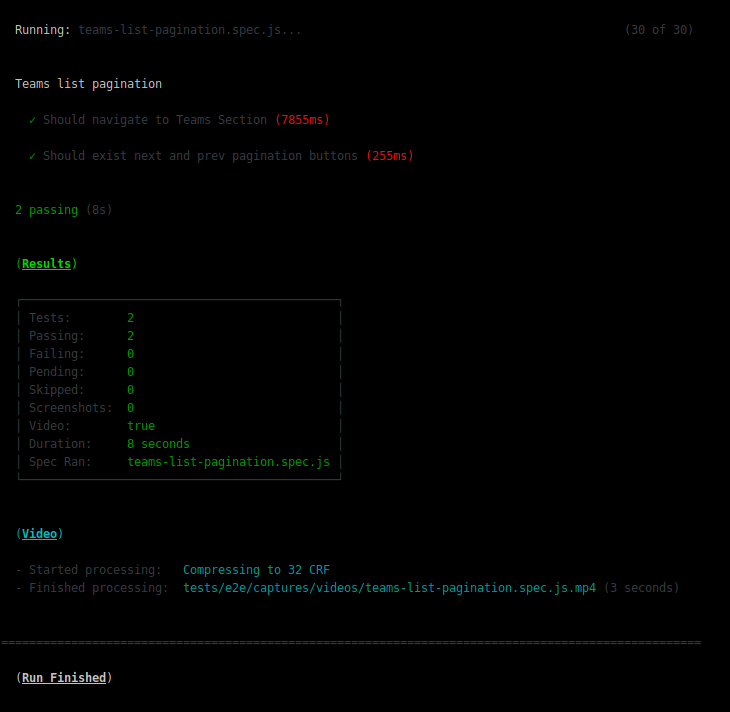
I hope this can help.
Can confirm this is now happening for my team as well in gitlab.
Just bumped the docker image from the 8.x.x chrome 74 to the cypress/browser node 12.x.x chrome 75 version and the tests failed but the job passed.
We did also bump our cypress version from 3.1.5 to 3.3.2 so that could the be issue and we only noticed it because the tests started failing due to the change in images and we were reviewing the jobs during MR. They were not actually running the tests due to a migration issue changing where the supportFile was being pointed. Once we rectified that and if tests failed gitlab would recognize it as a failed job. That supportFile error didn’t seem to be emitting the correct exit code. (maybe?)