crc: [BUG] CRC is running on Windows/Hyper-V, but the console is not accessible
General information
- OS: Windows 10
- Hypervisor: Hyper-V
- Did you run
crc setupbefore starting it (Yes/No)? Yes - Running CRC on: Laptop
Note: I’m getting the following error at the end of the “crc start”:
INFO Adding crc-admin and crc-developer contexts to kubeconfig...
ERRO Cannot update kubeconfig: x509: certificate has expired or is not yet valid: current time 2021-10-25T17:06:08-07:00 is after 2021-09-17T17:53:42Z
Started the OpenShift cluster.
CRC version
# Put `crc version` output here
CodeReady Containers version: 1.34.0+34c31851
OpenShift version: 4.9.0 (bundle installed at C:\Program Files\CodeReady Containers\crc_hyperv_4.9.0.crcbundle)
CRC status
# Put `crc status --log-level debug` output here
PS C:\Users\752394> crc status --log-level debug DEBU CodeReady Containers version: 1.34.0+34c31851 DEBU OpenShift version: 4.9.0 (bundle installed at C:\Program Files\CodeReady Containers\crc_hyperv_4.9.0.crcbundle) DEBU Running ‘crc status’ DEBU Checking file: C:\Users\752394.crc\machines\crc.crc-exist DEBU Checking file: C:\Users\752394.crc\machines\crc.crc-exist DEBU Running ‘Hyper-V\Get-VM crc | Select-Object -ExpandProperty State’ DEBU Running SSH command: df -B1 --output=size,used,target /sysroot | tail -1 DEBU Using ssh private keys: [C:\Users\752394.crc\machines\crc\id_ecdsa C:\Users\752394.crc\cache\crc_hyperv_4.9.0\id_ecdsa_crc] DEBU SSH command results: err: <nil>, output: 32737570816 17790869504 /sysroot DEBU Unexpected operator status for etcd: RecentBackup CRC VM: Running OpenShift: Running (v4.9.0) Disk Usage: 17.79GB of 32.74GB (Inside the CRC VM) Cache Usage: 28.16GB Cache Directory: C:\Users\752394.crc\cache PS C:\Users\752394>
CRC config
# Put `crc config view` output here
PS C:\Users\752394> crc config view
- consent-telemetry : no
Host Operating System
# Put the output of `cat /etc/os-release` in case of Linux
# put the output of `sw_vers` in case of Mac
# Put the output of `systeminfo` in case of Windows
PS C:\Users\752394> systeminfo

Host Name:                 FRE-U752394L001
OS Name:                   Microsoft Windows 10 Enterprise
OS Version:                10.0.18363 N/A Build 18363
OS Manufacturer:           Microsoft Corporation
OS Configuration:          Member Workstation
OS Build Type:             Multiprocessor Free
Registered Owner:          Seagate IT
Registered Organization:   Seagate
Product ID:                00329-00000-00003-AA557
Original Install Date:     7/9/2020, 6:06:20 PM
System Boot Time:          10/25/2021, 3:44:31 PM
System Manufacturer:       Dell Inc.
System Model:              Precision 3541
System Type:               x64-based PC
Processor(s):              1 Processor(s) Installed.
                           [01]: Intel64 Family 6 Model 158 Stepping 13 GenuineIntel ~2808 Mhz
BIOS Version:              Dell Inc. 1.8.4, 5/12/2020
Windows Directory:         C:\windows
System Directory:          C:\windows\system32
Boot Device:               \Device\HarddiskVolume1
System Locale:             en-us;English (United States)
Input Locale:              en-us;English (United States)
Time Zone:                 (UTC-08:00) Pacific Time (US & Canada)
Total Physical Memory:     32,550 MB
Available Physical Memory: 14,856 MB
Virtual Memory: Max Size:  65,318 MB
Virtual Memory: Available: 44,949 MB
Virtual Memory: In Use:    20,369 MB
Page File Location(s):     C:\pagefile.sys
Domain:                    ad.seagate.com
Logon Server:              \\FREPIADSW006
Hotfix(s):                 30 Hotfix(s) Installed.
                           [01]: KB4601056
                           [02]: KB4497165
                           [03]: KB4513661
                           [04]: KB4516115
                           [05]: KB4517245
                           [06]: KB4521863
                           [07]: KB4524569
                           [08]: KB4528759
                           [09]: KB4535680
                           [10]: KB4552152
                           [11]: KB4560959
                           [12]: KB4561600
                           [13]: KB4565554
                           [14]: KB4569073
                           [15]: KB4576751
                           [16]: KB4577586
                           [17]: KB4577670
                           [18]: KB4580325
                           [19]: KB4586863
                           [20]: KB4589211
                           [21]: KB4598479
                           [22]: KB4601395
                           [23]: KB5000908
                           [24]: KB5001406
                           [25]: KB5003244
                           [26]: KB5003710
                           [27]: KB5004748
                           [28]: KB5005412
                           [29]: KB5005566
                           [30]: KB5005700
Network Card(s):           8 NIC(s) Installed.
                           [01]: Intel(R) Ethernet Connection (7) I219-LM
                                 Connection Name: Ethernet
                                 DHCP Enabled:    Yes
                                 DHCP Server:     192.168.0.1
                                 IP address(es)
                                 [01]: 192.168.0.141
                                 [02]: fe80::9515:33ed:2639:6627
                                 [03]: 2601:646:9300:3360:65dd:72a3:6755:c063
                                 [04]: 2601:646:9300:3360:9515:33ed:2639:6627
                           [02]: Intel(R) Wireless-AC 9560 160MHz
                                 Connection Name: Wi-Fi
                                 Status:          Media disconnected
                           [03]: Bluetooth Device (Personal Area Network)
                                 Connection Name: Bluetooth Network Connection
                                 Status:          Media disconnected
                           [04]: PANGP Virtual Ethernet Adapter
                                 Connection Name: Ethernet 2
                                 DHCP Enabled:    No
                                 IP address(es)
                                 [01]: 10.127.225.224
                           [05]: Realtek USB GbE Family Controller
                                 Connection Name: Ethernet 3
                                 Status:          Media disconnected
                           [06]: VMware Virtual Ethernet Adapter for VMnet1
                                 Connection Name: VMware Network Adapter VMnet1
                                 DHCP Enabled:    No
                                 IP address(es)
                                 [01]: 192.168.60.1
                                 [02]: fe80::a56a:e61a:99f:118b
                           [07]: Hyper-V Virtual Ethernet Adapter
                                 Connection Name: vEthernet (Default Switch)
                                 DHCP Enabled:    No
                                 IP address(es)
                                 [01]: 192.168.250.97
                                 [02]: fe80::d153:d802:cd6e:6607
                           [08]: VMware Virtual Ethernet Adapter for VMnet8
                                 Connection Name: VMware Network Adapter VMnet8
                                 DHCP Enabled:    No
                                 IP address(es)
                                 [01]: 192.168.254.1
                                 [02]: fe80::1001:e2d7:7978:f95f
Hyper-V Requirements:      A hypervisor has been detected. Features required for Hyper-V will not be displayed.
Steps to reproduce
- Download the latest CRC version
- Run the installer
- crc setup
- crc start
Expected
The cluster starts, and the Console is accessible via https://console-openshift-console.apps-crc.testing
Actual
The cluster starts, I can ssh to the VM and run oc/kubectl commands.
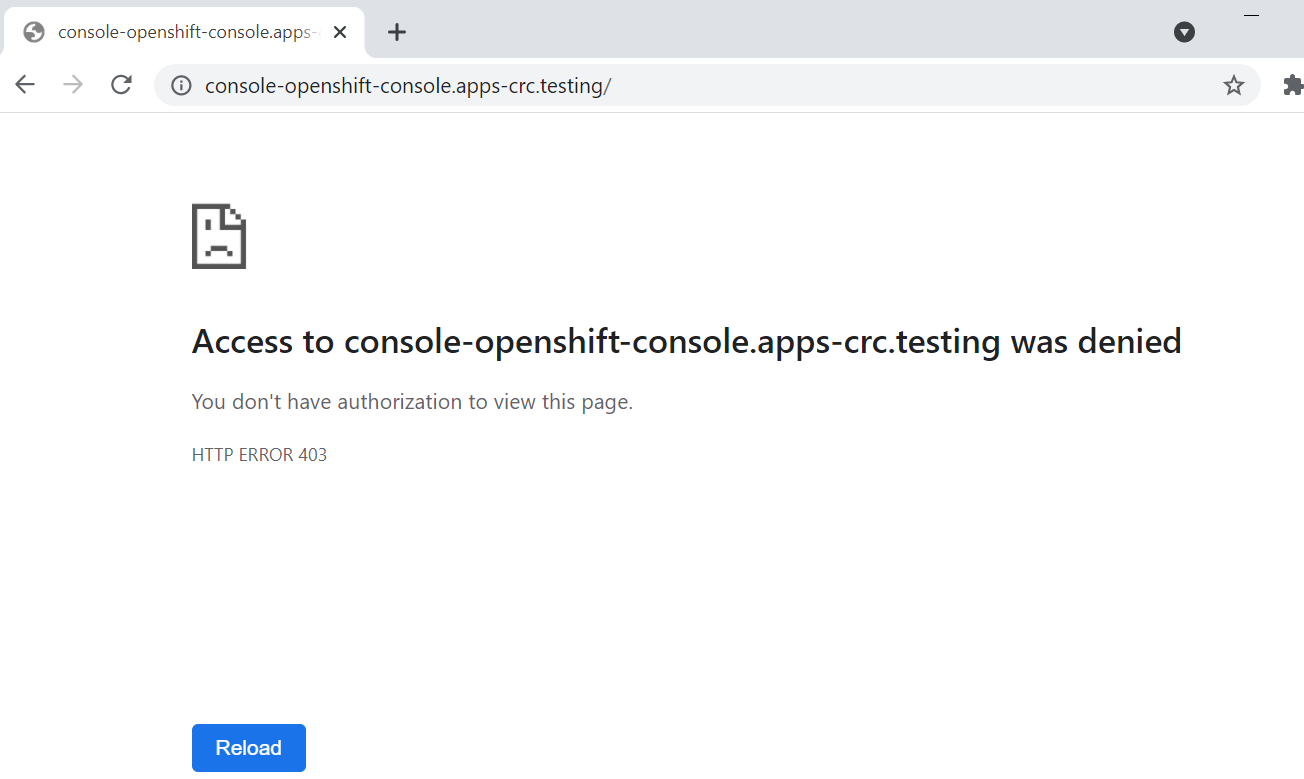
But the console is not accessible. See the screenshot:
Logs
Before gather the logs try following if that fix your issue
$ crc delete -f
$ crc cleanup
$ crc setup
$ crc start --log-level debug
Please consider posting the output of crc start --log-level debug on http://gist.github.com/ and post the link in the issue.
https://gist.github.com/gregnsk/37681dc23eef15b7da1fefb29cd91e2c
About this issue
- Original URL
- State: closed
- Created 3 years ago
- Comments: 35 (15 by maintainers)
Sorry to pick up the discussion again but I just spent 2 days now trying to get it running with exactly the same situation/error.
A lot of re-installations and combinations with user vs. admin permissions and using the new GUI installer/tray icon vs. using the shell crc command etc. etc. and no matter what I did I always ended up with the final statement that it cannot update kubeconfig because of the expired certificate.
The API endpoint reports:
And trying to login gives:
Because VMware workstation was mentioned here several times I tried shutting everything down that was related to VMware, also disabling network interfaces etc. but nothing changed. And then I completely uninstalled VMware Workstation purely out of desperation/frustration and after VMware Workstation was removed the next try with delete/cleanup/setup/start worked!
I have no idea why VMware Workstation would have such an effect but if anyone (like me) comes across this issue here give it a try, it might be worth it.