couchbase-lite-net: UWP:Can not create doc in ARM phone
Dear, I’m using couchbase.lite in UWP project. The thing is that, I can not create doc in an ARM device. I have tested on two devices running build 14393. Note that it’s working properly on PC (tested debug_x86x64@build15063) and emulator(debug_x86@build14393,15063). The error code:
System.AccessViolationException occurred
  HResult=0x80004003
  Message=Attempted to read or write protected memory. This is often an indication that other memory is corrupt.
  Source=<Cannot evaluate the exception source>
  StackTrace:
   at Couchbase.Lite.Internal.Serialization.JsonFLValueWriter.Flush()
   at Couchbase.Lite.Internal.Serialization.DefaultSerializer.Serialize(Object obj)
   at Couchbase.Lite.Document.SaveInto(C4Document** outDoc, Boolean deletion, IDocumentModel model)
   at Couchbase.Lite.Document.<>c__DisplayClass25_0.<Save>b__0()
   at Couchbase.Lite.Database.<>c__DisplayClass68_0.<InBatch>b__0()
   at Couchbase.Lite.Support.ThreadSafety.DoLocked(Action a)
   at Couchbase.Lite.Database.InBatch(Action a)
   at Couchbase.Lite.Document.Save(IConflictResolver resolver, Boolean deletion, IDocumentModel model)
   at Couchbase.Lite.Document.<Save>b__22_0()
   at Couchbase.Lite.Support.ThreadSafety.DoLocked(Action a)
   at Couchbase.Lite.Document.Save()
   at Couchbase.Lite.Database.<>c__DisplayClass71_0.<Save>b__0()
   at Couchbase.Lite.Support.ThreadSafety.DoLocked(Action a)
   at Couchbase.Lite.Database.Save(Document document)
   at Core.Models.DBH.MakeDoc(IDictionary`2 Dic) in C:\Users\Mohsen\Source\Repos\Denna\Denna\Core\Models\DBH.cs:line 32
   at Core.Models.UserModel.<CreateUser>d__0.MoveNext() in C:\Users\Mohsen\Source\Repos\Denna\Denna\Core\Models\UserModel.cs:line 50
   at System.Runtime.CompilerServices.AsyncTaskMethodBuilder.Start[TStateMachine](TStateMachine& stateMachine)
   at Core.Models.UserModel.CreateUser(String ID, String email, String Name, String Family, String pass)
   at Denna.Views.UnitTests.Button_Click_1(Object sender, RoutedEventArgs e) in C:\Users\Mohsen\Source\Repos\Denna\Denna\Denna\Views\UnitTests.xaml.cs:line 105
About this issue
- Original URL
- State: closed
- Created 7 years ago
- Comments: 33 (18 by maintainers)
There are no comments on the linked issue but it has been tagged for UWP 6.0. I didn’t quite know what this meant but then I realized that the current Nuget version of
Microsoft.NETCore.UniversalWindowsPlatformis 5.3.3. I assume that means that this will be resolved with the 6.0 release (still listed as Q4 2017)I’ve discovered what is happening but I have no idea what to do about it yet. To call functions in C or C++ you need to make space on the stack to write the parameters and have a space for the return value. FLSliceResult (the return type for the function that is crashing) should be 8 bytes (4 bytes for a pointer, and 4 bytes for
size_ton a 32-bit system) but for some reason it is reserving too much space for it (12 bytes). That means that the stack gets moved over too much, and the first argument is in the last 4 bytes of the “expected return value space” portion of the stack. Consequently, the 2nd argument is picked up as the first, and whatever junk is after that gets picked up as the second. If I useStructLayoutto forceFLSliceResultto be 12 bytes then things work but that will likely break x86. Making a build for each will defeat the purpose of having a single .NET Standard DLL. I hope that someone on Stack Overflow or on the Microsoft forums will have an answer about this because this seems like a bug in the runtime.EDIT Just tested, and as I thought this approach breaks x86, which behaves correctly and expects a size of 8.
Semi-good news. I had a raspberry pi lying around so I installed Windows IoT on it, and got the same exception as this. So now at least I can try things.
I tried something similar and got the same result…that sucks. However, when I did it with a newer build and used the exact file from the server it loaded the symbols. I guess Visual Studio is really picky about it. At this point those files from DB008 have been expired and deleted from the build server so they are not available anymore, but DB009 is coming in the next few days so I’ll be sure to save the pdb file from the server. In the meantime I think the only thing you can do is this (aside from referencing the project instead of Nuget that is):
Here is a picture for reference of where Nuget packages are stored on my machine: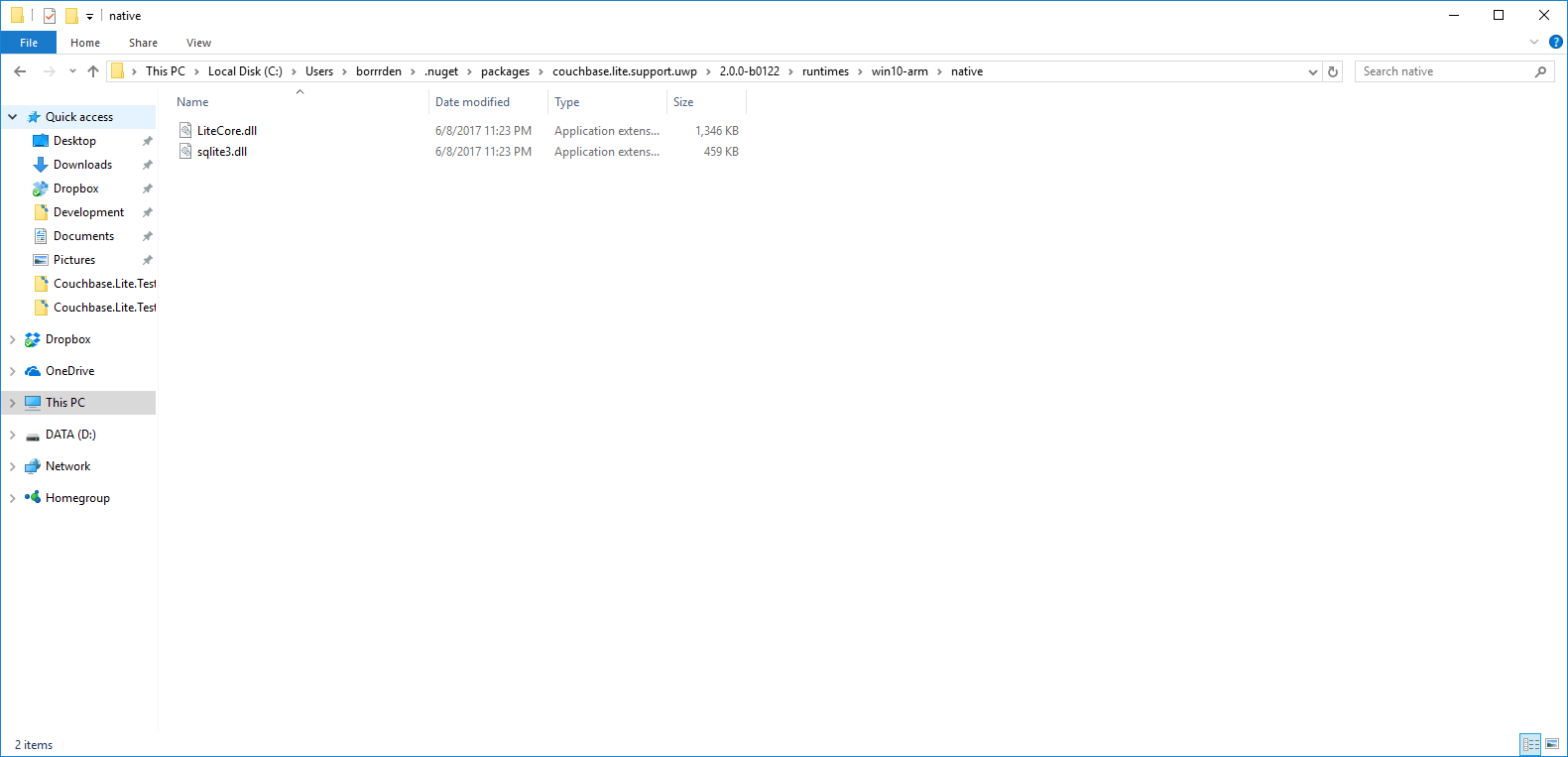
Hopefully this helps! Also I think I will be able to get my hands on an ARM device in the near future, so I hope that when I do either this problem is fixed or I can reproduce it.
Rats. I will send a LiteCore pdb file tomorrow and that should show the exact location or you can make one by building from the source at the db008 commit and then load it when it breaks and says lite core symbols not loaded. I will see if I can start archiving them in the future so I can put them into the nupkg or somewhere.