code-server: unable to activate any extension
summary
I can open code-server, but suddenly I can’t see any extension loaded
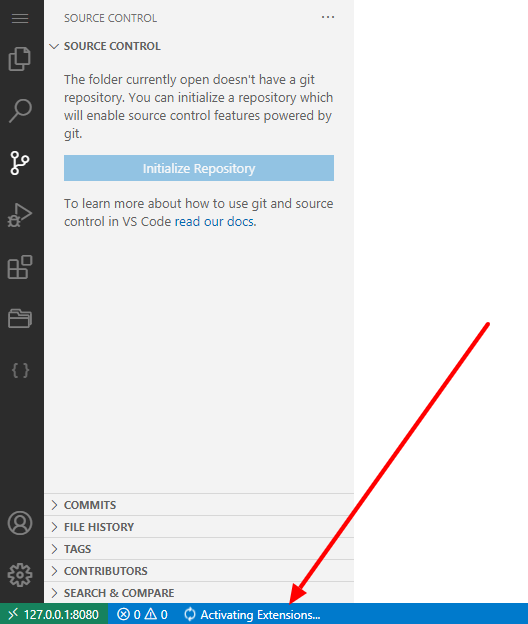
I see ‘Activating extensions’ for seconds, but no any extension loaded without any failure message.
this also makes git don’t work, check the attached screenshot.
OS/Web Information
- Web Browser: Google chrome Version 89.0.4389.128 (Official Build) (64-bit)
- Local OS: windows 8.1 pro preview
- Remote OS: Debian GNU/Linux 10 (buster)
- Remote Architecture:
code-server --version: 3.9.3
Steps to Reproduce
- installed via script:
curl -fsSL https://code-server.dev/install.sh | sh
Expected
run normally with all extensions activated.
Actual
extensions don’t activated.
Screenshot
Notes
This issue can be reproduced in VS Code: Yes/No (don’t know)
About this issue
- Original URL
- State: closed
- Created 3 years ago
- Comments: 16 (7 by maintainers)
I removed all extensions (renamed the extensions dir), but the same issue. I also tried to remove the user-data dir entierly
~/.local/share/code-server, so I use a fresh instance of code-server, but it didn’t helpnote: it was working fine in the same environment, but this issue happened suddenly
the console output, without
---verboseflagwith
--verbosecommand line output (with
--verbose)issue updated, @jsjoeio